







The people who use our boards.
424 interviews since 2018
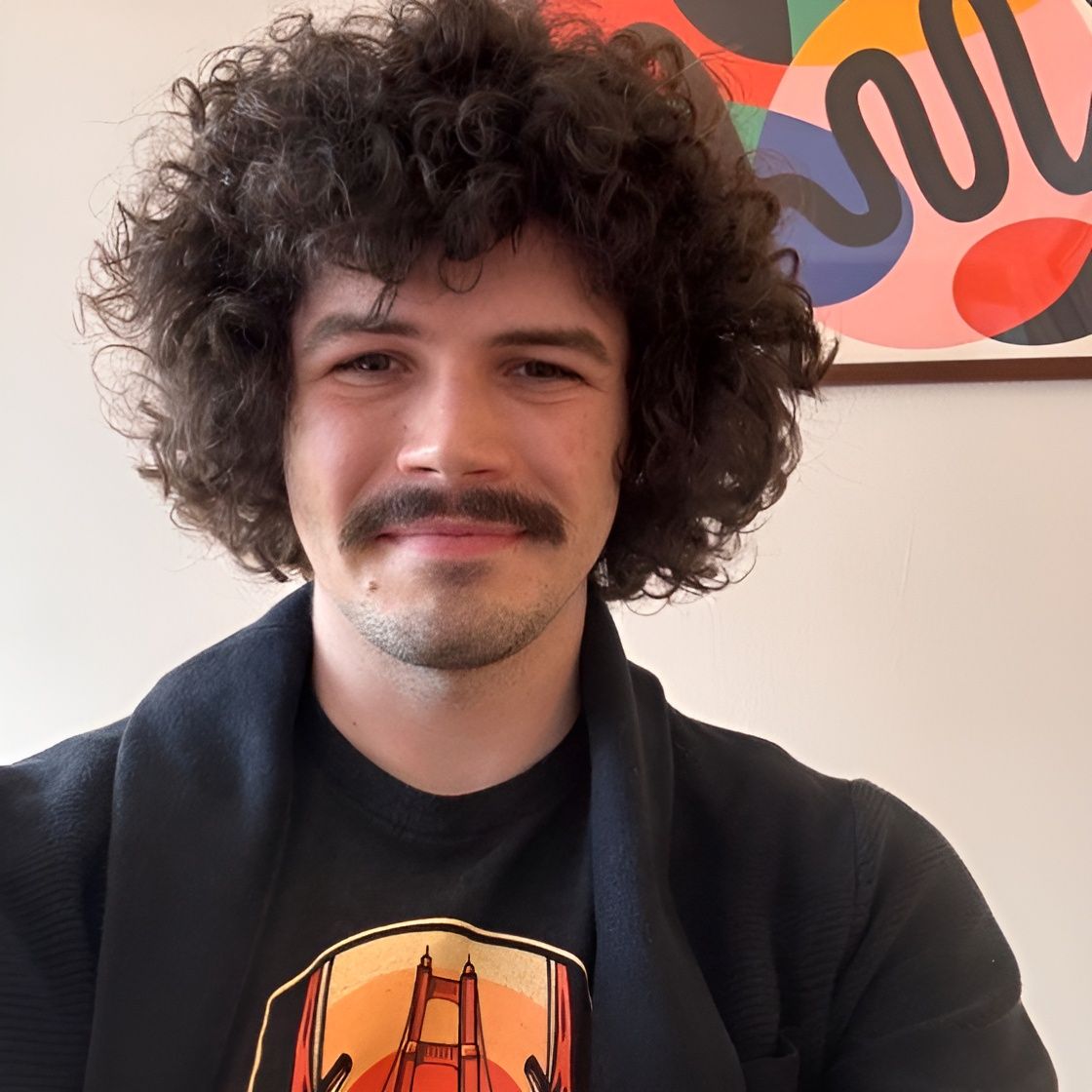
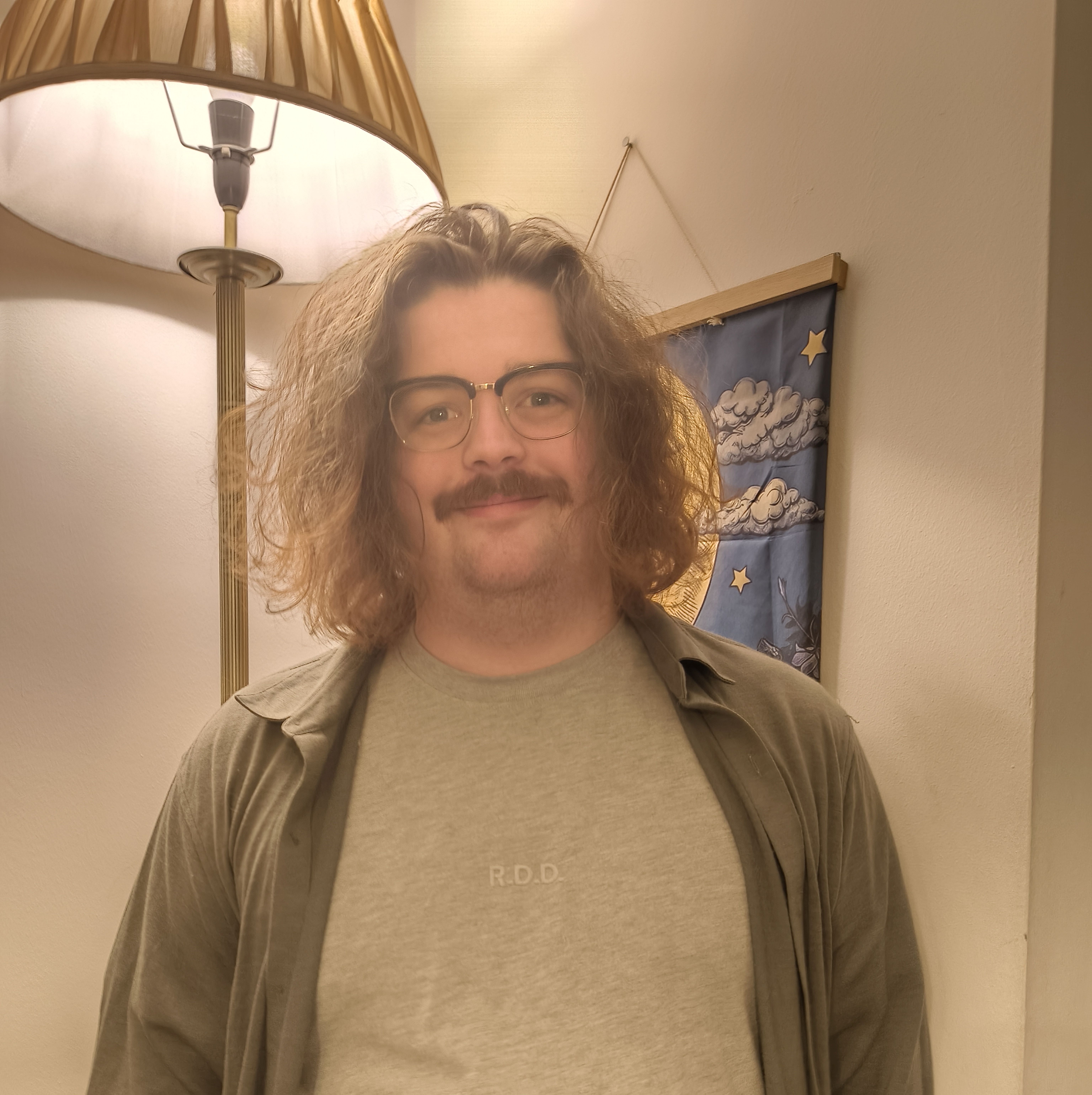

Castor
Stephens
Back-End Software Engineer
Who are you, and what do you do? What do you like to do outside of work?
I'm Castor and at heart I'm a digital tinkerer with a keyboard obsession. I'm currently returning to university as a Masters student in Cyber Security, but I spent the last three years in industry as a back-end software engineer. One shameless mention I'll sneak in here: I wrote an open-source tool to manage large projects with a simple command-line interface. After working on a codebase that spanned well over a hundred repositories, this tool (PanHandle/Twit) took the onboarding setup from days to hours and helped automate routine improvements, deployments, and testing. I now use Twit to manage my personal projects and university assignments; feel free to give it a look and raise some features or issues to tackle. I'm still working on my code-confidence and have endless more projects tucked away. When I've uploaded my work I feel a “commitment to maintain,” so I've not shared any of my one-shot-projects. I may not always have the time to make the improvements, but engagement and feature requests are always an encouragement far beyond my own wrinkles.
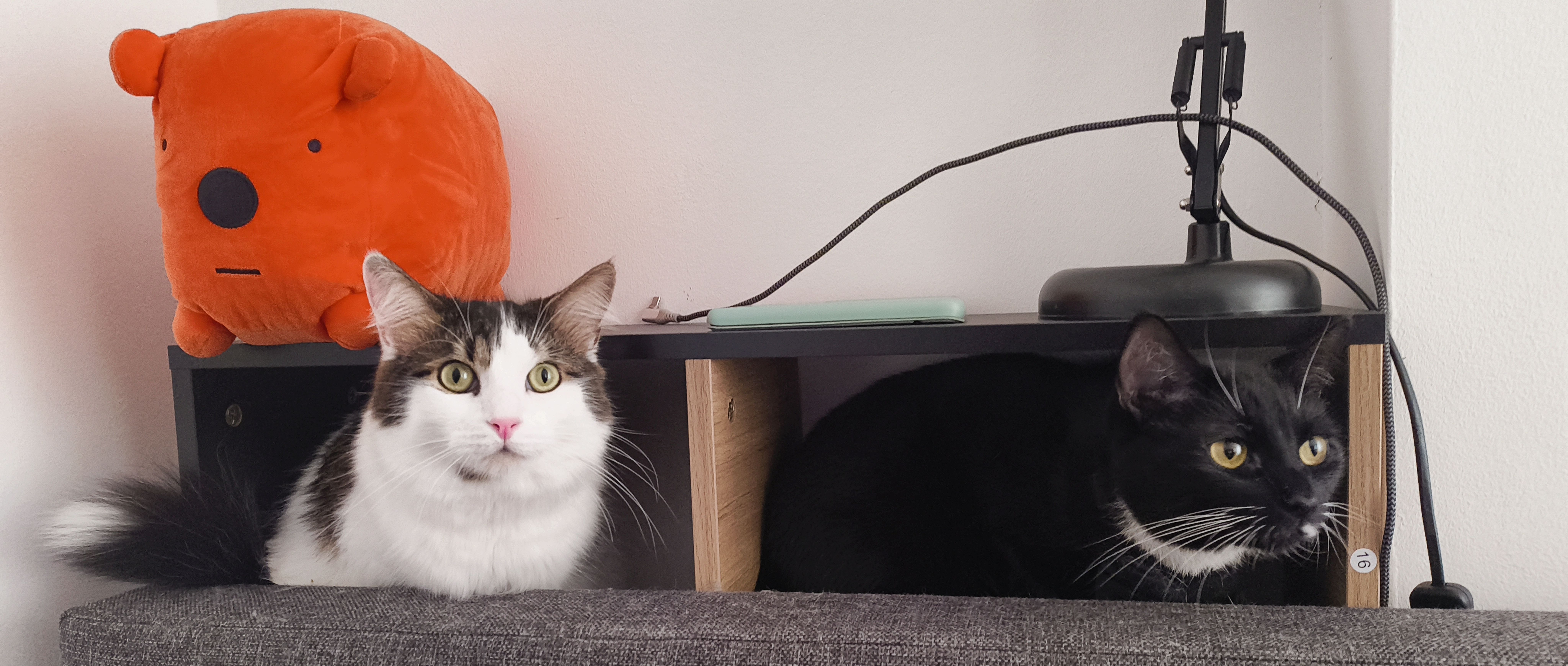
As a person I'm an advocate for individualised learning; my partner works in education and I've had nontraditional schooling, so I'm never content when at idle. We both have ADHD and some other needs, for me that includes but is not limited to dyslexia, dyspraxia, and various anxieties. So I don't choose to go out super often, but the nest I've built at home is comfortable and adorned with my favourite things. I'm an avid sci-fi fan, from reading to gaming and films, I love to immerse myself in spectacular narrative. I've just finished reading Rogue Protocol by Martha Wells, but my go-to underrated recommendations would be A Memory Called Empire by Arkady Martine and the Emily Wilde series by Heather Fawcett. We also have two incredibly well-behaved cats who cause a more-than-appropriate amount of chaos, coat every surface in fur, and look stunning doing so.
My love for keyboards first came from cheap no-name boards, the first step above the QWERTY membrane keyboards. I then was drawn to the ergonomic community as I spent more and more time programming, so upgraded to the venerable...Lily58. I still love this keyboard, but wanted something more. I'll stay light on the detail here, but look out for the fourth section. The short of it would be I then upgraded to the Moonlander, grew my collection, and made my own customisation. I'll spare the mildly embarrassing photos, but I've designed many mounting systems for keyboards by expanding on a quick-release model, including a belt mount that I've used to be fully mobile whilst typing comfortably. At some point I'll be brave enough to design my own board, PCB and all, but right now uplifting kits, prebuilds, and silly mounting systems are my happy place.
My other hobbies include running a Dungeons & Dragons campaign, elaborate coffee-brewing, writing fiction, and some paltry attempts at poetry. Ahead of the ask, I offer apologies as I yet have no novel to share, I write for myself and for my love; maybe one day. I also love puzzle games such as The Talos Principle and word games such as the Minute Cryptic.
What hardware do you use?
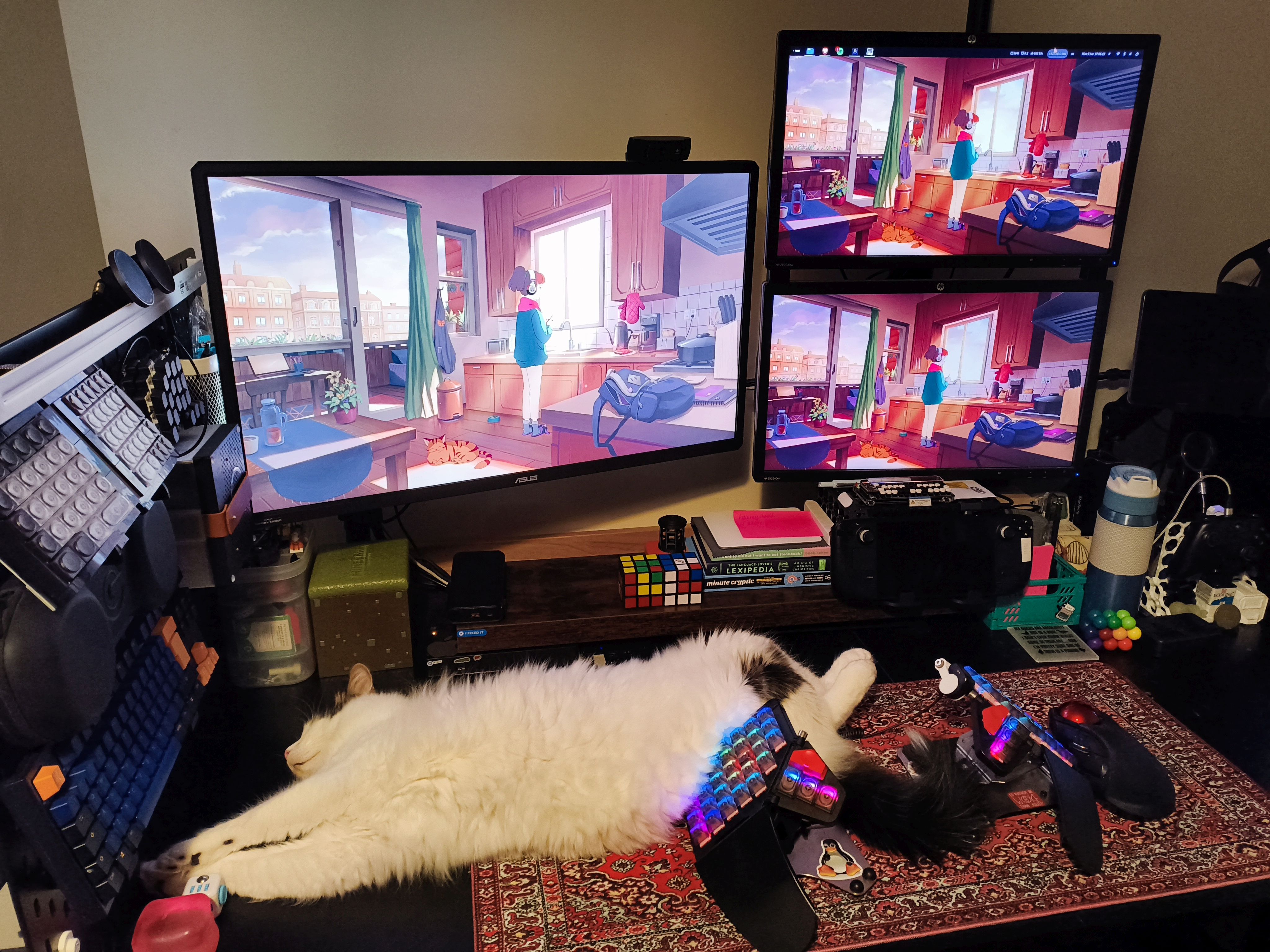
Let’s start with what you can see. There’s an Amazon Fire Max 11" Tablet, kept on a VESA-mount arm when not travelling, and a ThinkPad (Gen3, I think?) USB-C dual-display dock. I use three monitors, each in a 5760x2160 layout. My main one is an Asus 30" 4KS gamer monitor (it said gaming on the box 😉), and ex-office e-waste lives on as those two ancient HP 1080p stacked secondary displays. My beloved Moonlander is mounted on a modified ZSA Platform, and it runs with a SterlingKey Bluetooth keyboard adaptor (I modded this too, adding some mounting magnets). Nearby is an Elecom HUGE Trackball. A USB switch is perfect for all my peripherals. Just out of frame, but always in use, are a Flashforge Adventurer 5M Pro 3D Printer and a Razer microphone on a swing arm for in-game chat. It all sits on a large four-poster standing desk.
This setup has been tailored around home and work-from-home use. The dock allows a work laptop to be added without visibly messy cabling, and my main PC allows for gaming and passion projects with a baseline amount of separation. I keep my work-self and my home-self at a healthy distance in ritual ways, such as a wired headset for work and wireless headphones & mic arm for social settings. With returning to uni, that dock is awaiting a new study laptop, and I'm planning to maintain a similar level of balance.
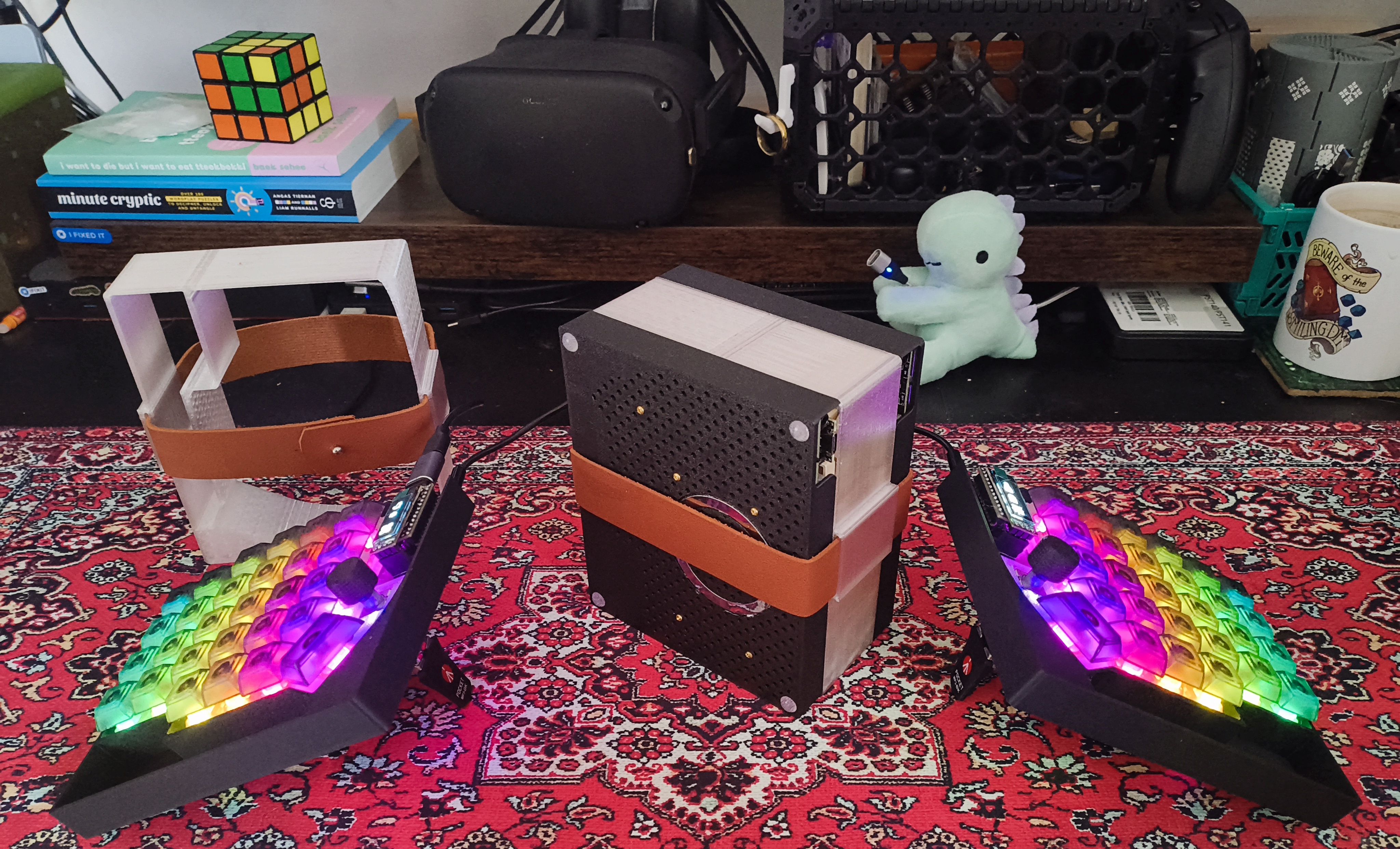
One confession regarding my desk: It is not often as tidy as the photos might suggest, as I'm often doing some project that eats up space. Just recently I've working on a custom keyboard for a friend, a Lily58 Pro with dual encoders. To this end I designed a case in OpenSCAD, assembled the parts, and overhauled the QMK build to be “just right.” I gifted onwards my original Lily58, so the blank keycap one on open display is one I made for my collection. As this is my friend’s first step into the world of custom ergonomic keyboards, I wanted to give them a gentle introduction to the hobby. I can honestly say was both nervous and overjoyed to see their first reaction to the finished build.
And what software?
Firstly and for some unsurprisingly, my OS of choice is Linux and I mainly code in a tweaked version of LazyVim. That being said, when it comes to writing prose for my personal writing projects, I use Obsidian. For my academic work I've used a fair few systems, from paper to para and zettlekasten, but my submissions and papers are all powered by LaTeX. Writing is a passion of mine, and tailoring the editor to the task is a great way to mode-switch your brain. I'm not finished making a template vault for Obsidian, but I'm sure that will be on my GitLab one day.
I program in a fair number of languages, with professional experience in secure cloud systems, and so spend a ton of time in the terminal. My choice languages to write in, however, would be Go, Python, and Rust. For my terminal I use Bash inside Alacritty, often splitting the window using tools like Zellij. My dream work day ends with testing on one side of the screen and some no-longer-broken code on the other. For my 3D modelling I use OpenSCAD. I've tried to wrap my head around other options such as Blender and FreeCAD, but OpenSCAD is the one for me.
What’s your keyboard setup like? Do you use a custom layout or custom keycaps?
Without doubt, the stock Moonlander was one of best things I've ever bought. It has fundamentally changed the way I type and work. I'd already taken the leap from the classic mechanical keyboard world to the columnar split; I'd built and moved over to my own Lily58 but it lacked something that I couldn't quite articulate at the time. I was more comfortable, and my shoulders, wrists, and typing habits had improved. As much as I tried to ignore it, my keyboard still fell short of where I wanted to be. Then, after an impressive amount of convincing I was encouraged to make the next leap: a black Moonlander with Kailh Copper and QWERTY legends.
On the first day I must have rearranged the layers a minimum of twenty times, tuning the board and myself to this new keyboard, finding things that I loved and things that I loved less. I'll explain more on the less-loved things later, as they are almost all resolved. I took it to work, drawing a distracting amount of attention—more than my own custom split keyboard ever did—and it felt good. The itch was almost scratched, and I was happy. I had a keyboard of a quality that I could not achieve on my own and I knew what I would need to do. Now my layout has significantly evolved and is called Cromulence.
I'm about to go into a horrendous amount of detail, but for those who would like to skip to the next question, I've been concise at the end. Skip ahead, I won't mind, I promise. 😉
So, if you would indulge me I'd like to start with my first base-model gripe: tipsy tenting. I'm told that there is a right way to type, or more that there is a way that you should hold your hands for “best” ergonomics. I'm not an authority and I fail at doing this, but one should “float their hands above the keyboard in a neutral hover.” For me this aches, and so I love the wrist rests; I rest my arms heavily on them and I found it causing the board to tip towards me. The ingenious tenting leg and thumb cluster combination was overpowered by my heavy-handedness.
Thus my first Moonlander-targeted 3D print was a slightly modified tenting stand I'd found online. Credit goes to Korri on Printables. This, even modified, afforded no space for the folding wrist rest to travel attached, an acceptable compromise for the time being and I could always upgrade in time. I reasoned that printing is cheap, already having the equipment to do so, and it sufficed. I even printed one of these plastic platforms for a friend who had seen my Moonlander and then purchased the exact same keyboard, same options and all. A few months and other modifications later, we'll come back to those if you will excuse the timeline.
Another friend bought one for travel between their home and office. They had a much older monolithic keywell keyboard and wanted a step in the more portable direction. Along with their one, they bought two Platform kits and gave me one as an overwhelmingly generous gift. With this convoluted tale, tenting was solved.
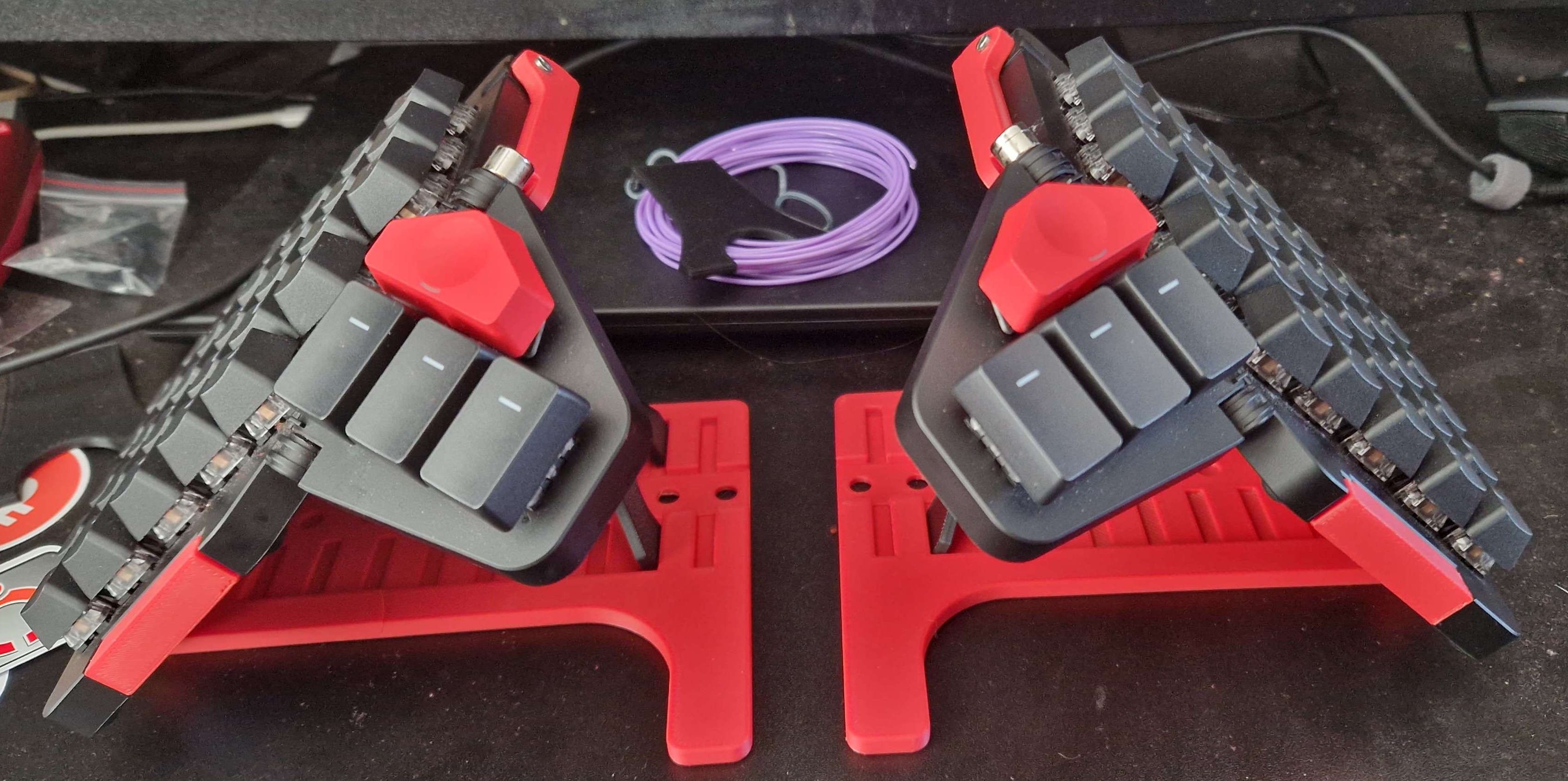
The next one was my own fault; legends limit layers. I thought I'd make the change from keyboard to keyboard easy, keep key-glyphs I could look at if I got lost. When I used a classic-layout QWERTY keyboard I could touch-type, but not in the correct way. I would type like an overcaffeinated spider dancing on hot coals, not the gentle homerow-grounded typist I am now. I still dance and wander when I need to use a standard keyboard, and I think this is a product of columnar stagger and space, splitting the keyboard into two positionable parts allows for better hand health and more intentional usage. That being said, the best way I nailed my fingers to the homerow was swapping to a Colemak-DH-based layout. I'm now faster than before and it force-taught me to type the “correct way.”
For those reading this and curious for themselves about swapping layout or form factor, I can and do type decently well on a traditional keyboard for situations when spreading out is not feasible, but I'm back to that chaotic dance. You may have noticed, most keyboards have little bumps on the homing positions for your index fingers. I love them, and the Moonlander optionally has them in the printed keyset on the F & J keys. I say “optionally,” as bumpless alternatives are included for other layouts, such as Colemak-DH. This is where I wished I had bought blanks, as reordering the keys moves or removes the homing bumps, and I found my counterproductive “looking at the keys” habit hindering my move to the new layout. So I bought some DSA-profile set of blanks online, adding in O-rings for additional tuning on my key-feel. The DSA key profile is naturally a standard height. The printed set included is OEM R3 profile but the blanks come sculpted like normal, which means that each row can be a different height and mixing R1 and R4 gets unpleasant. I have used DSA profile before and so these were a logical option and make quite a difference in the way the keyboard feels. The only key that remains unchanged is those eye-catching red arrows but the height difference is welcome there as the OEM key is taller. I have also replaced the switches and cannot praise hot-swap enough here for making continual changes possible. I'll not count this as an upgrade though, as the Kailh Copper switches are nice and fine too. Suffice to say, hot-swap keyboards are a tinker’s dream and I'm bound to change my switches again in the future.
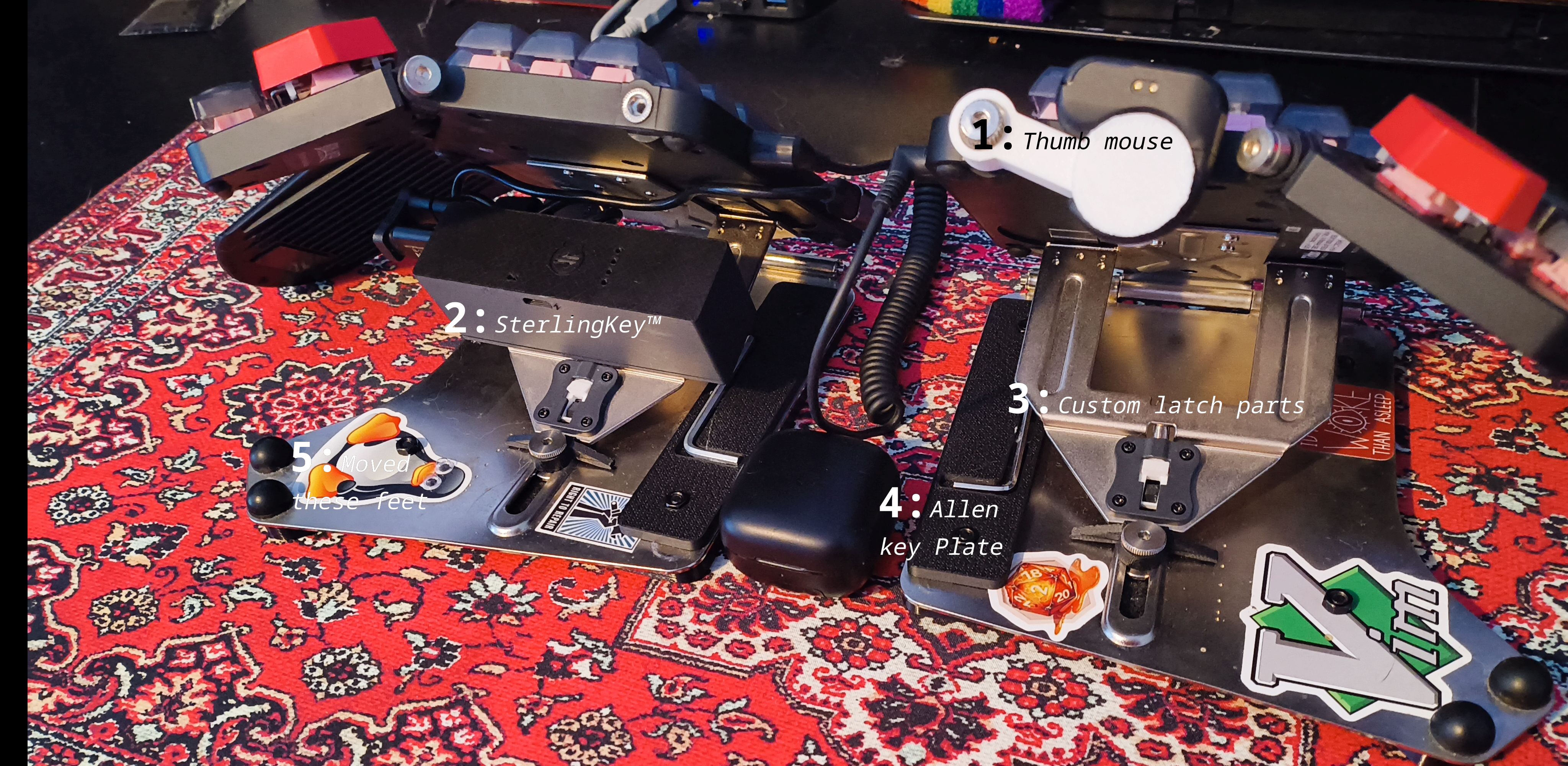
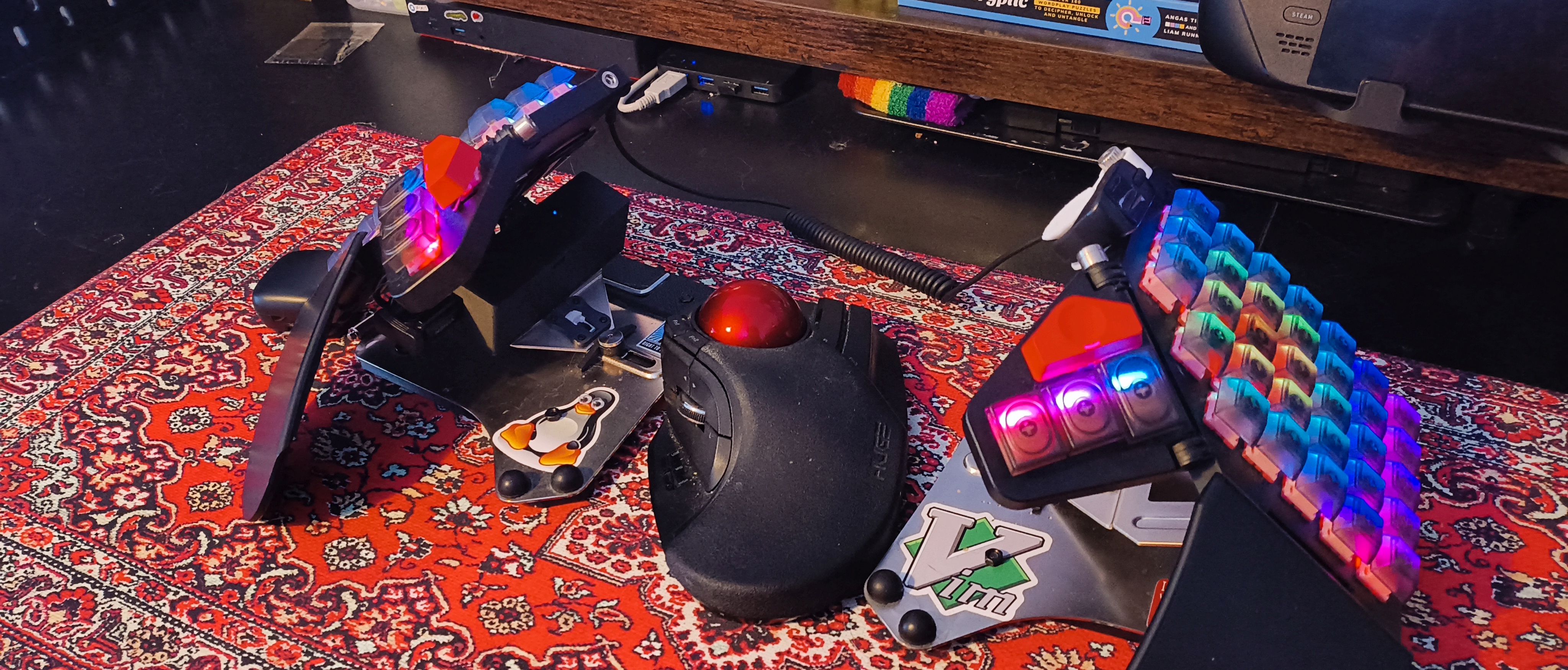
The Moonlander Platform, now there are a few things I'd add. Out of the box my Platform(s) had two rubber bumpers that sat between the top and bottom hinge; these blocked the wrist rest from folding in, and so as you can see in my pictures I moved them to beneath the thumb cluster. I'm sure these had a reason, remember that I'm no authority here.
As for additions, in the bottom plate there are four holes that are perfect for mounting things, such as a bolted-in magnetic plate you may spy holding the Allen key. The travel pouch has a great spot for this tool, and I keep a spare in there too, but this second set keeps one at hand for those pesky tweaks. I've got these on both sides, with one being smaller for the M4 bolts that hold those plates on. The tenting mechanism on the platform is super adjustable at the cost of needing careful tightening—too much and those injection-moulded orange skates can shatter, too little and you may experience drift. As I said, I rest my hands heavy and so I kept the tools close to adjust often.
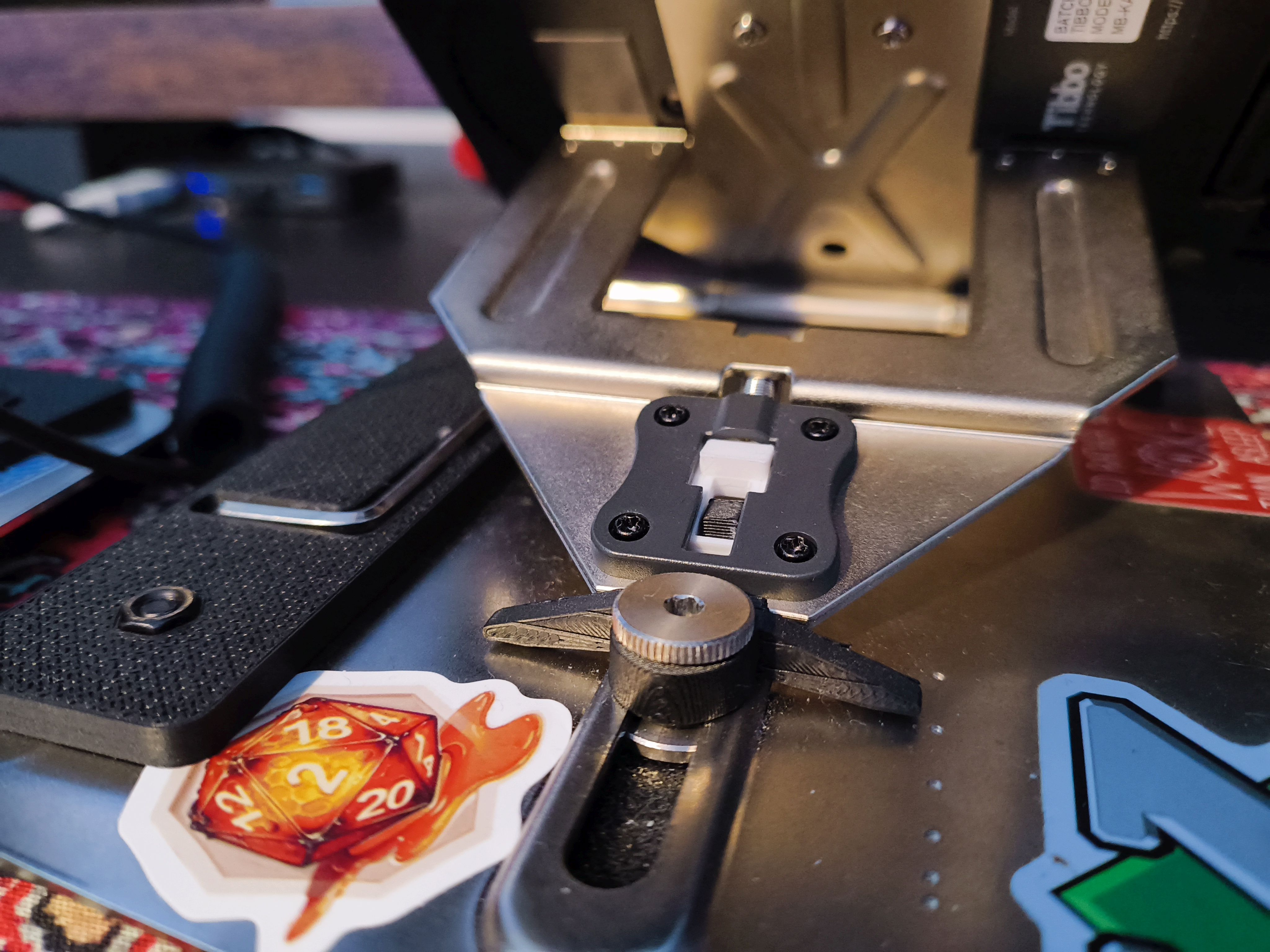
My printed plastic platform had fixed positions and a flimsy bounce when typed on, so this was better, but I feared the worst by the time I was on the included spare set of skates. Then, a presumptuous thought appeared: I can print them. This was followed by another presumptuous thought: I could get them printed in metal. I reached out to ZSA for the skate's file, and their support was wonderful: I tweaked the wings on their part (it needs more clearance for the rail's bump BTW) and reverse engineered the receiving latch with a trusty set of calipers and a few iterations. If you look closely, you can see these are printed in white in the photos; however, this is not metal. Sadly, the parts were too precise for what services I could find, but the printed versions have worked wonderfully and it was a fantastic excuse to learn more printing and design. One notable difference between my latch and the real one is the omission of the pillar below the part, and this gives me more space for folding while staying at my preferred adjustment. First-party parts should suit you best, but I find it right to repair what I can.
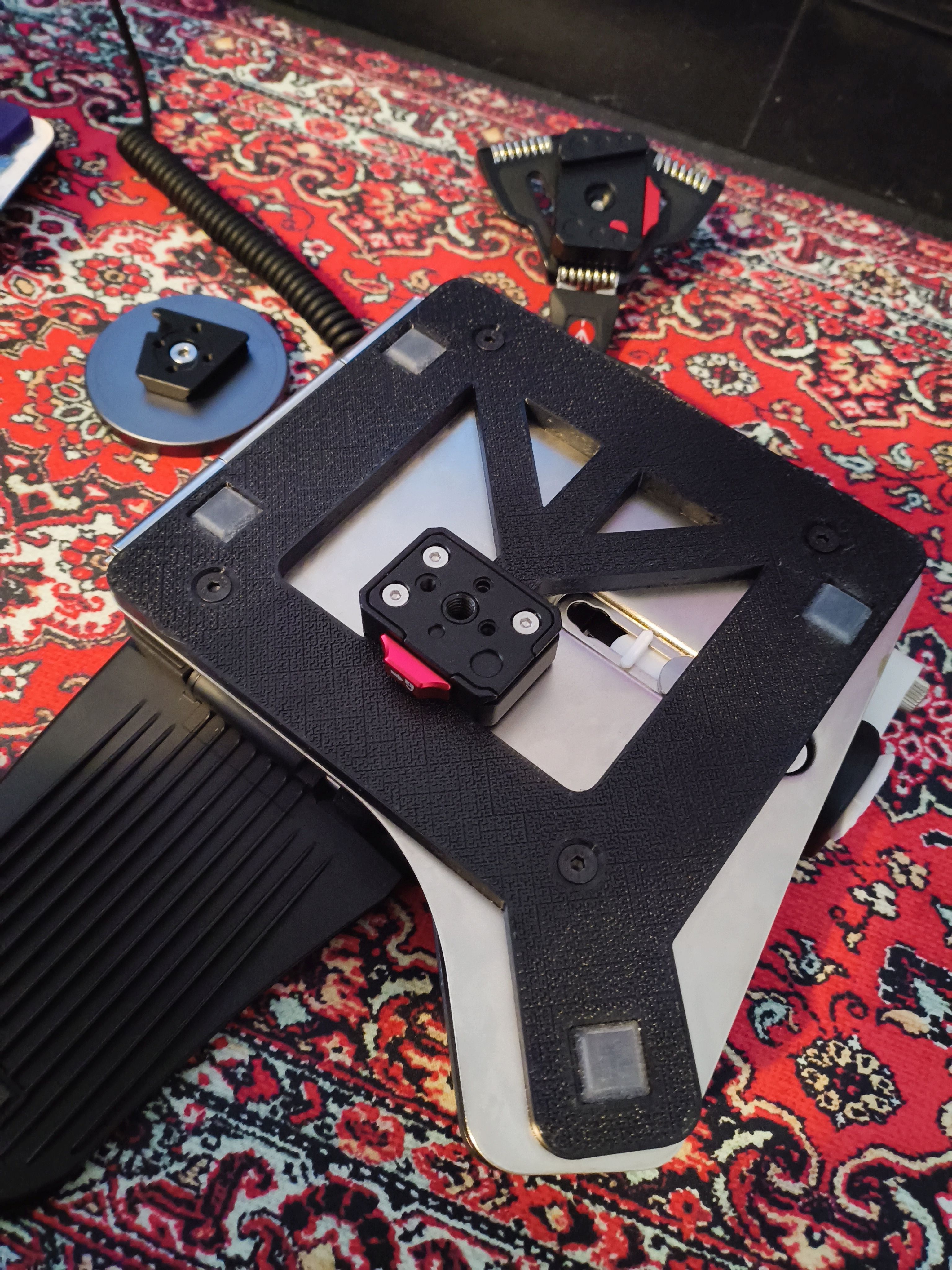
Earlier, before making my own latch, I also made the plate you see beneath the platform and is one of the biggest upgrades to the Platform for me; my rubber feet underneath came unstuck. I tried gluing them back on, replacing them with new ones, and still they would migrate across the underside as I typed. Without a divot to sit in, the stuck-on rubber had no hope. This plate is the second iteration of this (the original omitted the tripod mount). The plate keeps the feet in place and gives them a hard surface to push against if they experience any shearing force, all without raising the keyboard too high or impinging on the portability. The tripod quick-mounts are a part I'm currently toying with and are useful for quickly adding the keyboard to arms that I've mounted underneath a standing desk. I don't do this all the time, but the option is nice.
I've even added a small ring-mouse to the side where before a tenting leg was mounted, which allows me to navigate naturally with minimal movement away from the board. I'm a big fan of trackballs, and I'm hopeful the Navigator will make its way to the Moonlander ecosystem. Until then this is a light and simple addition done on the cheap. I'm not brave enough to add some form of trackball myself.
In summary, I love my Moonlander and I'm lucky to have a typing experience as good as this. My additions are labours of love and I hope you see that in the above, but if you've skipped ahead I'll list the short version here:
TL;DR What ~ How ~ Why
- Tipsy Tenting ~ Procure a Platform ~ Stock legs slipped; plastic printed platform was flimsy. ZSA did a fantastic job on this one.
- Limiting Legends ~ Get blank caps with bumps ~ Layouts change, QWERTY is not forever, and keycaps are awesome.
- Missing Mouse ~ Added a cheap ring mouse ~ The Navigator is not here yet and minimal movement is best. The simulated mouse is mostly good.
- Positioning Platforms ~ Added an Allen-key plate ~ Keeps the tools you need in reach. I might add more later on.
- Precise Platform Parts ~ Modelled the latching parts ~ I wanted easy replacements and in future maybe metal ones.
- Platform's pad performance ~ A plate holds rubber feet in place ~ The stock feet slipped off, and I needed something more secure.
What would be your dream setup?
Well, there are many things that make the perfect keyboard, and I've been growing my collection to find out what this means for me. I've still got keyboards on my wish list, but my dream keyboard is something quite custom. I find the Choc ecosystem less flexible than MX, and hot-swap is a must. I've grown to love and rely upon per-key RGB for navigation in layers and portability is what I would deem a "compromise-able" must. Even in a fixed setup such as my desk, I find the ability to shift things around and take my keyboard when travelling a great comfort in many senses. Though I have a vintage lefty Maltron that gives me the itch to have concave keywells, so I'd love to have that in my dream keyboard. In the terminal a pointing device has little point 😜, and for gaming I'd use my Elecom Huge, so mouse keys are a convenience but an inbuilt trackball or trackpad would only be an auxiliary device. I love the folding nature of the Moonlander's thumb cluster, wrist rest and Platform. I've more than once spent time sketching, modelling, and PCB-designing the ideal keyboard, but I'm not there yet with my CAD skills.
Otherwise my desk is finally my dream, a main content screen that provides comfort for gaming and work with two auxiliary displays for when I need to check messages or play second-screen content. I'm sure my setup will evolve and shift as I find new challenges and grow as a person, but I am content with what you see for now. That said, I am ordering a Ploopy mouse for my setup to keep the dream lucid.