




The people who use our boards.
425 interviews since 2018



Martin
Thoresen
Programmer
Who are you, and what do you do? What do you like to do outside of work?
I’m a programmer located in Drammen, Norway. For work, I'm a senior software developer at Cognite, where I work on auth and related things. At home, I play the guitar, cook, make drinks, and write code for various personal projects, some of which end up as blog posts.
During covid I, like many others, attempted to learn how to make bread, and like many others, I didn’t succeed. Instead, I pivoted to pizza, and for a few years I made pizza every single Friday for me and my wife. Lately I've started again, so today was Pizza Friday.
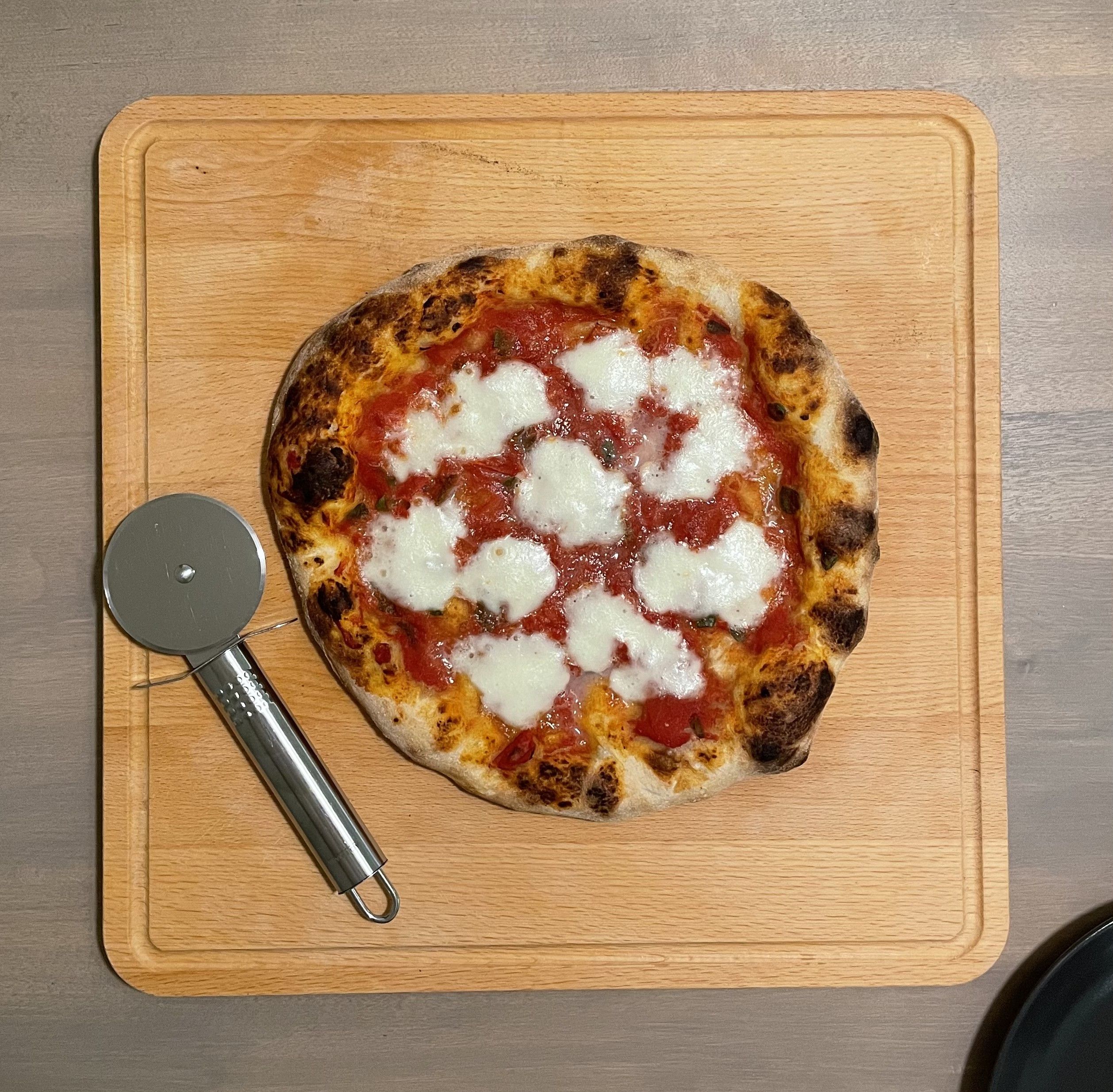
I make the dough the evening before, shape it into two balls, and put them in the fridge overnight. The exact ratios of flour/water/salt/yeast are tuned to our apartment and oven because the temperature and humidity and local flour all play a role in how the dough turns out; any off-the-shelf recipe will need some tuning to your situation. The short story is more salt than you think, less yeast than you think, and it should be a little sticky. Oh, and oil is optional. I like to keep toppings very simple and recently I've made a lot of margheritas: just tomato sauce and mozzarella, and maybe a homegrown leaf or two of basil. Putting oregano in the sauce is my latest change, and it’s made a big difference.
I also like to read, and have a long backlog of books to get to; somehow, I often end up in front of the computer instead.

I’ve been programming for 15 years, depending on how you count, and have an MSc and half of a PhD in CS. Well, I spent years in a PhD program, and they don’t give out half-degrees.
I’ve been interested in machines my entire life and I think I knew from an early age that I wanted to work with computers, even if I didn’t exactly know what that meant. But now I do! And I don’t think I've ever looked back.
I like the glow from the monitor, pressing the buttons, hearing the clicky sounds of the switches, and seeing my code appear on the screen, totally not correct and with a bunch of bugs. But, like, it’s basically the right idea, yeah?
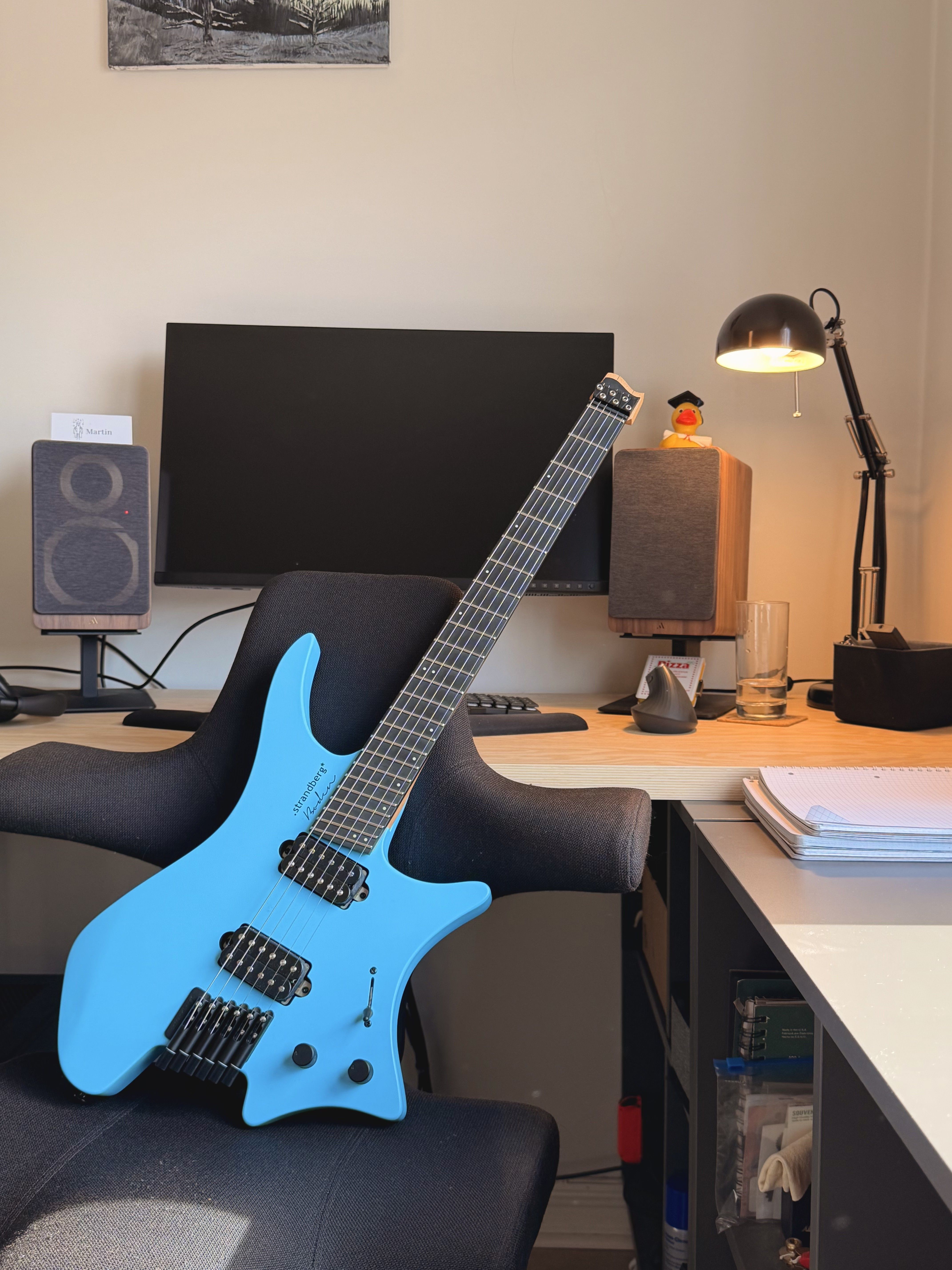
I also play the guitar, and have a blue Strandberg Boden RESQ:D—an ergonomic guitar—on which I play mostly metal or hard rock, but dabble in jazz and other genres. I’m not in a band or playing concerts; it’s just me and my guitar in the bedroom, playing with a headset on.
What hardware do you use?
My first abnormal keyboard was the Microsoft SideWinder X6. This keyboard was neat because the numpad was detachable, so you could put it on the left side of the keyboard, or remove it altogether. This made it a little more comfortable to play video games, since the distance between WASD on the left and the mouse on the right got smaller.
Around 2013, I bought Das Keyboard with Cherry MX Blues. I dug up some old emails, and apparently I had attempted to get Browns but those went out of stock right after I placed the order. Instead of waiting, I emailed the shop and asked to switch to Blues instead.
It had blank keycaps, which was really cool, and I really liked the feel of it even though my flatmates didn’t enjoy the sound it made. I put in O-rings, which helped a little.
In 2015 I got a Ducky Mini with MX Browns. This is the one with the thick and rounded metal frame and purple backlighting. It was my first smaller keyboard, and while I did miss the lack of separate arrow keys at first, it grew on me.
Around 2017, a friend sold me his ErgoDox EZ Glow. White case, white keycaps, MX Blue. Big, loud, very cool. Clearly, this moved me to the upper echelons of keyboard society. I still remember the struggle of typing on it the first few weeks, and after every time I adjusted the layout slightly.
At the same time, programmer friends and I bought the Evoluent VerticalMouse 4. We were, as the kids would (maybe) say today, ergomaxxing.
One thing that I really like about the ErgoDox is that it’s columnar. The standard staggered columns layout never made sense to me, so when the ZSA Planck EZ Glow came out in 2019 I looked into my crystal ball and saw that my future had a small, ortholinear keyboard made by the same creators of my favorite keyboard to date. I got it with Kailh Coppers, and life was good.
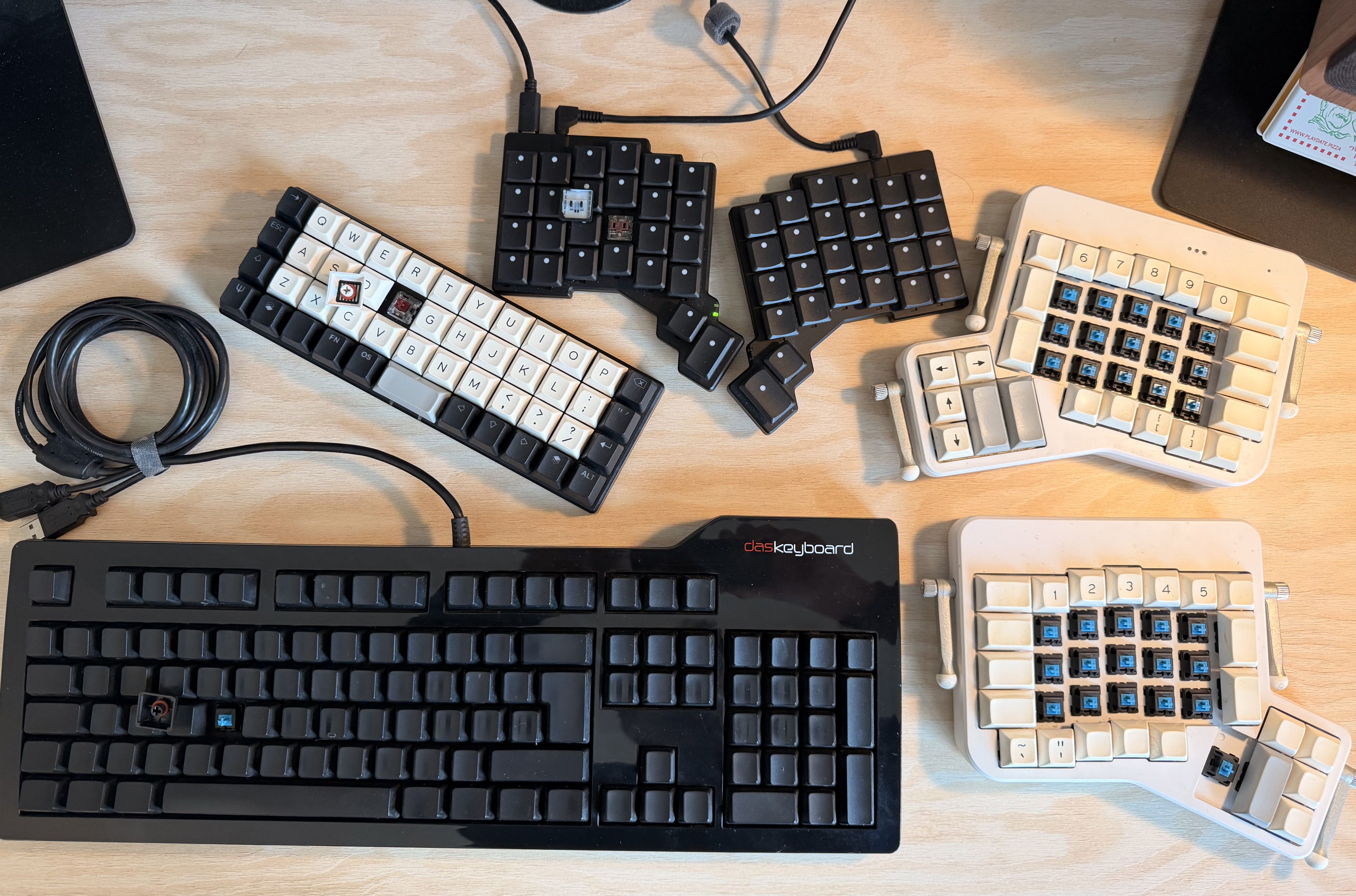
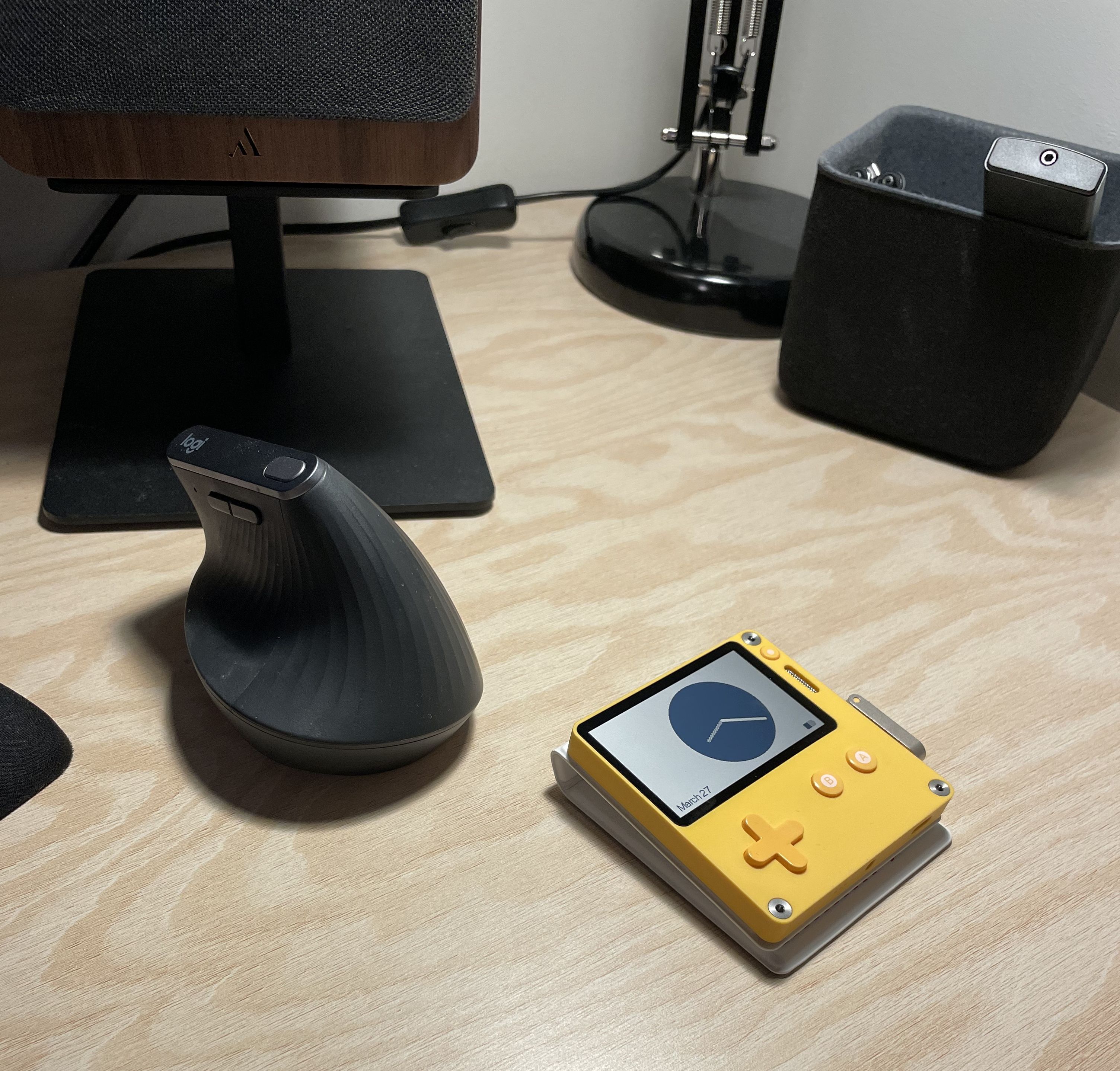
At some point, I switched out the Evoulent for a Logitech MX Vertical so that I could have a wireless mouse.
Life got busy for a while and I kept this setup for some years, occasionally switching back and forth between the ErgoDox and the Planck. I got a MacBook for work, which I mostly used without an external keyboard. For a while I also used the laptop at home, which actually fits rather well with my two-year cadence of switching keyboards.
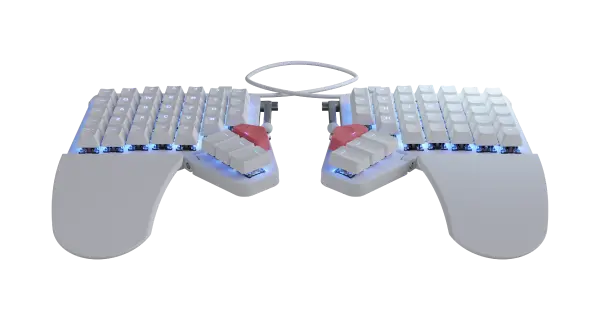
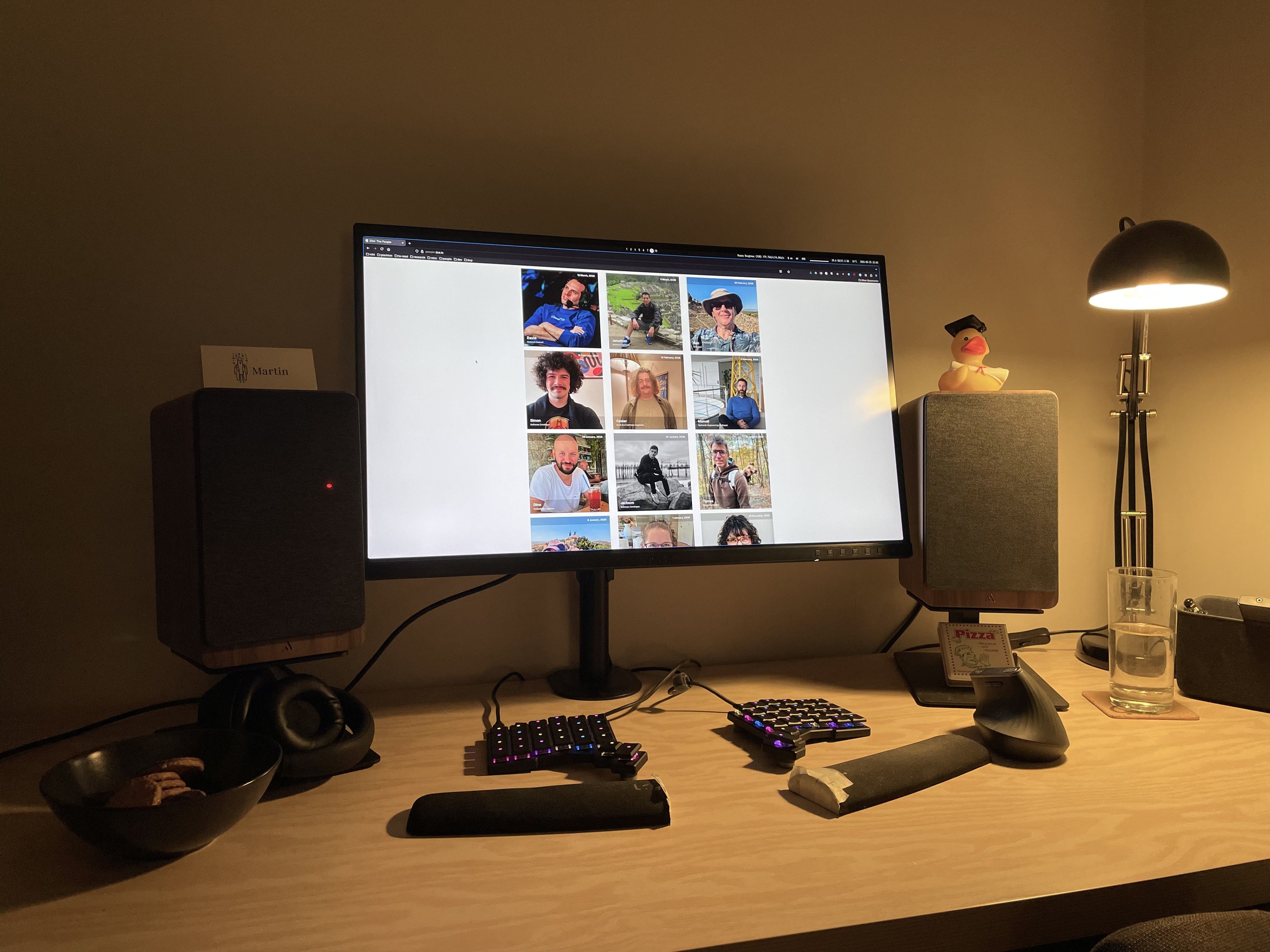
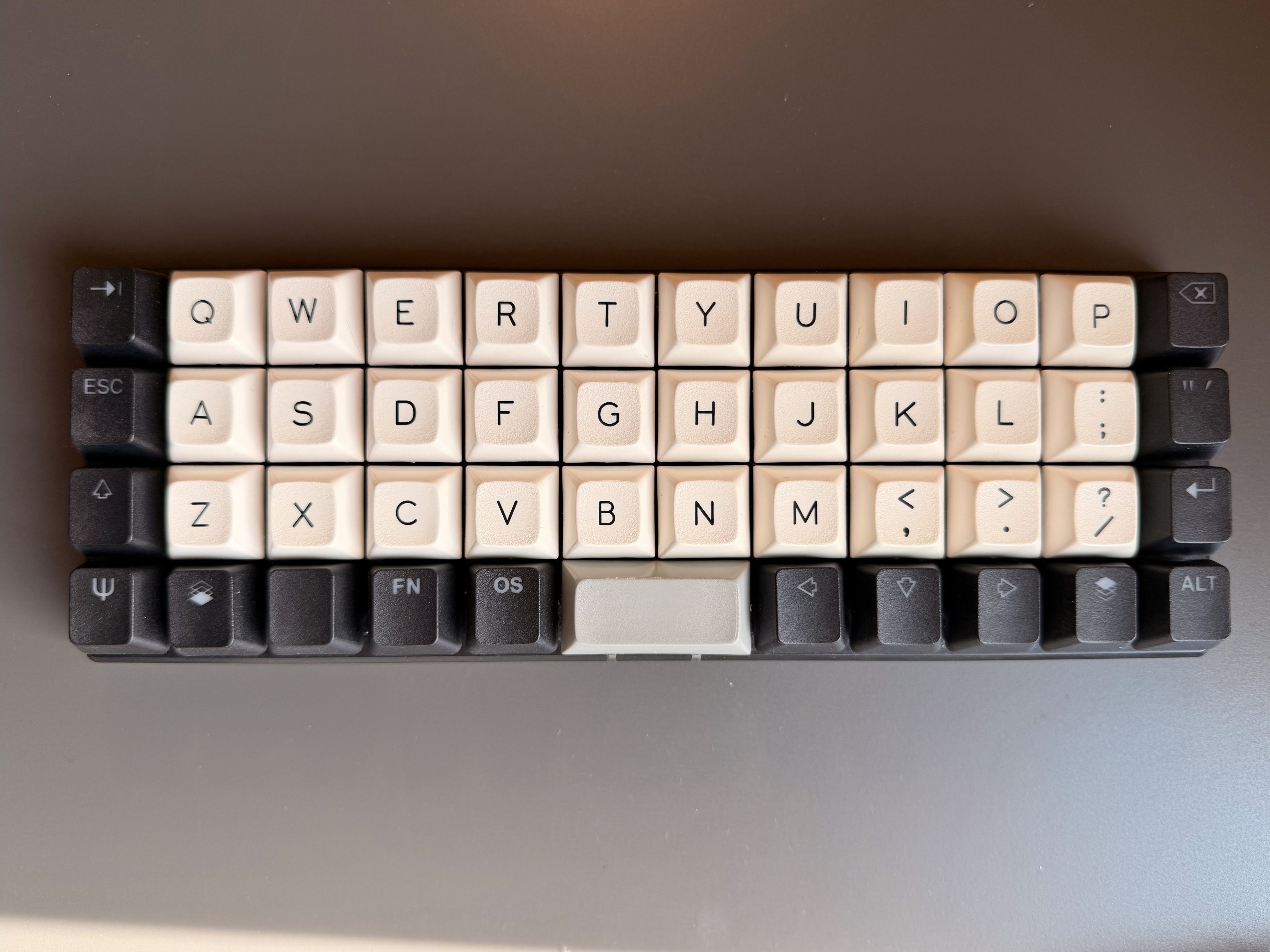
But in the fall of 2025 I wanted something new, and that something was the ZSA Voyager, with Kailh Choc Browns and blank (dotted really) keycaps. I originally bought it to use with my laptop in the office, but now that it’s become a part of my home setup I don’t want to take it away! So this is my current setup: Voyager and “that Logitech mouse.”
I also had to cut an old palm rest in half to have it fit the split keyboard better. It looks stupid, but if it works, how stupid can it really be?
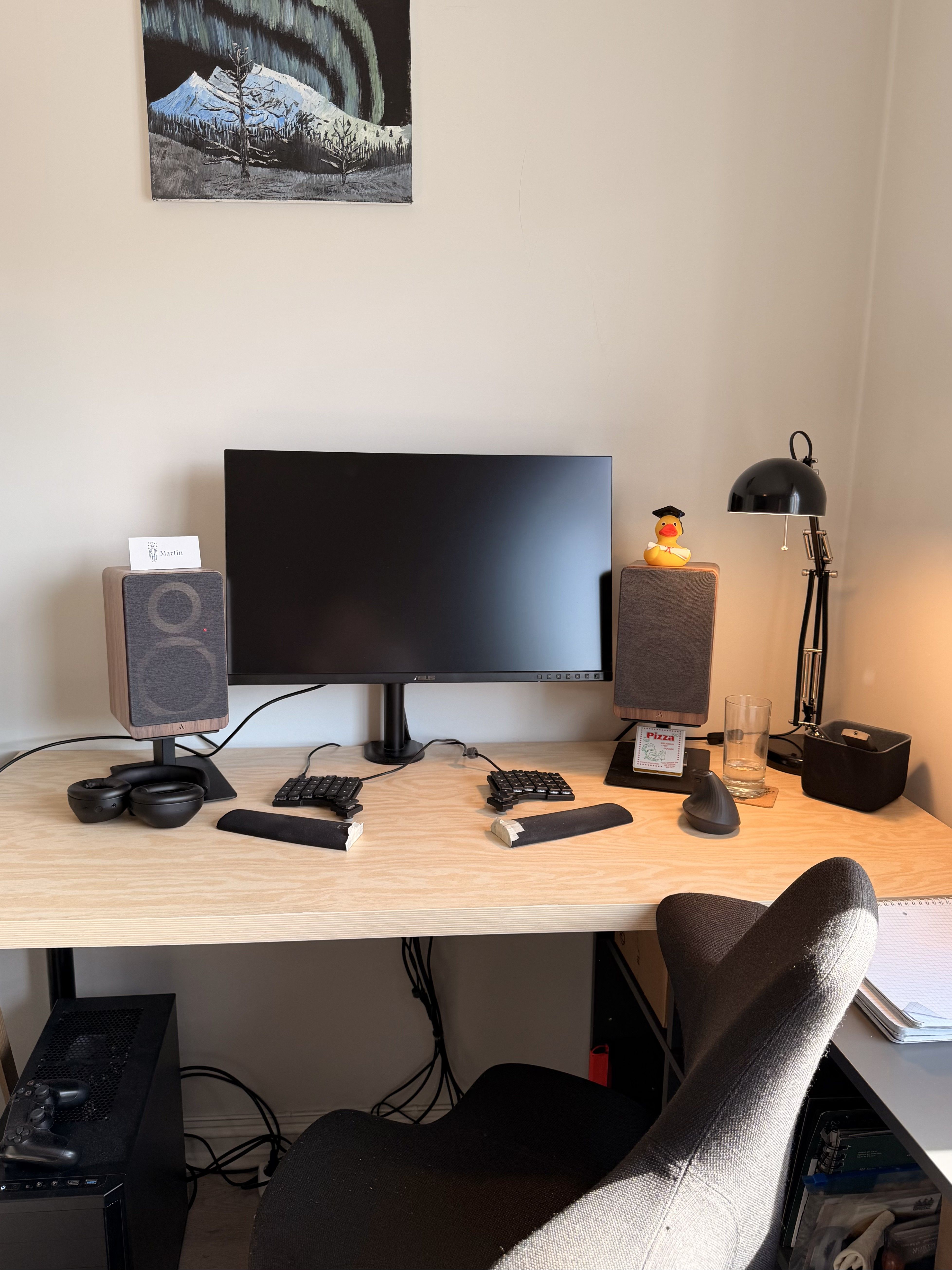
In terms of other hardware: I currently have a HÅG Capisco 8107, one of those funny-looking ergonomic chairs; it’s great. It feels like a really dynamic chair, one that’s not meant to be fitted and for you to sit in the same position, but rather one you're climbing, almost like you're in a jungle gym or something. I like to move around when I sit, so I can sit with one leg underneath the other, or have the chair at a 45-degree angle, leaning on the armrest on one side, or turn it around completely and have the back rest support my chest, or sit completely straight. If I had a standing desk I think the chair would also work at an almost standing height, where you bend your knees a little, like a leaning bench.
My phys. ed. teacher in middle school was really into good posture (needless to say, age-12 me was not), and one thing he said that really stuck with me was that “the best posture is the next.” We're dynamic creatures meant to move around, so it makes sense that our furniture allows for, or even encourages, this.
My computer is a self-built desktop, mostly with parts from 2017 or so. My desk is from Ikea, I have a single 27” 4K monitor, a speaker set from Argon, and a wireless Sony headset.
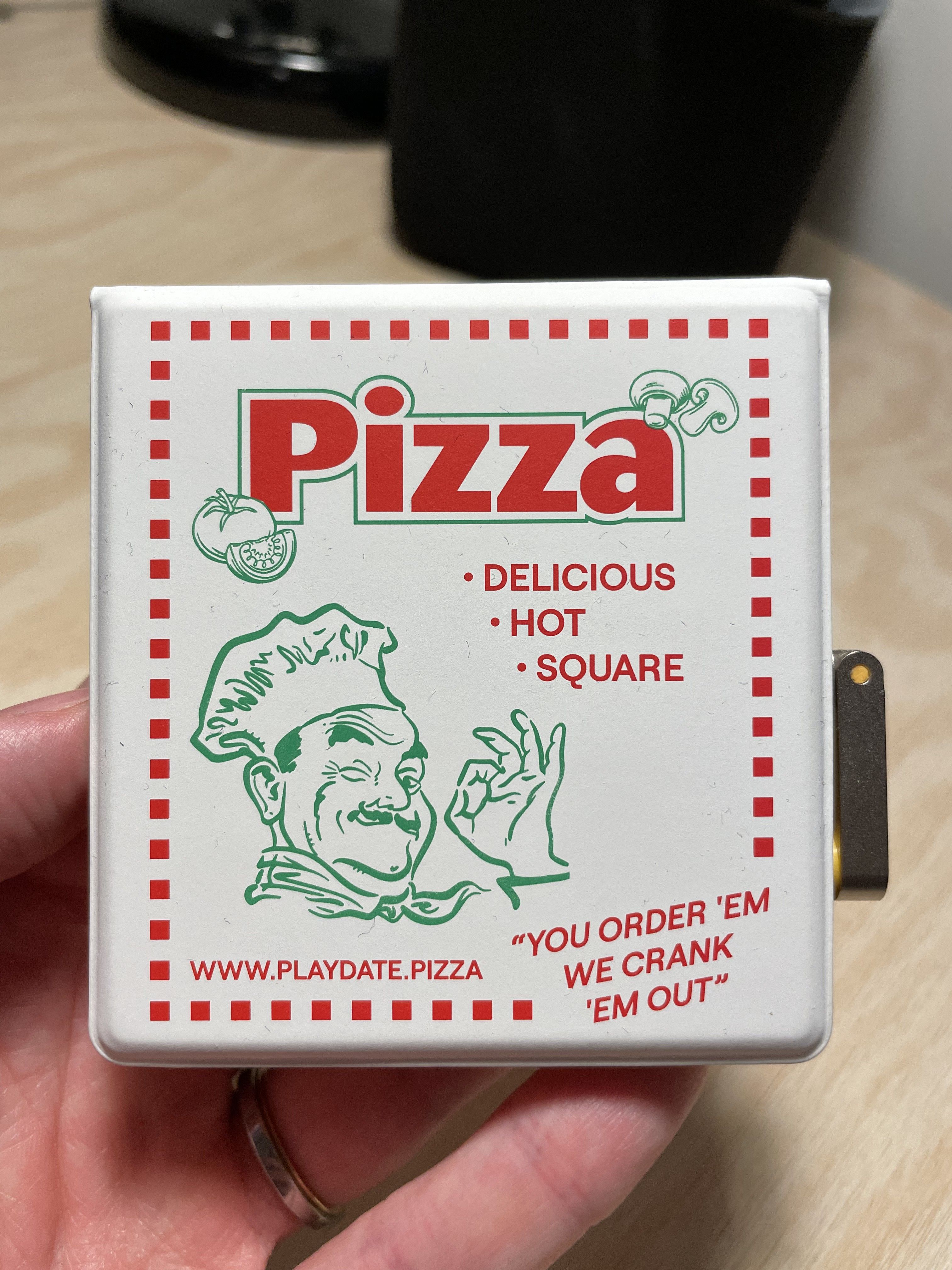
Oh, and I got a Playdate last year! It’s fun! When you buy it you get access to 24 games, two at a time for 12 weeks. I played a bunch around last Christmas, but admittedly haven’t played all that much since then. In fact, I don’t think I've even tried the last 12 out of the 24 games I have, but now that another holiday is coming up I might find some time to do so.
And what software?
I'm in the terminal a lot, where I use Ghostty and Neovim. Outside the terminal I use Zed as my other editor, and Firefox with Vimium as my browser; this makes keyboard-based navigation kind of okay.
I guess I use a bunch of other software too—Telegram, Signal, 1Password, Steam, Spotify, Slack, a bunch of the built-in macOS apps, and so on, but that’s more or less it.
My home computer runs Linux (I use Arch BTW), and human-facing software for Linux is ... lacking. Certainly software with a “product” polish. I don’t think this is due to a lack of trying, but the Linux ecosystem has been very fragmented since forever, which makes it very difficult to create products that work well “on Linux,” because that means so many different things.
Lately, I’ve been on an LLM-assisted programming kick, and this has significantly expanded the scope of my personal software projects. It also means that a lot of the necessary but tedious things that come with creating software can be automated away, which is great. I have mixed feelings around LLMs due to energy usage, copyright, power centralization, and probably more reasons, but they have made it so extremely easy to build small and personal things.
I’ve replaced my program launcher (think Raycast). Actually, Raycast has a lot of stuff, so it’s not a fair comparison, but it’s something similar to the subsets of Raycast that I would have used. Maybe it even has things that Raycast doesn’t, I’m not sure. It has application search, a “high school level” calculator, an emoji picker, clipboard manager, Bluetooth connections, disk usage visualization, a simple to-do list, a timer, a train schedule search, and a few other things. It can control monitor brightness, too, and it shows hex-colors. Basically, it has a bunch of random things that I otherwise need a separate application or a separate website for, but it’s all in one place. I haven’t done any polish to it at all, and it’s a little janky—for instance when I connect to my BT headset, the text doesn’t go from “disconnected” to “connected.” This would be bad if it was a paid product, but this software is just for me, and I don’t really care: The headset already makes a sound when it connects, so I know if it works.
I’m now in the process of writing my own GUI library to replace the framework I used in that launcher, partially because the startup time was a little slow, and partially because, hey, it’s fun!
I’ve also written a few web apps and other programs that I use. I have a “contacts” app to track addresses, phone numbers, and birthdays of friends and family, a custom RSS reader where I subscribe to around 150 feeds, and a Markdown storage thing where I can easily store and sync small notes with my other devices. Developed by me, for me. This was more or less inspired by Maggie Appleton’s talk “Home-cooked Software and Barefoot Programmers,” which is really great.
I’m also hacking on a personal finance web app so that it’s easier to get control over the finances. Nothing groundbreaking here either, it’s double-entry and account-based, but it’s by me, for me.
What’s your keyboard setup like? Do you use a custom layout or custom keycaps?
Base layout has always been QWERTY, although I quickly started using the British layout instead of the Norwegian layout when programming.
The physical layout is the same for the two, but some keys differ because the Norwegian alphabet has three extra letters, æ, ø, and å, which all have their own key. Writing { or [ in a standard Norwegian layout requires either Ctrl+Alt+7/8 (three keys, so too many) or AltGr+7/8 (which makes your right hand do a “DJ spin”). Clearly not very ergonomic.
I don’t remember my ErgoDox EZ layout, and can’t find any trace of it online, but I do have my Planck layouts. Since the Planck is so space-constrained I tried for years to make hold-modifiers on the home row work, but it never felt right. It’s difficult to get the delay short enough that you can easily press it but long enough to avoid accidental presses, and accidentally sending modifiers while you're pressing a bunch of other keys can be very dangerous in certain programs.
My proudest invention with the Planck was placing _ to the left of the spacebar, because this makes typing out variables in_snake_case a breeze. Another is to place opening braces ( or [ or { on the right without having a key in the same layer for the corresponding closer. My editor inserts the closer automatically, so there’s rarely a need to type it in manually.
The keycaps on the Planck are a mix of my ErgoDox Ez keycaps and the keycaps that it came with. At some point I used a no-name brand set, but switched back to these ones at some point last year. I was really happy with how it looks, even if the difference in profile of the caps feel a little weird.
When I changed to the Voyager I decided to place all modifiers on the thumb clusters as hold actions, instead of placing them on the lower side of the keyboard or on hold on normal keys. This has worked great for me.
The only hiccup is combinations that require pressing a key with the modifier on the same key: I currently cannot press Alt+Enter because I get Alt by holding Enter.
I’ve had to insert a second minus key on another layer so that I can press Ctrl+-, which turned out to be very important to zoom out in various apps. One of these days I’ll sit down and fix this too.
The ( [ { keys did make it over, but with a twist: The closing variant is now on hold for that key. Single press to (, long press for ). Similarly, /, |, and \ share a button as press, hold, and double-tap. Visually it makes sense, even if it makes writing // a little annoying. I also use a similar pattern for quotes: single press for ', shift+' for ", as is normal, and long-press for `.
What would be your dream setup?
A separate computer room with a standing desk is on my shortlist. Apart from that, I don’t think I have a lot of new things that I want. A fingerprint reader, maybe? So that I don’t have to type in my passwords so often. I can only type “hunter2” so many times in a day. Maybe a trackpad to replace my mouse, or a good camera-and-microphone setup for online calls.
I don’t know, I’m really happy with my current setup. If you never stop adding things you always end up with too much, you know?