The people who use our boards.
425 interviews since 2018




Enes
Tasbasi
Senior Software Engineer
Who are you, and what do you do? What do you like to do outside of work?
My name is Enes Tasbasi. I am a senior software engineer currently working at a large U.S.-based bank. I have been programming since I was 16 years old and I am mostly self-taught. I started my career during college by doing some freelance gigs before getting full-time work and then working at a start-up before joining my current company.

As a kid, when people asked me what I wanted to do when I grew up. I told them that I wanted to be a pilot. After getting full-time work as a programmer, I was able to turn this dream into reality by getting my private pilot license. My favorite memories flying so far have been flying to the Oshkosh AirVenture air show in Wisconsin and flying along the Hudson River in New York City and circling around the Statue of Liberty.

I am currently working on my instrument rating to become a better pilot.
What hardware do you use?
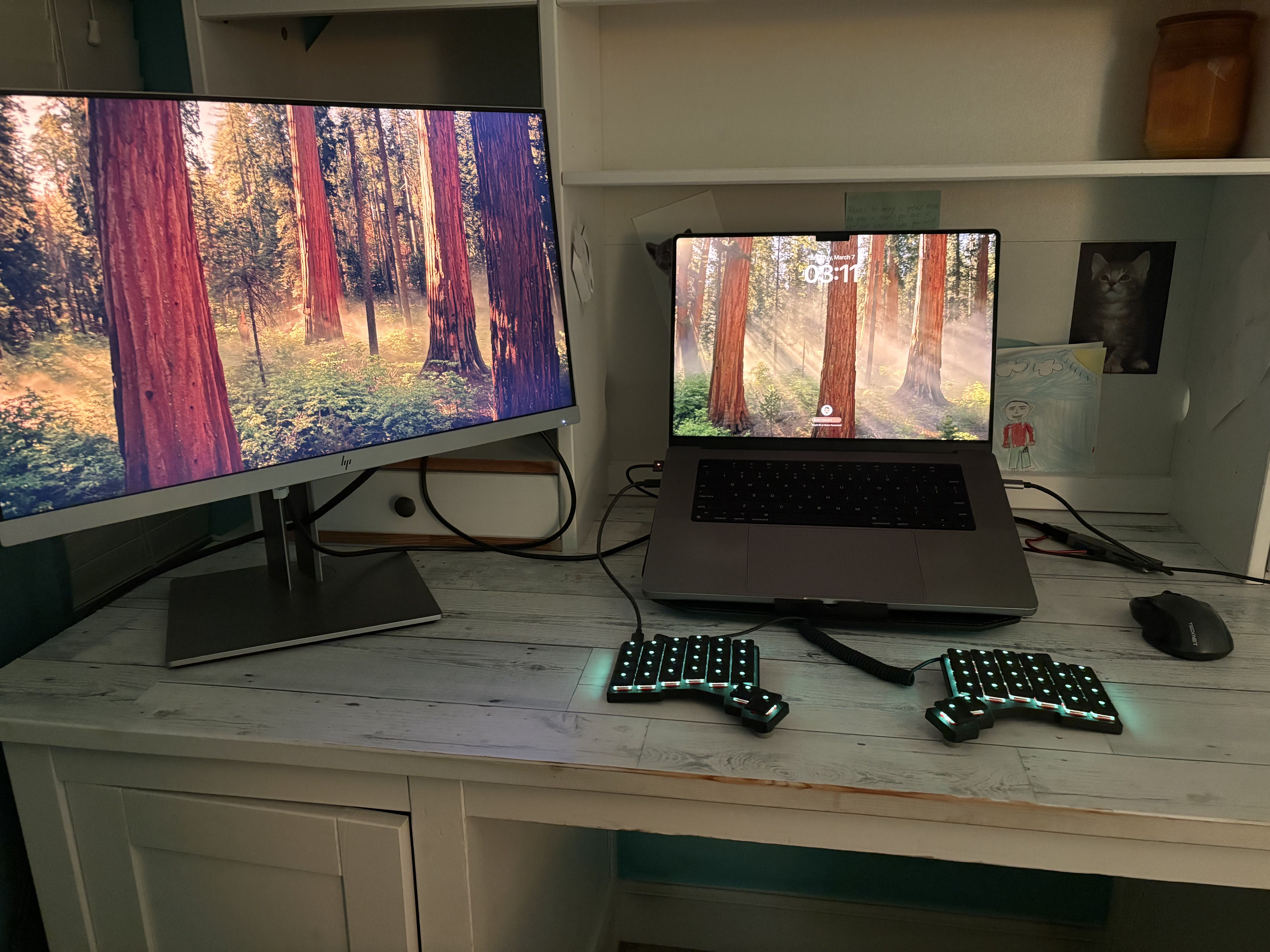
I use a MacBook Pro for work and personal life and own a Windows laptop for gaming.
I have a secondary monitor that isn't as big as I would like because of desk space. I also own a Meta Quest 3 VR set that I purchased to see if I could use it for flight training with the X-Plane flight simulator.
It's an extremely cool technology, but the resolution isn't high enough to see small text, so I haven't been able to use it that much. I tried to do some coding in the VR set, but ran into the same issue with the resolution.
I purchased a ZSA Moonlander keyboard spontaneously around three years ago. At the time, I was working full-time while attending college after work, thus spent the whole day typing. At the end of one day, I randomly did five minutes of research and came across the ZSA Moonlander and purchased it.
I found the keyboard customization for the Moonlander to be excellent. I was glad that I didn't have to download some app on each device that I connect the keyboard to and go through an annoying login process.
Unfortunately, after two years, I started having issues with the right side of the Moonlander, which I suspected had to do with the TRRS port. I tried to fix the issue, but couldn't get it to work.
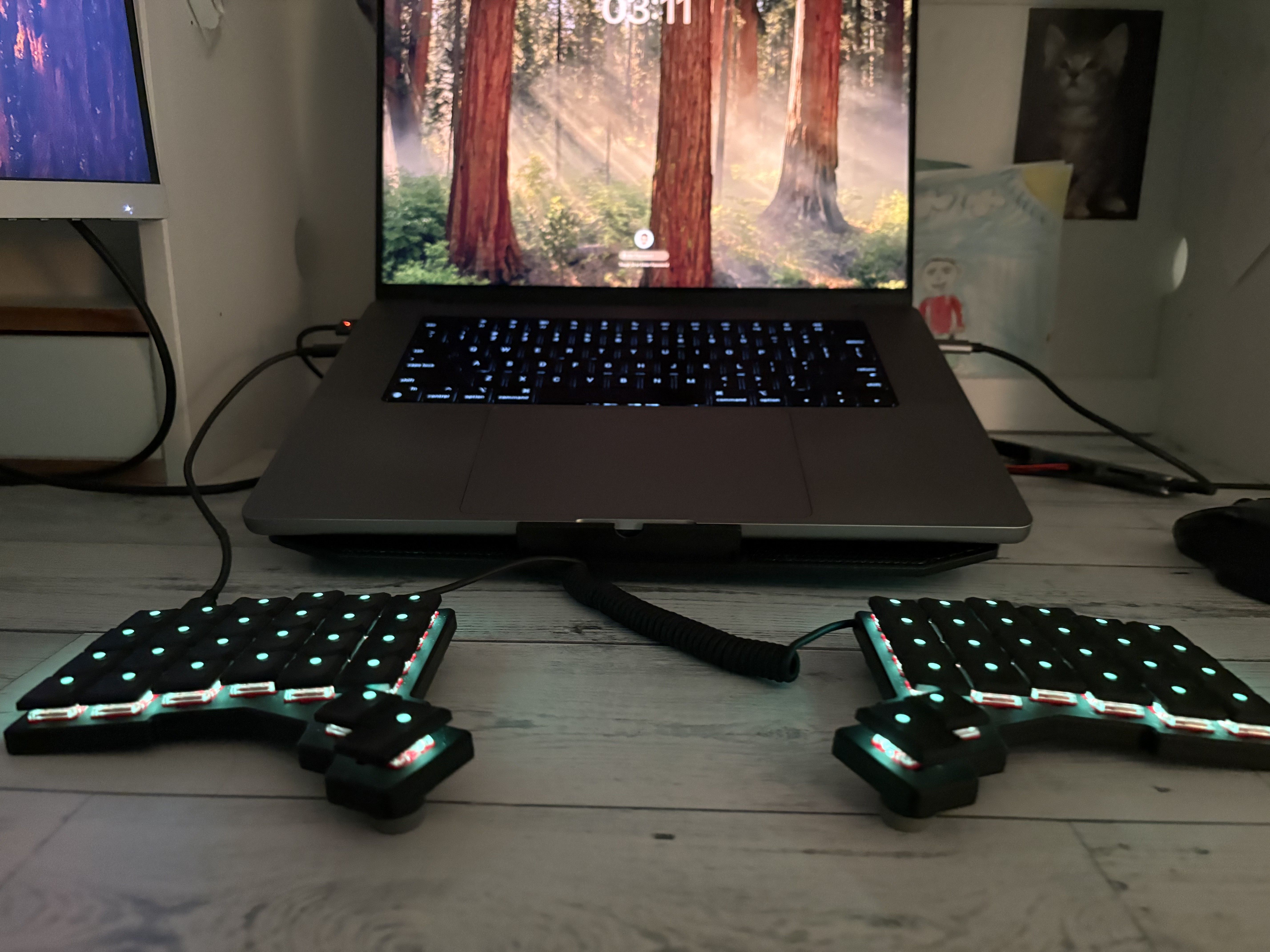
I considered getting a replacement for the right side or switching to a Voyager keyboard. I was a bit skeptical of having fewer keys on the keyboard and wasn't sure if I could fit my Moonlander layouts into the Voyager, but I decided to give it a try. This time I also ordered without the letter keycaps just for the coolness factor : P.
I am happy that the Voyager is smaller and has fewer keys. It took me a while to get the layout right, but I have been using it daily since I got it and I am very happy with the purchase.
And what software?
I love optimizing the way I work with software. I have spent a lot of time figuring out what works best for me, and here is a summary of my favorite apps.
Obsidian is my go-to for note-taking. This is the best change I have made to my setup in the past year. I use it both for personal life and for work. It stores notes in Markdown, so you are not vendor-locked. I sync my notes to GitHub and Google Drive to prevent any data loss. Throughout my professional career, I have learned that it's best to keep notes for everything, including any issues I work on, any learnings, and meetings. If you ask me what I did this day last year, I can tell you exactly what I did.
Contexts is for app-switching. I use a MacBook because it makes development easier and the hardware is sleek, but I really hate the way window management works. I used to create multiple desktops, but didn't like that there wasn't an easy way to switch between them. Contexts solved this problem for me. It has multiple ways of navigating applications, but the approach I use is to bind certain characters with the option key, so when I press Option + 1, it will open chrome. I use Option + O for Obsidian, you get the idea. I am surprised Contexts isn't more popular.
I use Clipboard helper Maccy to store multiple items. It's disappointing that operating systems don't natively support this functionality. Maccy is a very simple app that allows you to access multiple copied items instead of just the last one.
With Homerow, I use the keyboard to press any key in the screen. This is similar to Vimium, but for the whole operating system. It allows you to press any button using your keyboard.
What’s your keyboard setup like? Do you use a custom layout or custom keycaps?
For the Moonlander, I went through a couple iterations for the layout, updating it every couple of months. This was the final version of my Moonlander.
There are two things I want to call out.
-
The "Words" layer—This is the best addition to the keyboard I ever made. I searched the most popular words in English and substrings such as "ion", "ed", "ing". This didn't improve my typing speed by much, but it meant I could reduce the keystrokes I had to make on average. I also added some programming words that are commonly used, such as "if" and "else".
-
Backspace macros—I set up macros so that when I pressed a number from 2-5 and the backspace at the same time, it would delete that number of characters. This also made typing easier by reducing the amount of keystrokes I had to do.
This is my current layout with the Voyager. The "Words" layer is almost the same as the Moonlander, but "Digits" layer allows me to use the home row for digits instead of having to reach out to the top row.
One issue that I had trouble with while migrating the Moonlander layout to the Voyager is the multifunction keys, such as Z (Z on tap, Ctrl on hold). I realized that when I use popular letters such as V as a multifunction key, I end up mistyping a lot, so I had to switch to using Z, X, comma, and dot as the multifunction keys.

What would be your dream setup?
I would like to have a bigger desk that can also stand up. I would also like two extra-wide monitors to make sure no buggy code escapes my eyesight 👀.