







The people who use our boards.
424 interviews since 2018

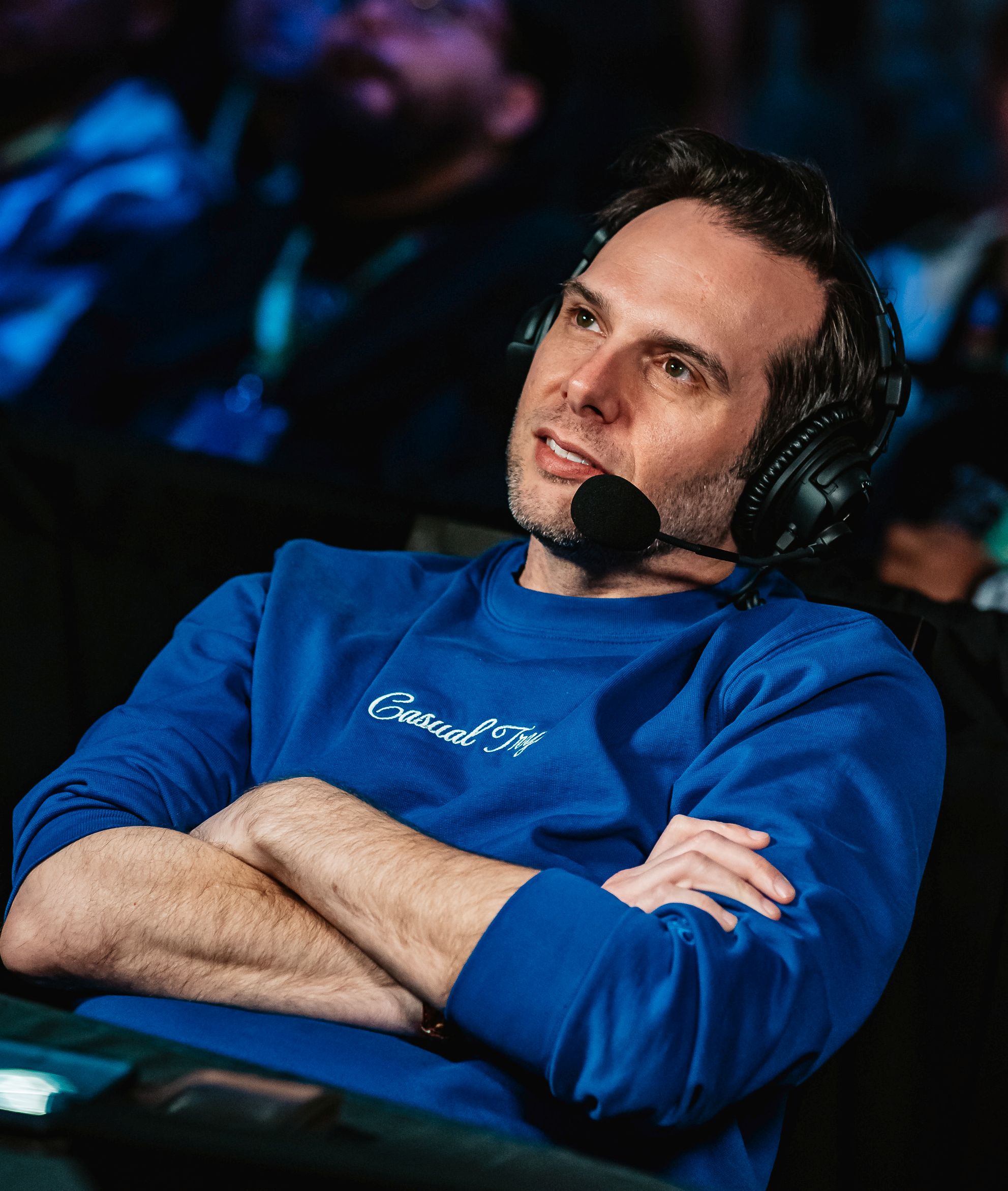


David
Graham
General Counsel
Who are you, and what do you do? What do you like to do outside of work?
My name is David Graham, also known as UltraDavid. I live in Los Angeles with my wife and our two cats. I work from home as general counsel and business development lead for ten/o LLC, a media company specializing in esports and other broadcasting, events, marketing, and merchandise. I've been working as a lawyer in esports, video games, and digital media since 2011 and as one of the premier live broadcast commentators in the fighting game community (FGC) since 2010. My adoption of the Voyager comes from trying to overcome significant joint and nerve issues that impact both my work and my play.
When I opened my own legal practice in 2011, I took on clients in the worlds I knew, and what I knew most was the world of video gaming. I'd been competing in fighting game tournaments since 2002 and posting content about fighting games for years as well (my YouTube channel turns 20 years old this March, yikes), so I'd gotten to know people in the FGC both locally and around the world. Then in the late 2000s, new game releases led to an explosion in the popularity of fighting games, and new improvements in streaming tech and internet infrastructure led to the explosion of online streaming. And I happened to know the people who were starting some of the very first popular gaming streams and businesses well enough that some became my first legal clients and some asked me to begin commentating their weekly streams. The company I work for now started the very first partnered channel on Twitch, IPlayWinner, and the channel my business partner James Chen and I started, UltraChenTV, wasn't too far behind. I didn't set out to be one of the first attorneys in the world to build a modern digital media practice focusing on esports, YouTube, and streaming, and I certainly didn't expect to become a content creator who traveled to dozens of events per year around the world to commentate at live tournaments, but I was lucky enough to do both!

Let me say as well that I come from a long line of typists. In World War II, my grandpa fought for the US Army in the front lines, where he was seriously injured. While he was recuperating in theater, the base needed help with clerical work and began looking for typists. My grandpa, who had never typed in his life but knew he would be sent back to the front after healing, volunteered for the position. He quickly learned to type, never had to go back to the front, and was so moved by the thought that typing may have saved his life that he later made my mom and her brothers learn to type too just in case something similar ever happened to them. My mom and dad then passed the same lesson along to my brothers and me. My parents were early adopters of personal computing in their own right; my first computer/console was really my dad's, a Commodore 64 we got when I was three years old. Later, they sent my brothers and me to typing and computer lessons, and later still I honed my typing in the constant competition of AOL and IRC chatrooms, where the slow typist gets ignored. I'm no speed pro, but I learned to type comfortably at 140 words per minute or so.
Unfortunately, that skill began to degrade over time. I have a hypermobility disorder that has led to impinged nerves, broken bones, screwed-up ligaments, arthritis, poor blood flow in my extremities, and more, causing pain and loss of control all over but especially in my hands. By 2012, my manual dexterity had deteriorated to the point that I had to quit competing in fighting games. Eventually I was at risk of no longer being able to type effectively either.
In 2018, the pain and loss of control throughout my body was bad enough that I could no longer ignore it. I began going to physical therapy with a therapist specializing in joint and nerve rehabilitation, learning to strengthen muscles where my ligaments failed me and relearning basic manual dexterity. My therapist said that if I had not been such a dedicated daily typist, the nerve connection between my brain and hands could have atrophied even further. She came up with exercises for me to do on my keyboard and fighting game controller that became important tools in rebuilding my hand control. Typing didn't quite save my life like it did my grandpa’s, but it ended up playing a pretty big role in my own health journey as well.
Eventually, I developed a physical therapy routine that I still do every morning. After years of work, I've regained much of my old hand control and haven't had a torn ligament, arthritic joint, or broken bone since. My manual dexterity will never be 100%, but it's closer to 90% than the 10% it used to be, and I'm ecstatic about that.
Exercising wasn't the only way I regained control, though. I also learned to minimize current and future issues by focusing on ergonomics, experimenting with different keyboards, mice, gaming controllers, desks, and more until I found a setup that feels just about perfect for my unique needs.
What hardware do you use?
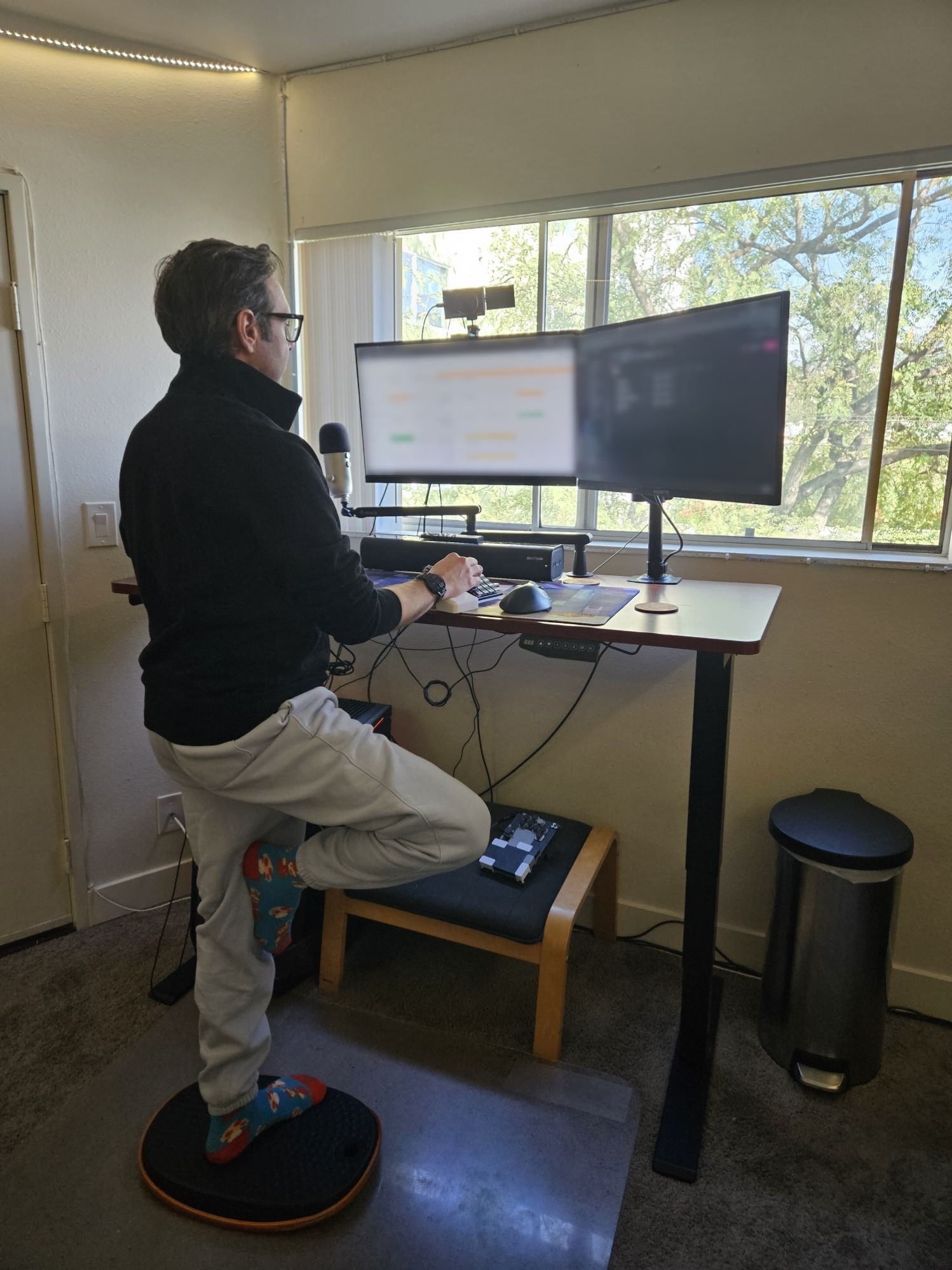
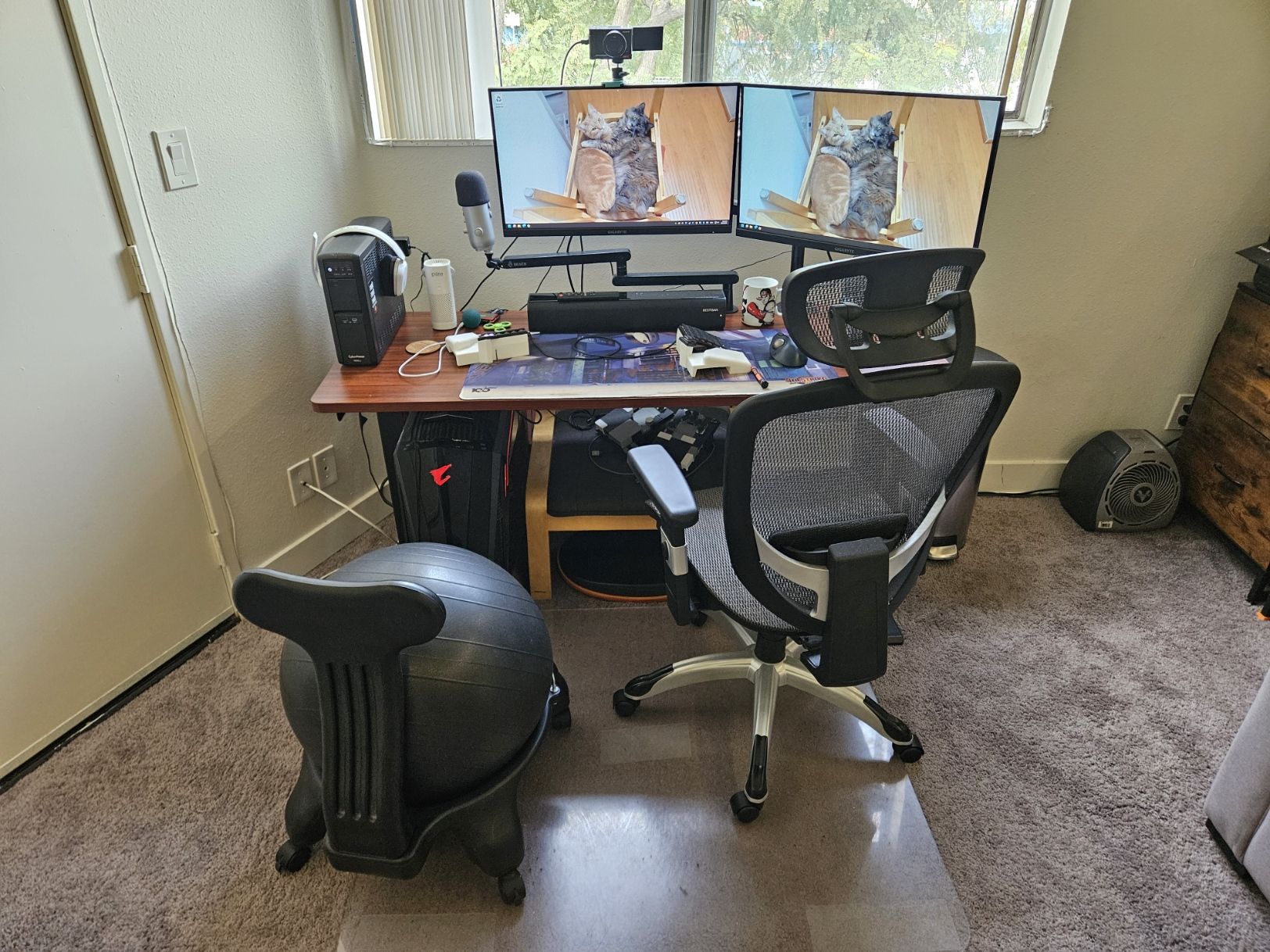
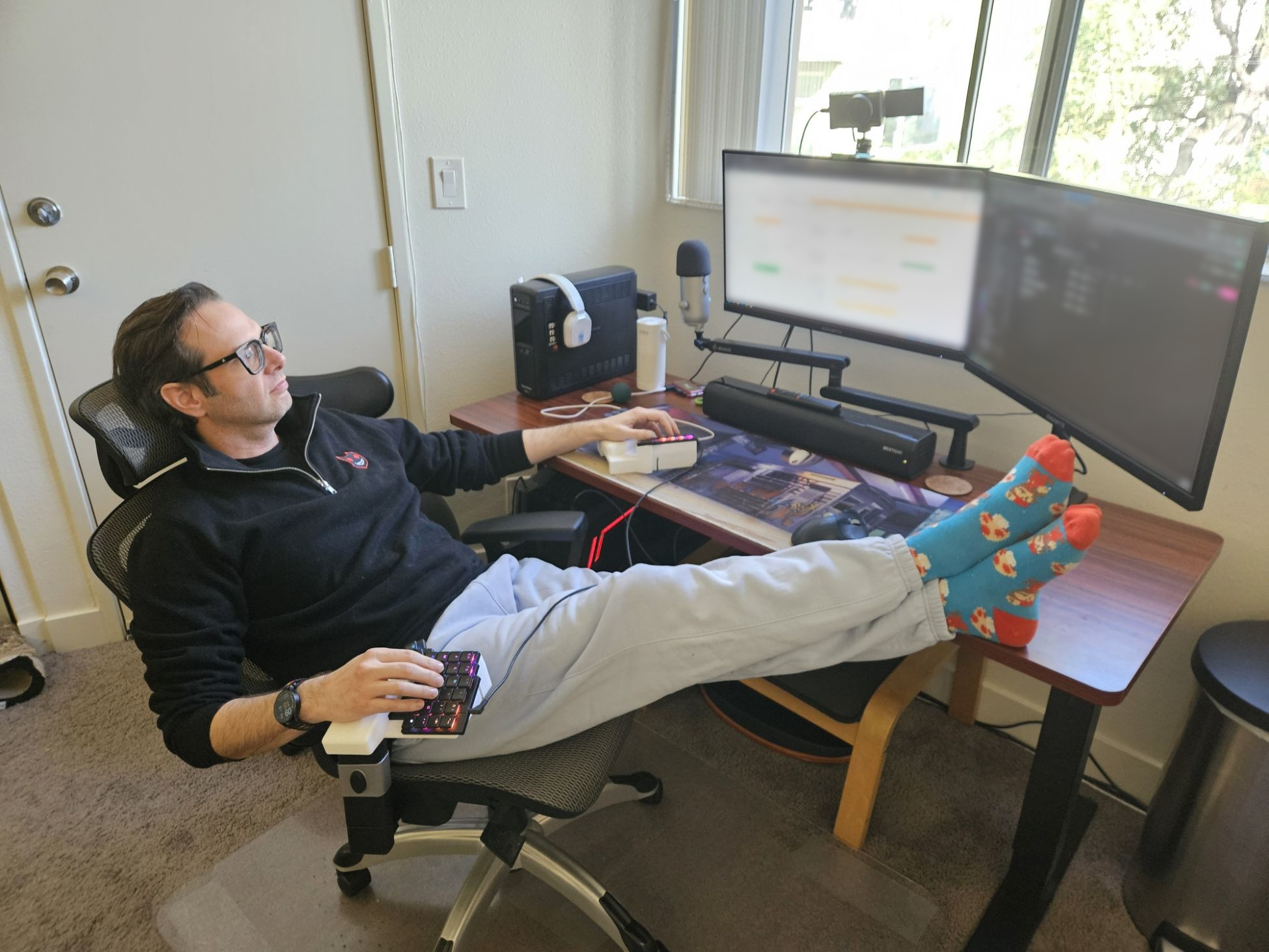
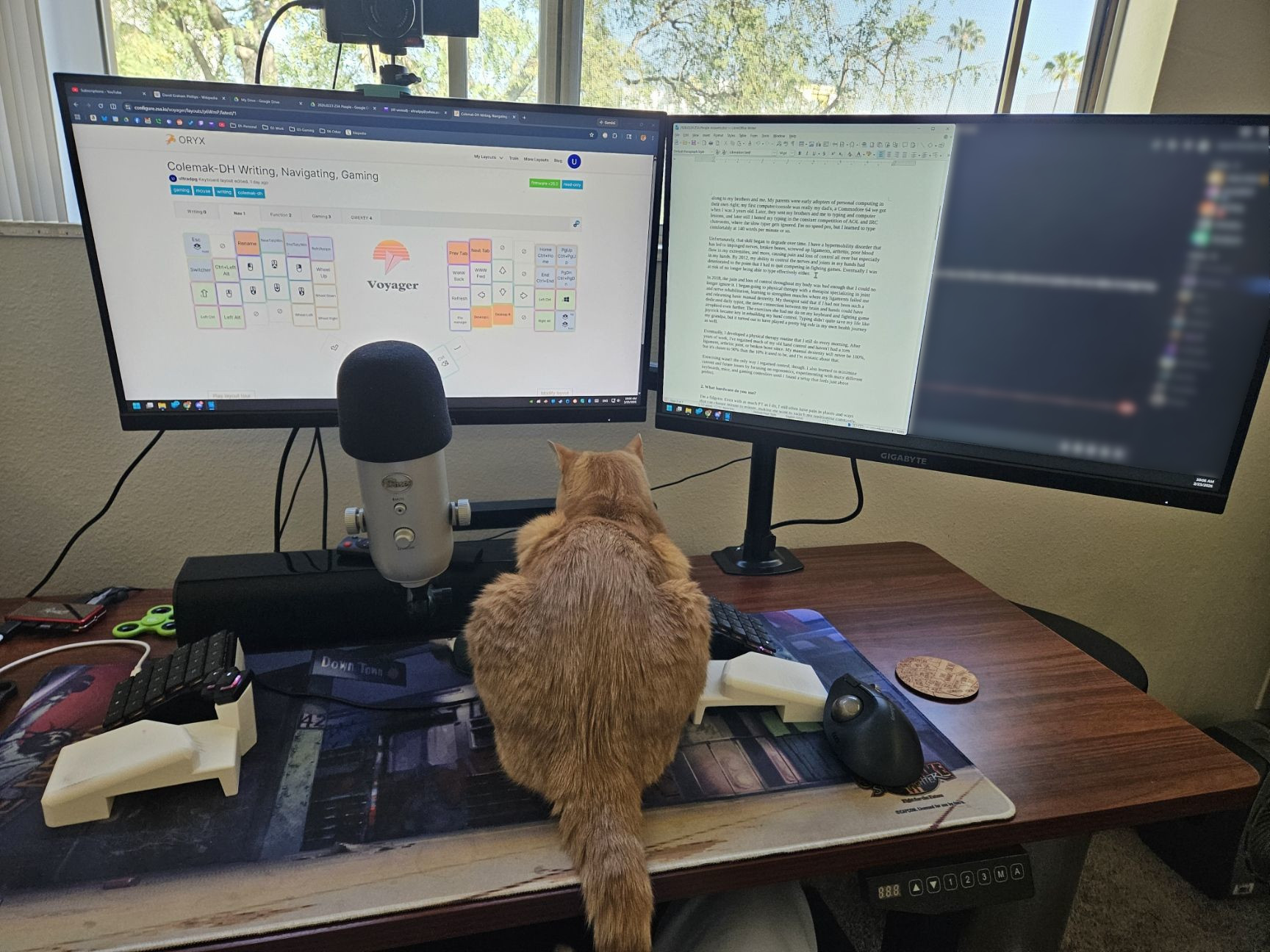
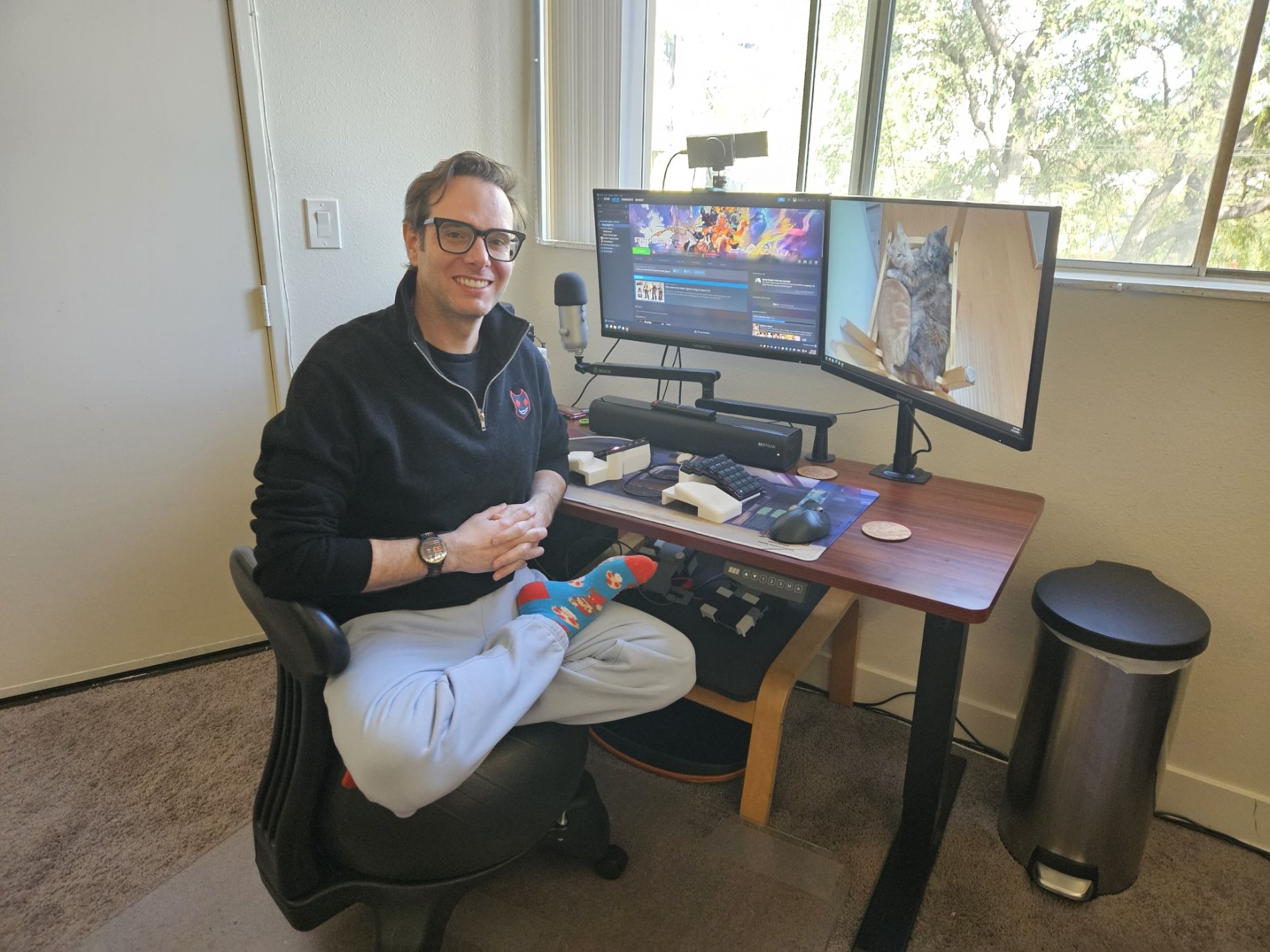
My workspace is designed for fidgeting. Even with as much PT as I do, I still often experience pain in places that change minute to minute, making me want to switch positions constantly. And although I have my ADHD under control these days, I still often find that my mind flits around in ways that my body follows. At the same time, my hypermobility lets me feel comfortable in positions that may seem weird to other people. So for me, maintaining proper ergonomics isn't about optimizing one arrangement, it's about being able to constantly readjust my body while keeping it in proper positioning wherever it ends up. As a result, my setup lets me sit, stand, pace, rock, or recline with my arms and legs in just about any configuration I can dream up.
For my desk, I use a FlexiSpot Pro 3. It's an adjustable-height wooden desk that's sturdy enough even at max extension to hold all my stuff and not sway when my cats jump onto it. More importantly, I can easily switch between sitting and standing depending on how my body is feeling. Since I'm thinking about how my body is feeling as I type this, I realize that my legs have been feeling a little restless, so I'm raising the desk up to standing level while completing this sentence. I can't overstate how important that kind of adaptability feels to me.
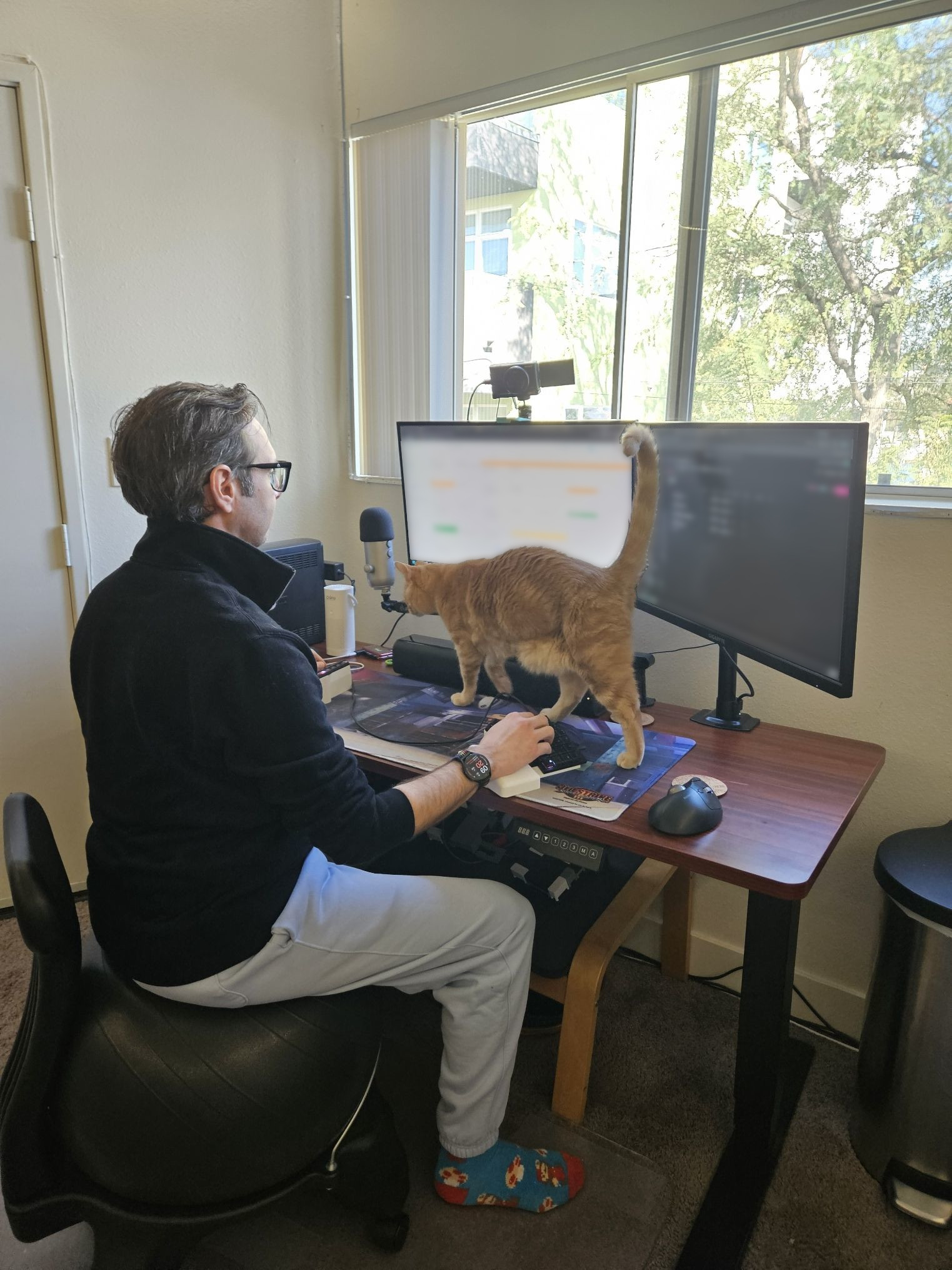
I have two Gigabyte M27Q monitors mounted on a swiveling dual monitor mount. The monitors look great and have superfast refresh rates, key for the fighting game player who wants to be able to react to anything as quickly as possible.
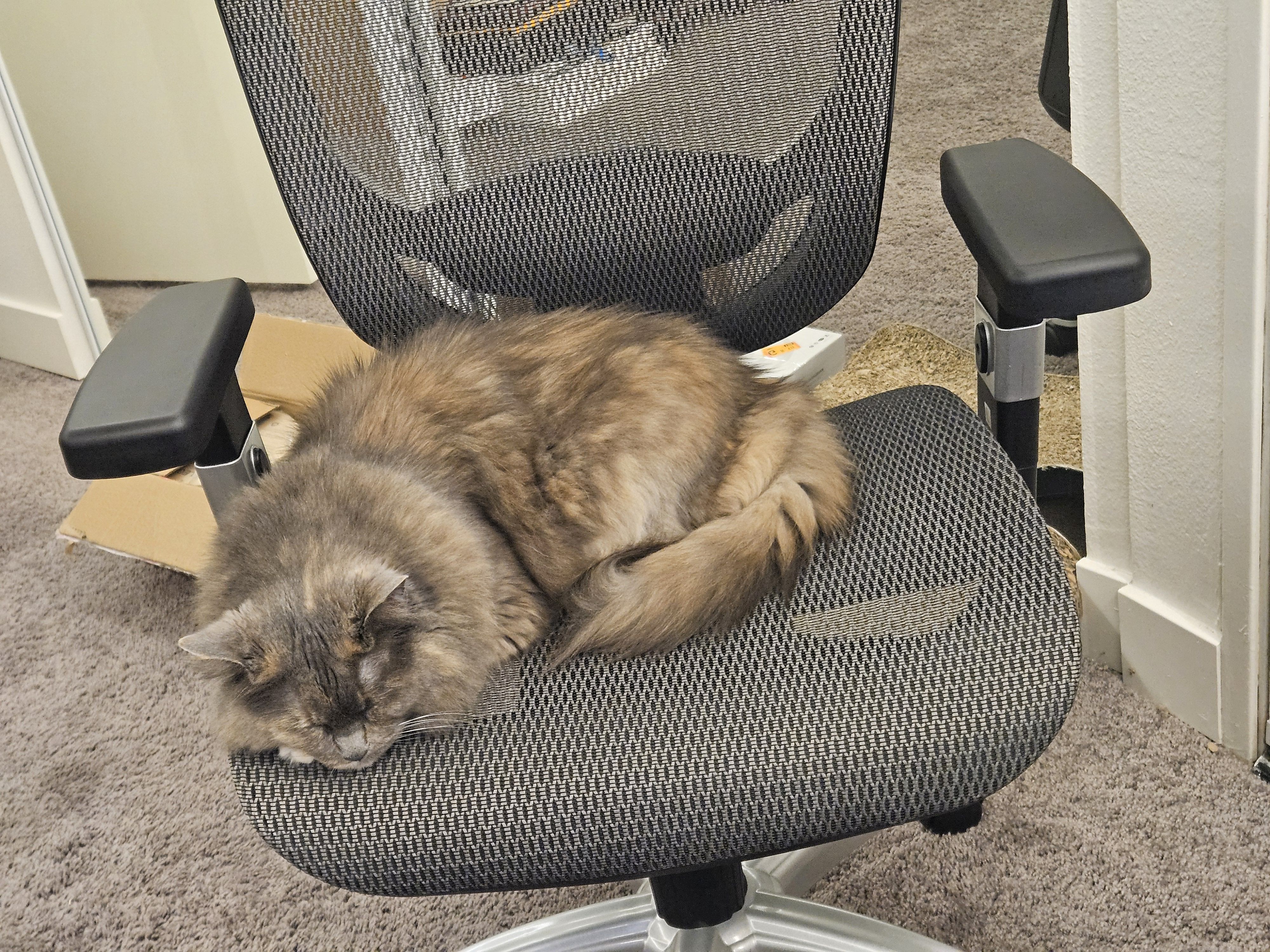
My office chair is just whatever decent model from Office Depot. I've never felt that chair design was important for me because I can never sit still in them long enough for that to matter.
I also have a Gaiam balance ball chair that I love. Regardless of what position I contort myself into, the balance ball forces me to do it in a structurally sound way. When I'm sitting, I use a footrest that I repurposed from an old IKEA chair. When I'm standing, I use a StrongTek balance board that lets me comfortably rock back and forth.
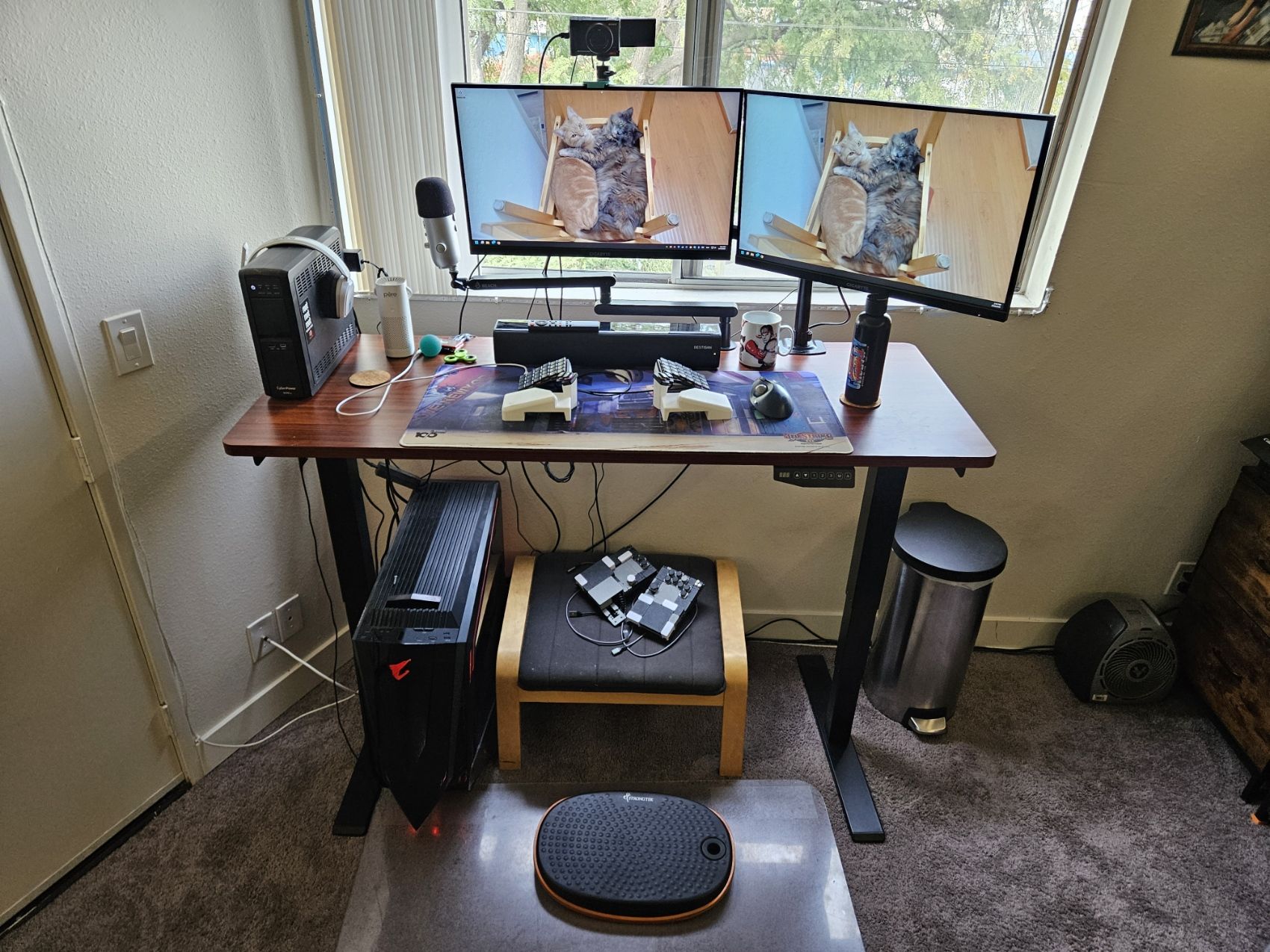
My PC is a custom-built Gigabyte-only rig. One of the perks of working in esports and gaming is that sometimes productions use things they'd rather give away than hold onto after the event. In 2022, a show we worked on hired a well-known PC builder to speedrun fancy PC builds on stream. Nobody wanted them afterward, sooo I got one! It has a Gigabyte Z790 Aorus motherboard, Intel Core i9-13900KF CPU, Gigabyte GeForce RTX 3080 TI graphics card, Gigabyte Aorus 32GB DDR5 RAM, Gigabyte Aorus Gen4 2TB NVMe SSD, Gigabyte Aorus Waterforce 360 cooler, Gigabyte UD1000GM PG5 power supply, and Gigabyte AC700 Glass case. I've built my own PCs many times, but this is definitely the fanciest one I've ever had.
I use a Sony ZV-1 digital camera for my webcam. Its original purpose was for recording travelogs back in my content creator days, but nowadays it lives on my desk for chatting on video calls and commentating on online fighting game tournaments. My microphone is an old Blue Yeti that I've had for nearly a dozen years mounted on a swivel arm. For audio, I use the headphones and sound bar I've procured from esports events leftovers over the years.
My mouse is a Kensington TB550 trackball. I like it for two main reasons: It minimizes how often I need to move my arms and it lets me position my arms in new ways. When I'm using it, I never need to move my arm at all of course, just my thumb, which feels great. And since it's physically stationary when I use it, I can use it on my leg or chair arm just as well as on my desk. Again, like my other equipment, it allows me to fidget constantly while maintaining good ergonomics. For my other mouse, I actually use a navigation layer on my Voyager that I'll discuss later on.
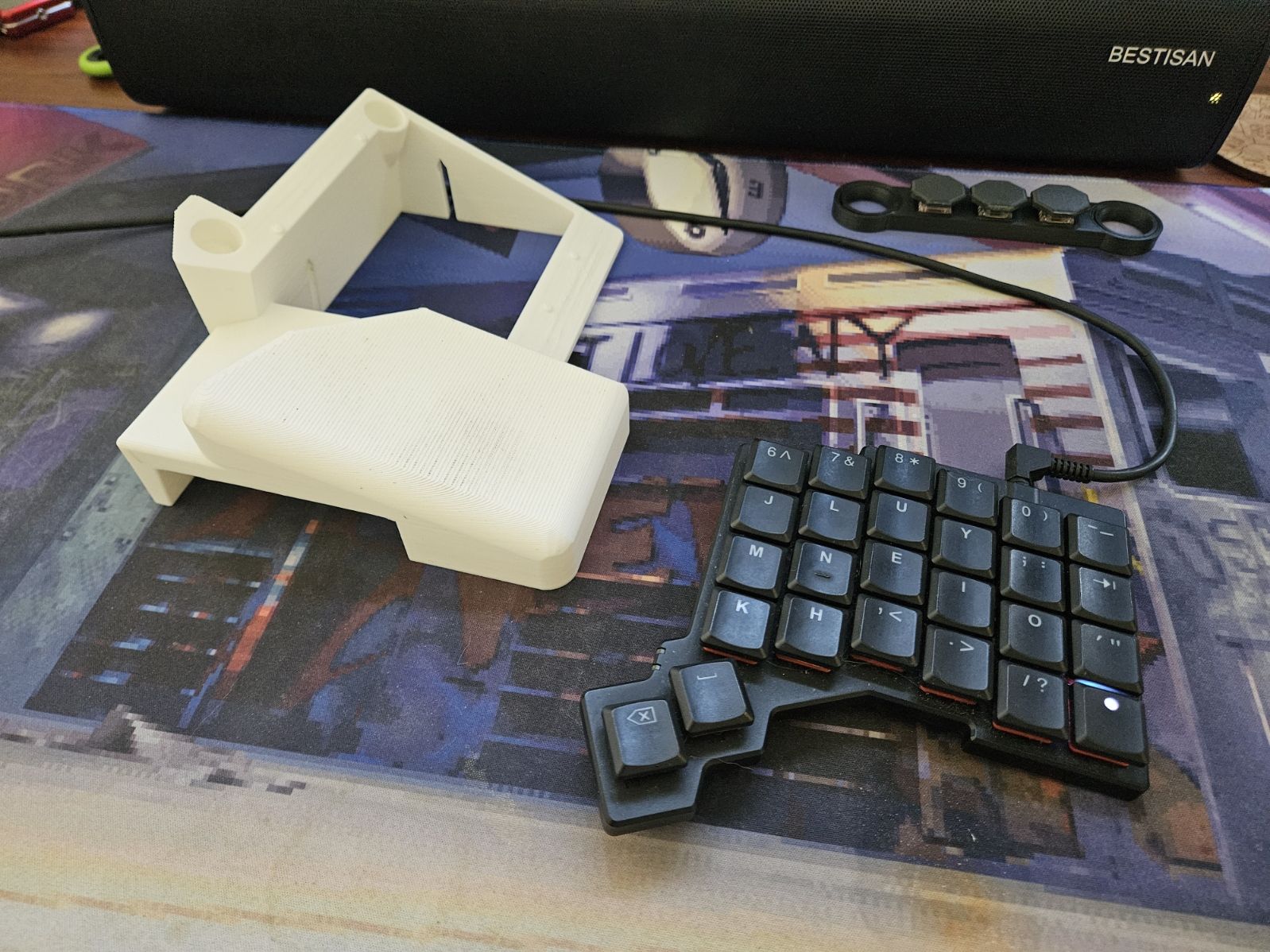
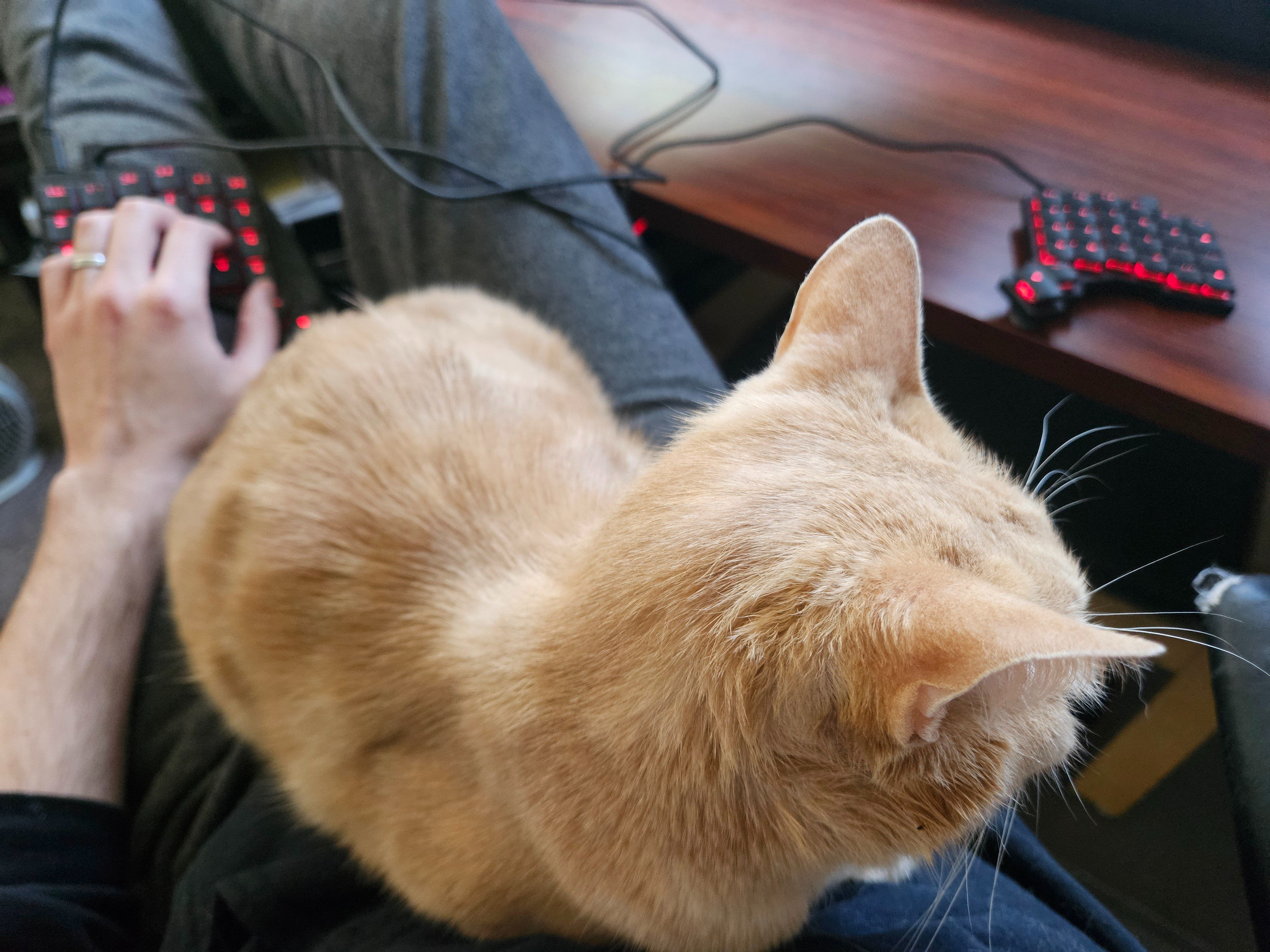
Speaking of my Voyager, I love it. I designed and 3D-printed a pair of mounts for it that put it at what feels like exactly the right angle and height for my body and that rest solidly on my chair arms if I want. It's the perfect keyboard for someone always on the move. I can stand at my standing desk with perfect posture, as I am while typing this; I can recline in my chair with the left half on my chest and the right half on my desk, as I did this morning; I can sit normally on my chair with my arms spread shoulder width apart, as I did this afternoon; and so on. I also travel with it for work events up to a dozen times per year, and I find that it travels easily and that its flexibility is just as important for me on the road as at home.
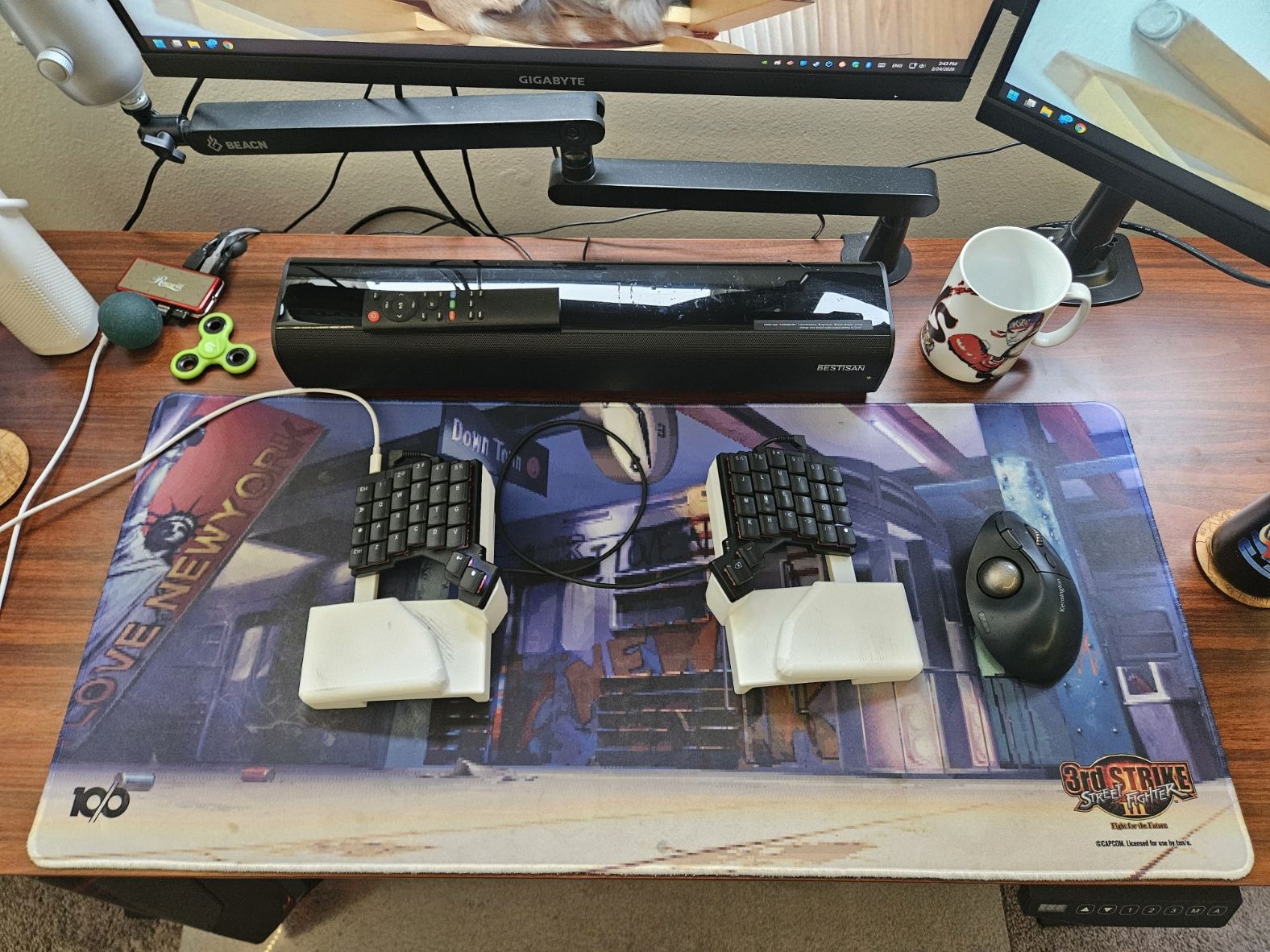
For my deskmat, let me shamelessly plug ten/o's licensed fighting game mats! The one I love and use most is our Jazzy NYC deskmat, showing the famous Alex stage from Street Fighter III: Third Strike, but I also really like our Street Fighter 2 Hyper Fighting Guile Stage option. Either way, the mats are wide enough that my cat Ajax can lie on them in between the halves of my Voyager, solving the eternal problem of a cat who wants attention during work. He's not actually in the way, but he gets to think he is!
My whole computer setup is plugged into my CyberPower CP1500 UPS system to protect everything in case of power outages or surges.
When I go on work trips, I take my ancient Surface Pro 4 with me. I like that I can use it like a laptop or a tablet and I love that it doesn't have its own keyboard affixed to it, since I always use my Voyager on it anyway.
Let me also briefly describe my gaming setup. In 2018 I started designing a fighting game controller for myself that I called the splitbox. It started out humbly as a laser-cut wood project with janky wiring and soon evolved into a slightly nicer Lexan panel design. Over the years, as my knowledge and tools developed, it became a fancier and fancier and fancier 3D-printed project. More recently, I've switched gears to an extremely customizable split modular design that lets me mold the rests and buttons to fit my wrists and finger locations with precision. Like with all the hardware I've described, my favorite thing about these designs has been that they allow me to play in almost any position and to maintain ergonomics in pretty much all of them.
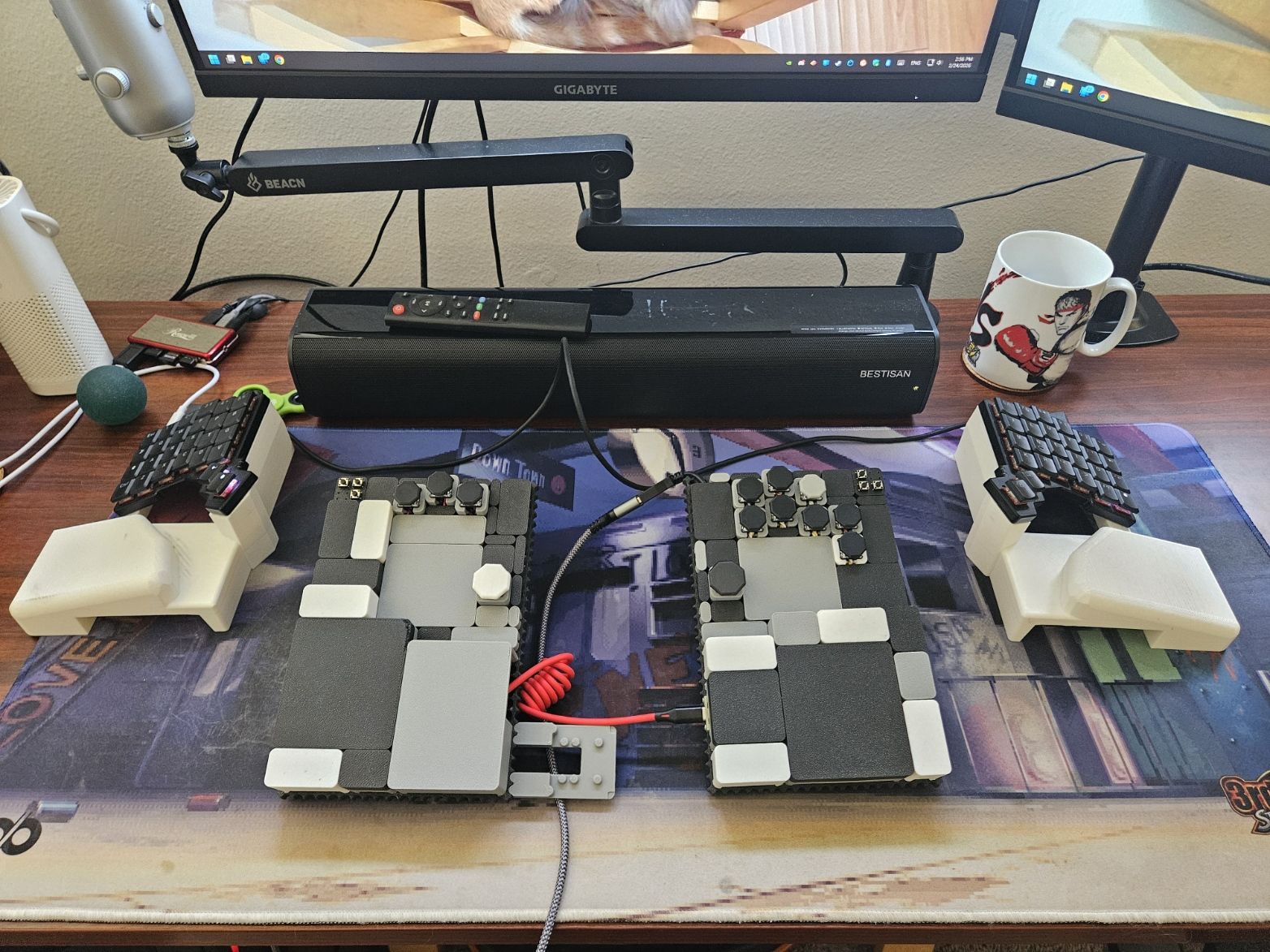
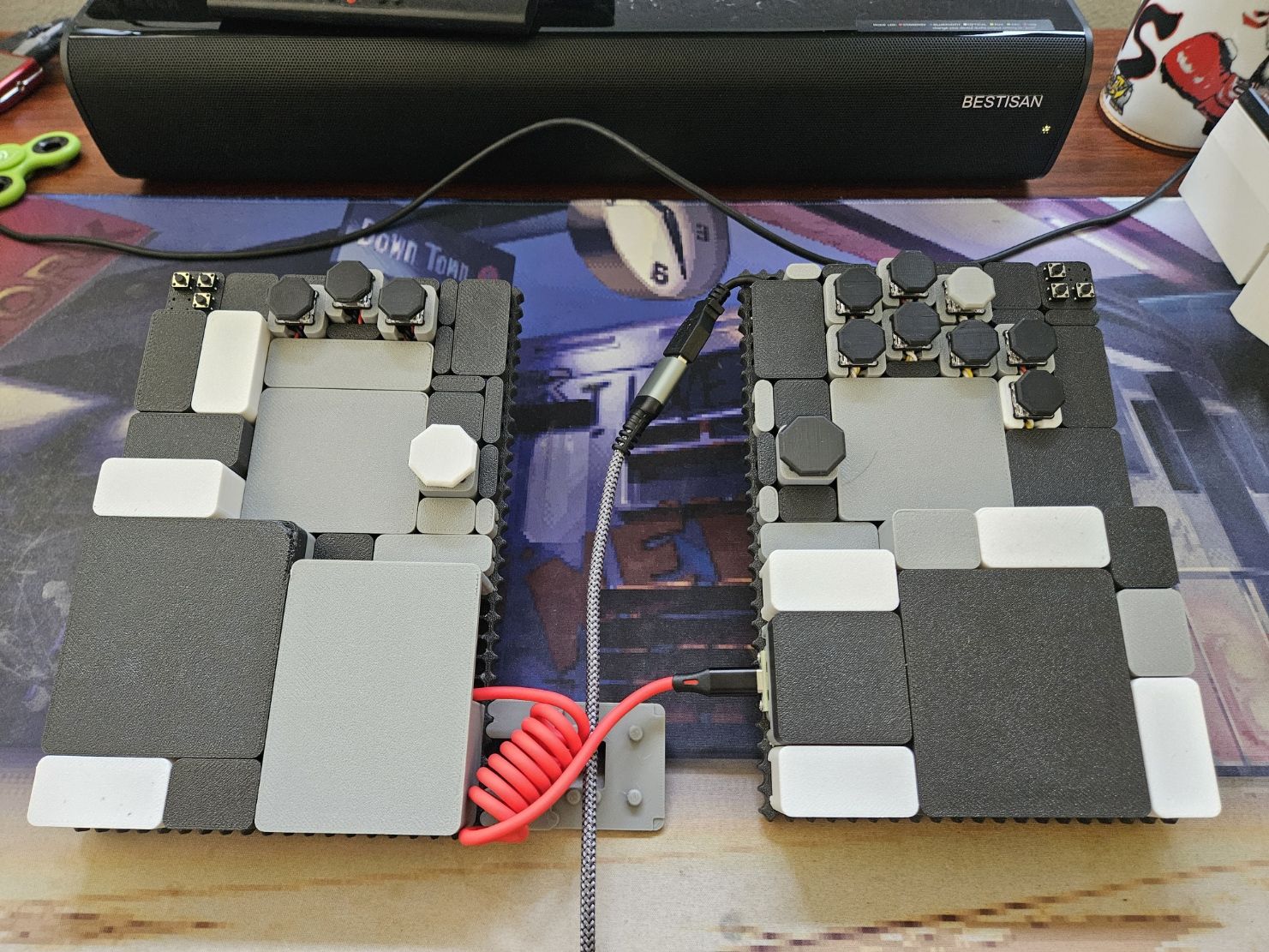
For games other than fighters, I use the left half of the Voyager plus the trackball mouse. Yes, I'm a believer in trackball for FPS, RTS, and other fast complex games. I'm not trying to be world-class in Doom or StarCraft or anything, but for what it's worth, my skill is stronger today on this setup than it was on a traditional PC gaming setup a few years ago.
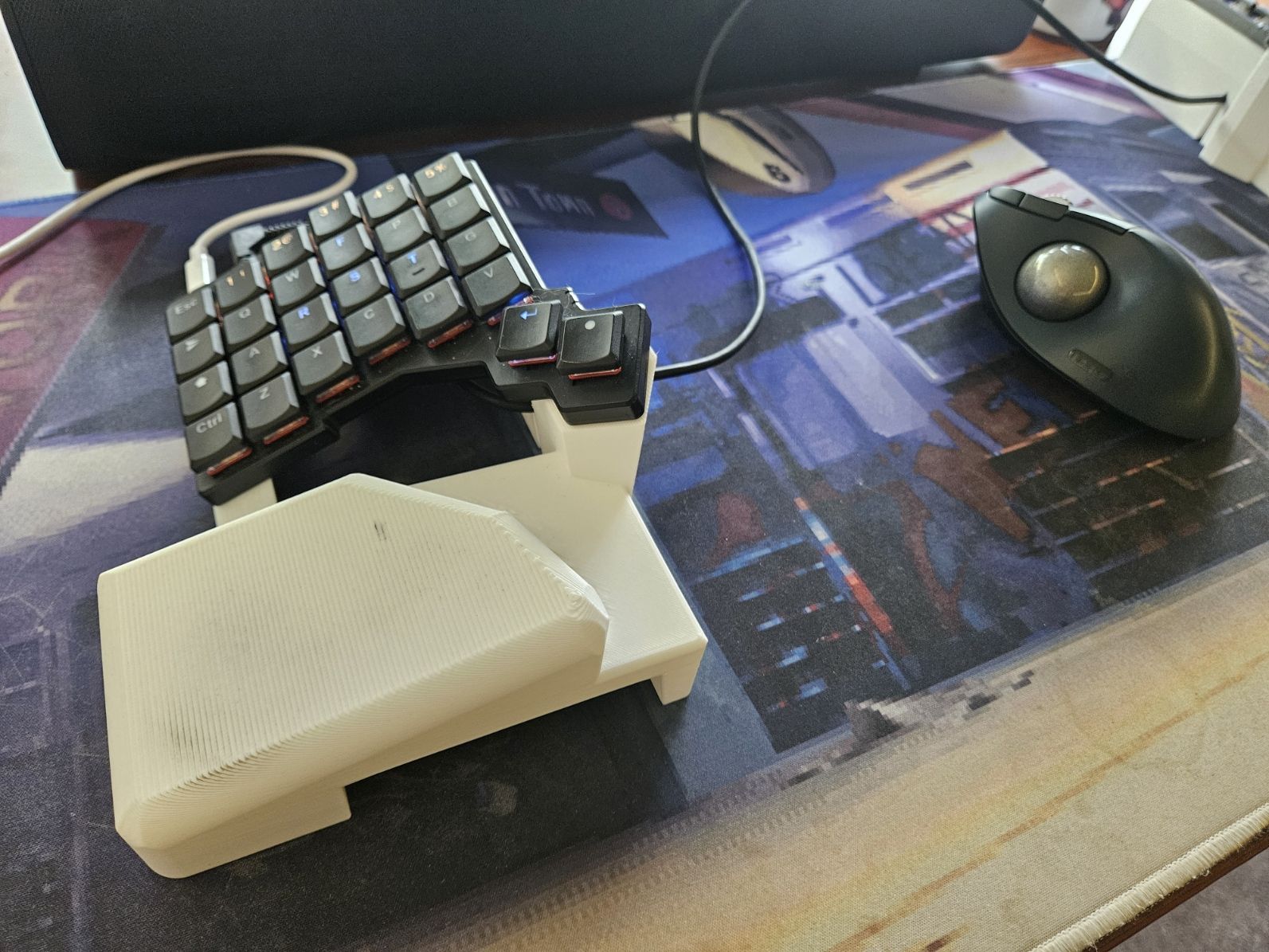
Lastly, no fidgeter’s workspace would be complete without at least one squeeze ball, fidget spinner, or key clicker, and I have a bunch.
And what software?
My software is pretty standard for someone who spends most of the day writing and part of the evening playing games.
I run Windows 11 on my PC. I use LibreOffice for Writer and Calc. My company uses Google Suite for work, so I spend a lot of time on Chrome. I use GIMP and OpenShot Video Editor for the rare times when I need to make pics or vids. I have Discord open whenever I'm at my desk, using it with both coworkers and friends. I make designs for 3D printing in Tinkercad or FreeCAD and usually use PrusaSlicer to slice them.
I mostly use Steam for games. Among the current generation of games I play, the ones I play most are Street Fighter 6 (1200 hours), Mortal Kombat 1 (600 hours), Gunfire Reborn (400 hours), and Doom Eternal (200 hours).
My Surface Pro is so old that Windows 10 started giving it a tough time and it couldn't upgrade to Windows 11. So instead, I installed a lightweight Linux distro called Lubuntu on it that works great. On work trips I only need basic office programs and web browsers, all of which is handled well by this ten-year-old Microsoft device running Linux.
What’s your keyboard setup like? Do you use a custom layout or custom keycaps?
I use Kailh Choc Low Profile Red Pro switches with the standard low profile black key caps. The 3$Red Pros activate with so little force that typing on them feels almost automatic.
I've already written an extensive tour explaining my layers and decision-making, so please check it out if you're interested in fast typing, easy navigation, and effective gaming.
The first thing you'll notice is that I use the Colemak-DH layout for typing. It would be silly to emphasize ergonomics so strongly in my hardware and then ignore it in my key layout, right? I chose Colemak-DH for its minimal finger movement and emphasis on rolling, which I find not only pain-free but actually quite enjoyable. Relearning key locations after decades of QWERTY wasn't easy, but after nearly a year I'm finally back above 100WPM with bursts at 140WPM. Much more importantly, I almost never have pain in my wrists and hands after typing anymore.
Speaking of typing speed, I use very few mods on my top Writing layer to better preserve my ability to go fast. I experimented a lot with tap and hold delay intervals and related options, but found that there was no window or set of options that was both forgiving enough for me to comfortably use hold, double taps, and tap holds when I wanted them and at the same time precise enough for me to quickly tap type without feeling like I needed to slow down. As a fighting game player, I'm used to executing commands in windows of about 17ms, so I have a pretty well-honed aversion to any kind of input lag.
The only nonstandard option I use on the letter and number keys of my top Writing layer is autoshift, which doesn't seem to cause a delay when tapping a key. In my own testing, the average length of time I press down each key while typing is about 70-80ms, so I set autoshift recognition to double that at 150ms and it works great. In any case, being able to get any shifted key just by holding it is such a great idea that to me it should be standard on every keyboard.
I do put both Enter and my momentary Function layer activation on the same key, with Enter on tap and Function layer activation on hold. I consider this less than ideal for the reasons discussed above, but after much experimentation, I decided that I could live with the Enter key and Function layer not being instant more than I could with any other combination of options.
Another important part of my setup is my Nav layer, which lets me navigate very effectively via digital mouse and other key binds. It's not precise enough for quick gaming, but for most other navigation needs, it's fantastic. I no longer need to move my right hand back and forth between my keyboard and trackball very often because I can navigate effectively with this Nav layer alone, minimizing my hand and arm movement to an incredible degree. I no longer even take a separate mouse on work trips! I do it all with the Voyager.
I have my Nav stuff on the left half of the Voyager because I want the option to use either hand to navigate. The pain in my body is ever-changing, so if using my right hand to navigate with the trackball hurts, I want to be able to navigate with my left instead, and vice versa.
Finally, I want to extol the virtues of the Voyager as a gaming keyboard. This may depend on which switches you get and what layouts you prefer, but for me it's probably the best gaming keyboard I've ever owned. For FPS and RTS games, I put all the key presses I want on just the left side of my gaming layer so that I never have to reach with either hand to the right side. This lets me move the right side of the Voyager out of the way entirely and allows me the same kind of positional flexibility when playing games as when typing or navigating.
What would be your dream setup?
In one way, I already have my dream setup. It's the best, most comfortable, most effective setup I've ever used and I'm not sure how I could improve it. But in another way, I never want to feel that I've attained my dream setup. Like with everything else in life, I want to be on a never-ending search for improvement. I don't know what I might want to change about my setup in the future; I just know that I want to keep my mind open to new options that could help me work, play, and feel even better moving forward.
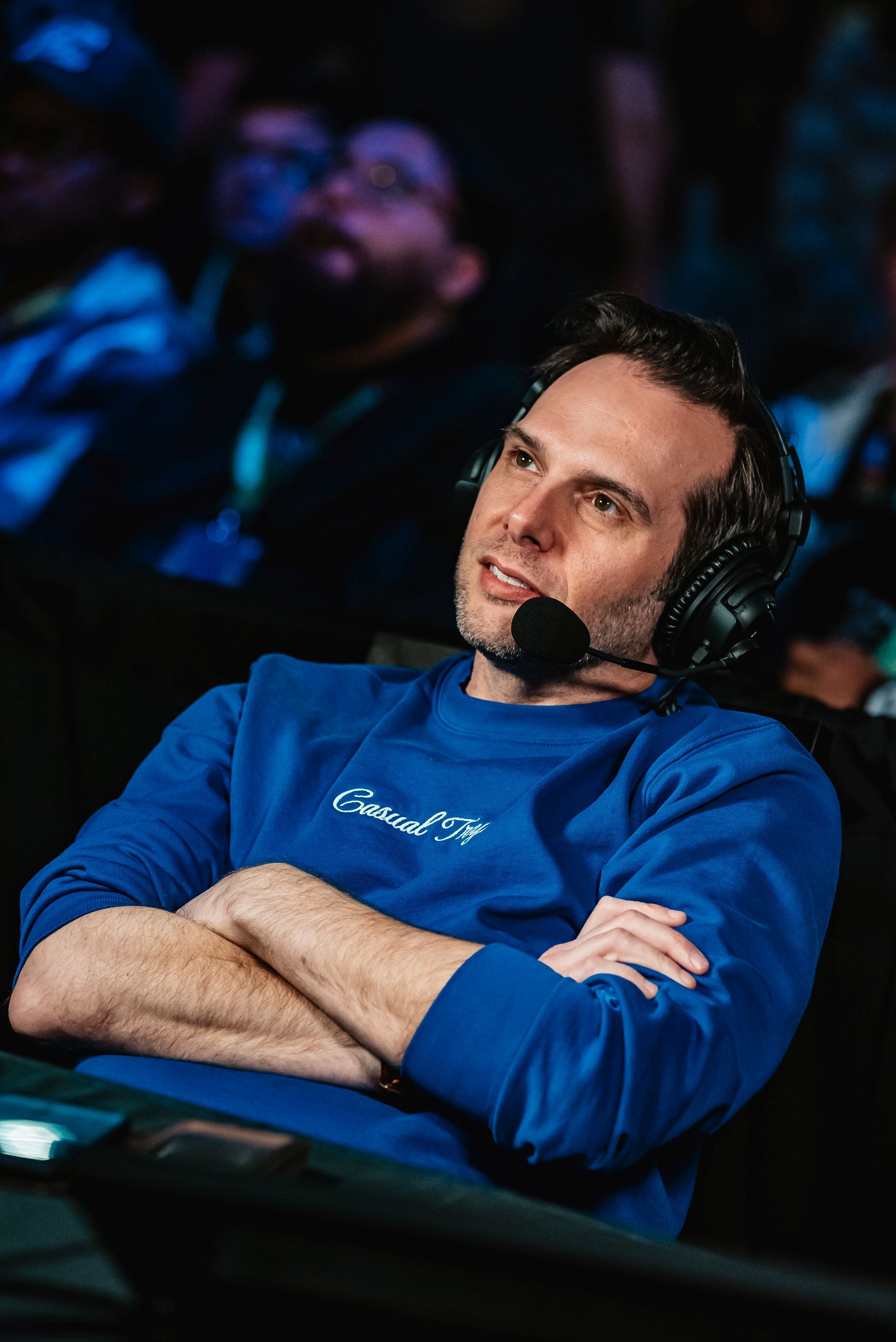
Photos of UltraDavid by Stephanie "Vexanie" Lindgren