The people who use our boards.
422 interviews since 2018




Andrew
Smith
Network Security Engineer
Who are you, and what do you do? What do you like to do outside of work?
I'm Andrew Smith. I live with my partner in Fayetteville, Arkansas, USA. Full-time, I work from home as a network security engineer for the Defense Health Agency, helping to protect the networks of U.S. DoD hospitals and clinics around the world. I'm also a data operations warrant officer in the Army National Guard.

When I'm not working, I like to cook and eat, especially Korean food. I like running, cycling, hiking, sailing, and canoeing. I play French horn. I'm also trying to learn to play tennis and pickleball and ukulele. I'm an Android enthusiast. A couple of years ago I started doing a lot with Android automations. More recently I’ve been experimenting with hosting servers and services at home.
What hardware do you use?
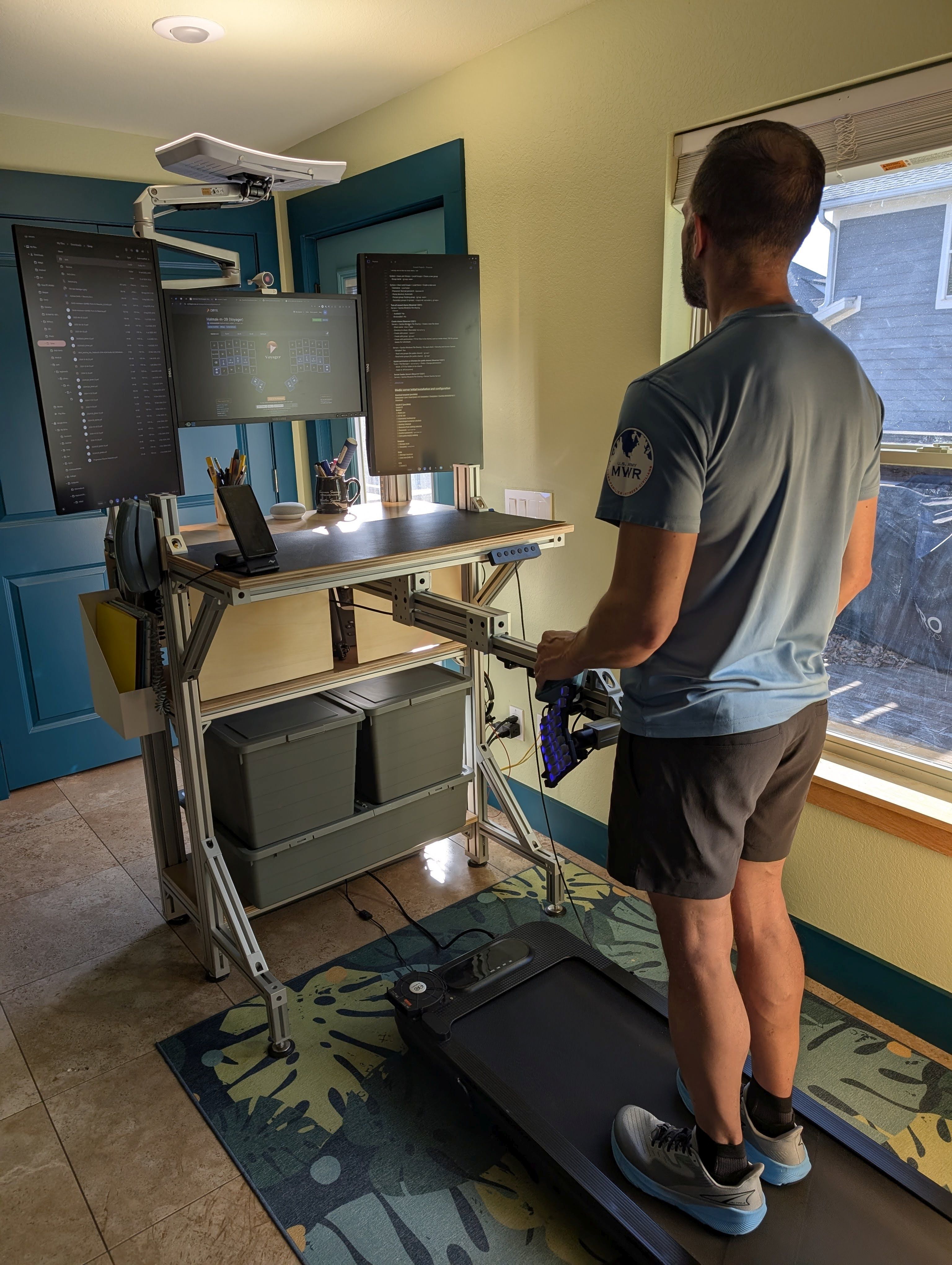
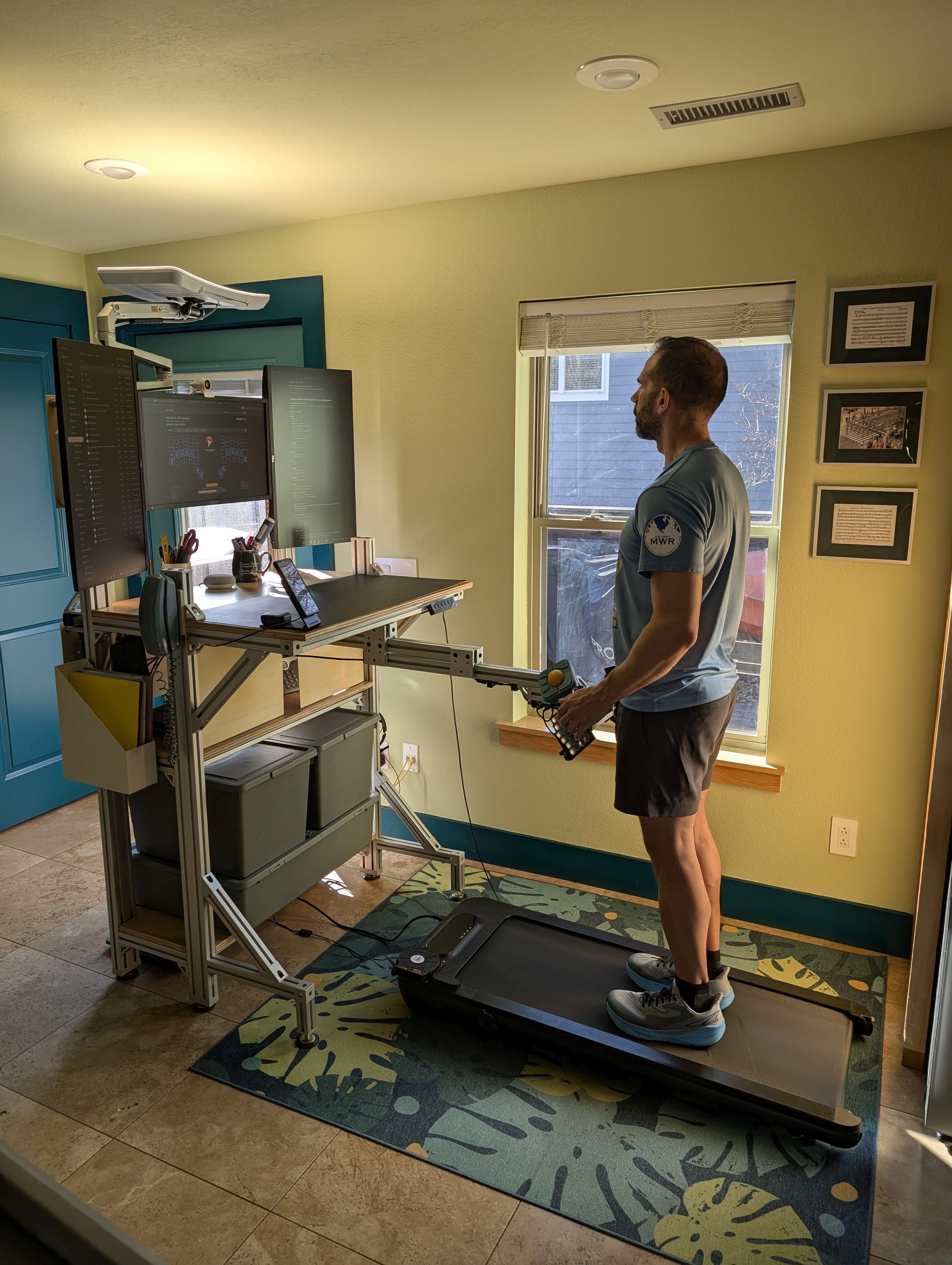
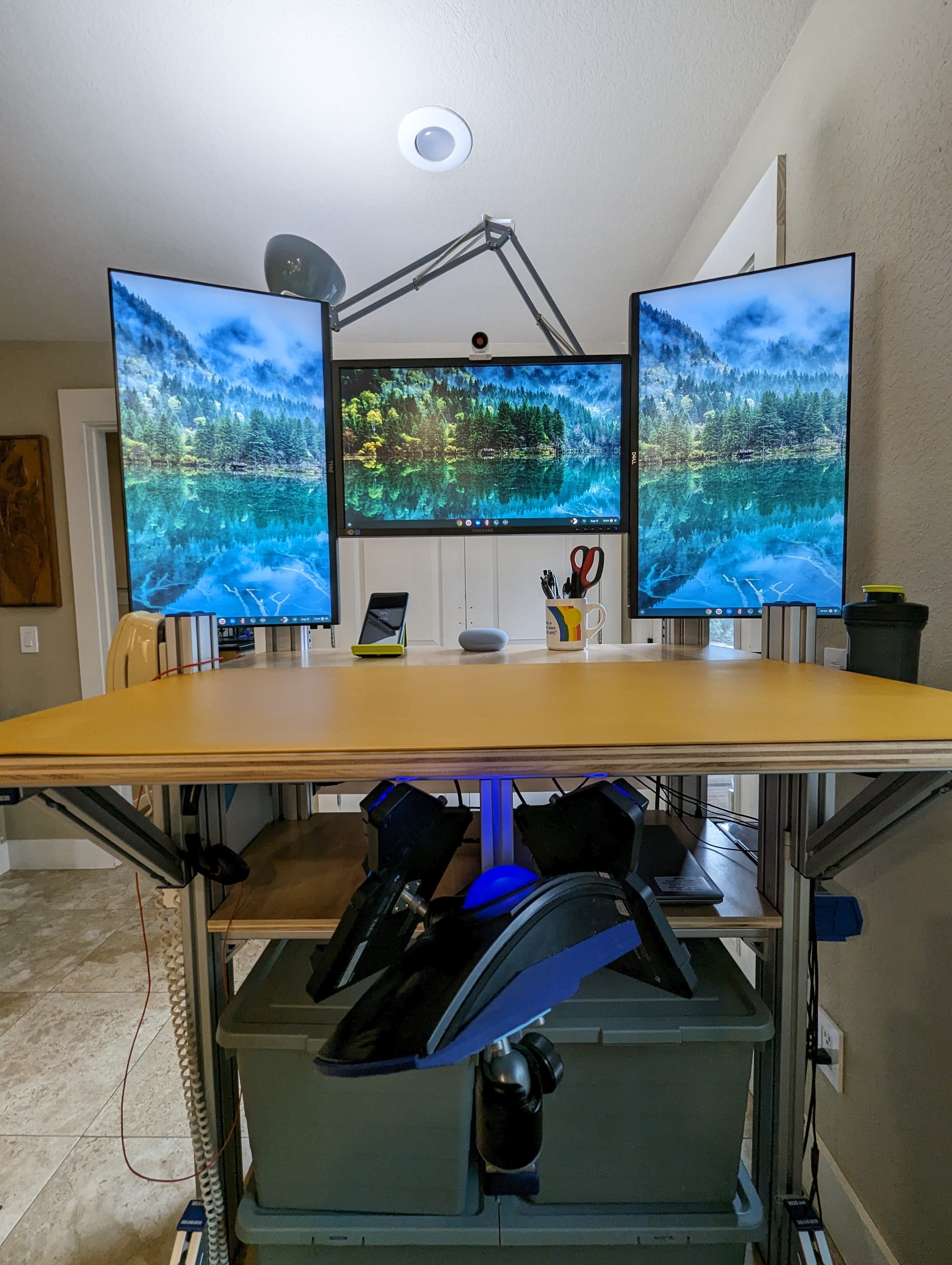
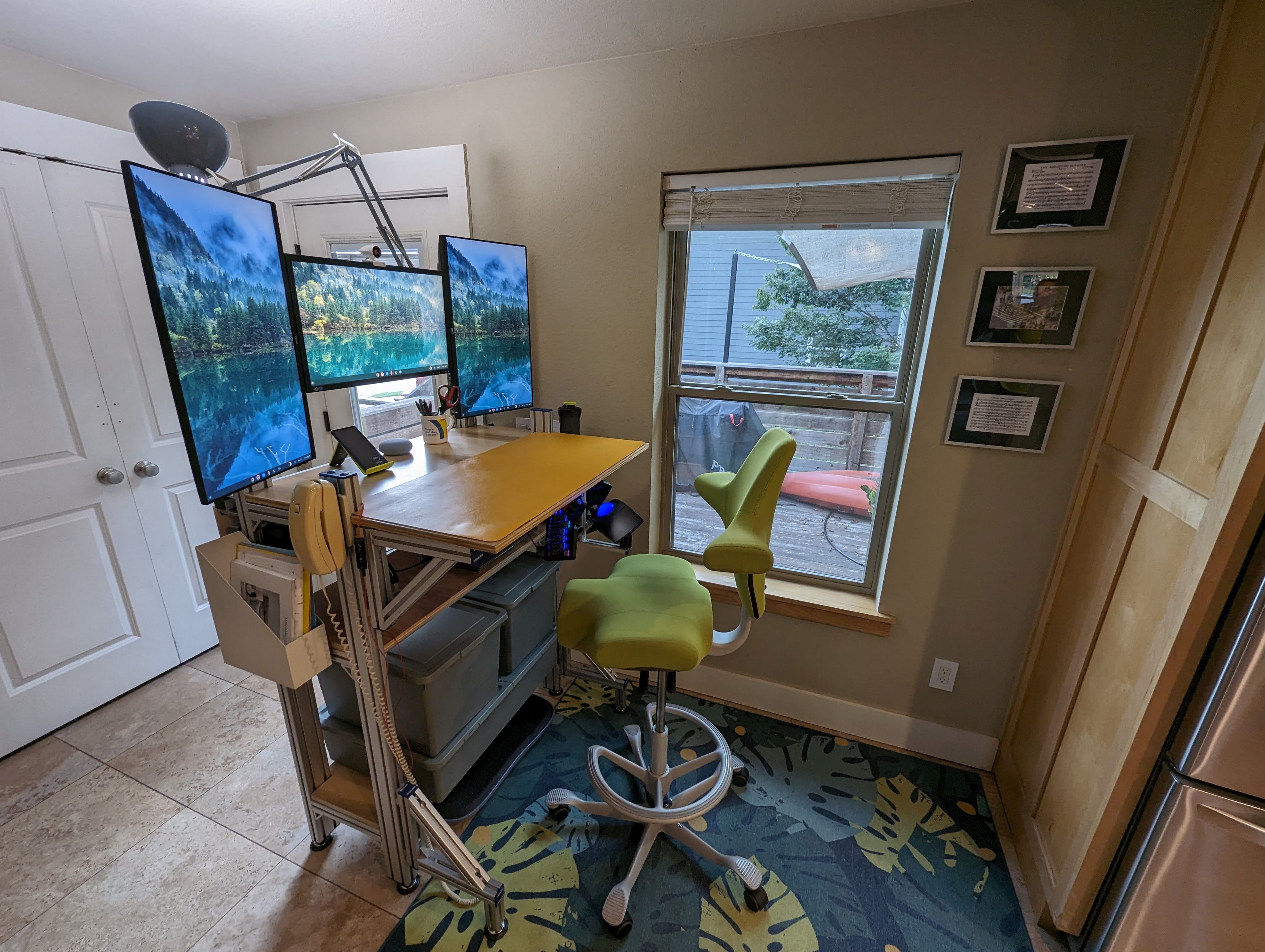
My partner and I worked together to design and assemble my desk from T-slot aluminum extrusions. T-slot is amazing. It’s like Erector Set for adults, but nonproprietary and with more options. This allowed me to experiment and iterate and tweak things until the desk fit me perfectly. Aluminum extrusions make it super easy to mount virtually everything, from monitors to keyboards to cup holders. The shelves are finished plywood.
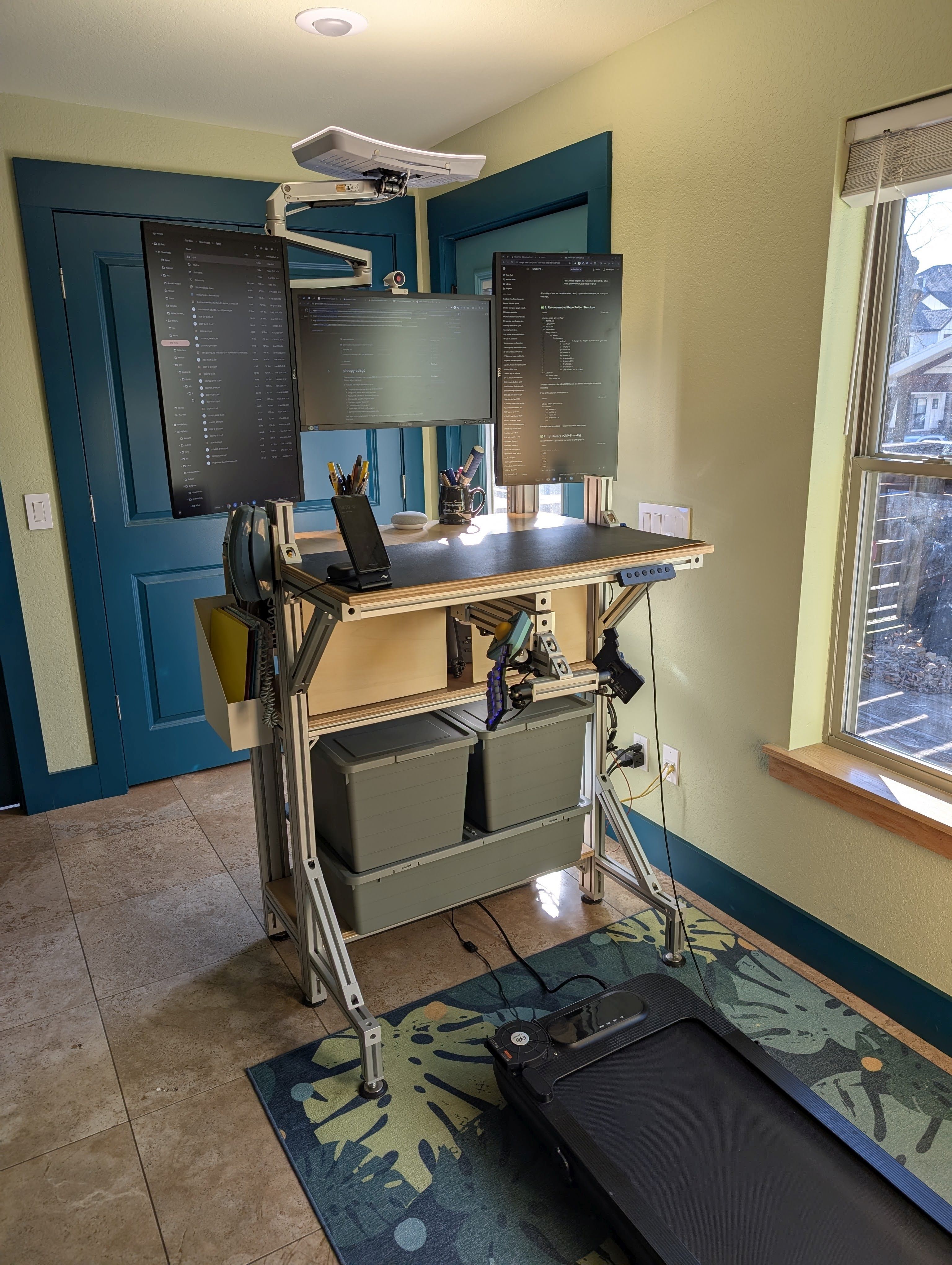
The desk is infinitely adjustable, but not quickly adjustable. It stays at standing height. Until recently, I would switch throughout the day between standing on a balance board from FluidStance and sitting on a Håg Capisco stool. Both have now been replaced by an inexpensive treadmill. I’ve found typing while walking to be easier than I’d imagined, but using my trackball mouse to be a bit more difficult than expected. So I’ve customized the mouse significantly to increase its functionality and to reduce the need for precision.
I don’t use all of the colors available from most smart lights, but I do like bright cool white light during the day and nice warm white light in the evening. When the back of the desk was close to a white wall, I had a pair of Govee Flow Plus light bars mounted behind the monitors. The light reflected off the wall, providing really nice background light. That doesn't work now that the back of the desk is not close to a wall. Now, for ambient lighting in the evening, I have six Taysing LED mini indoor spotlights on a smart plug. They’re pointed at the wall, ceiling, and desktop and provide just the right amount of warm background light.
After my doctor recommended I try a light therapy box to help mitigate the effects of the sometimes short, gloomy days, I found the Carex Day-Light Elite lamp which, despite the company not advertising this fact, works perfectly with a standard 100mm VESA mount. It’s mounted to the desk with an adjustable Ergounion E6 monitor mount with extension arm. During the day, when it’s not pointed at me, it’s pointed at the ceiling. Even at 50% intensity, the reflected cool white light really brightens the space.
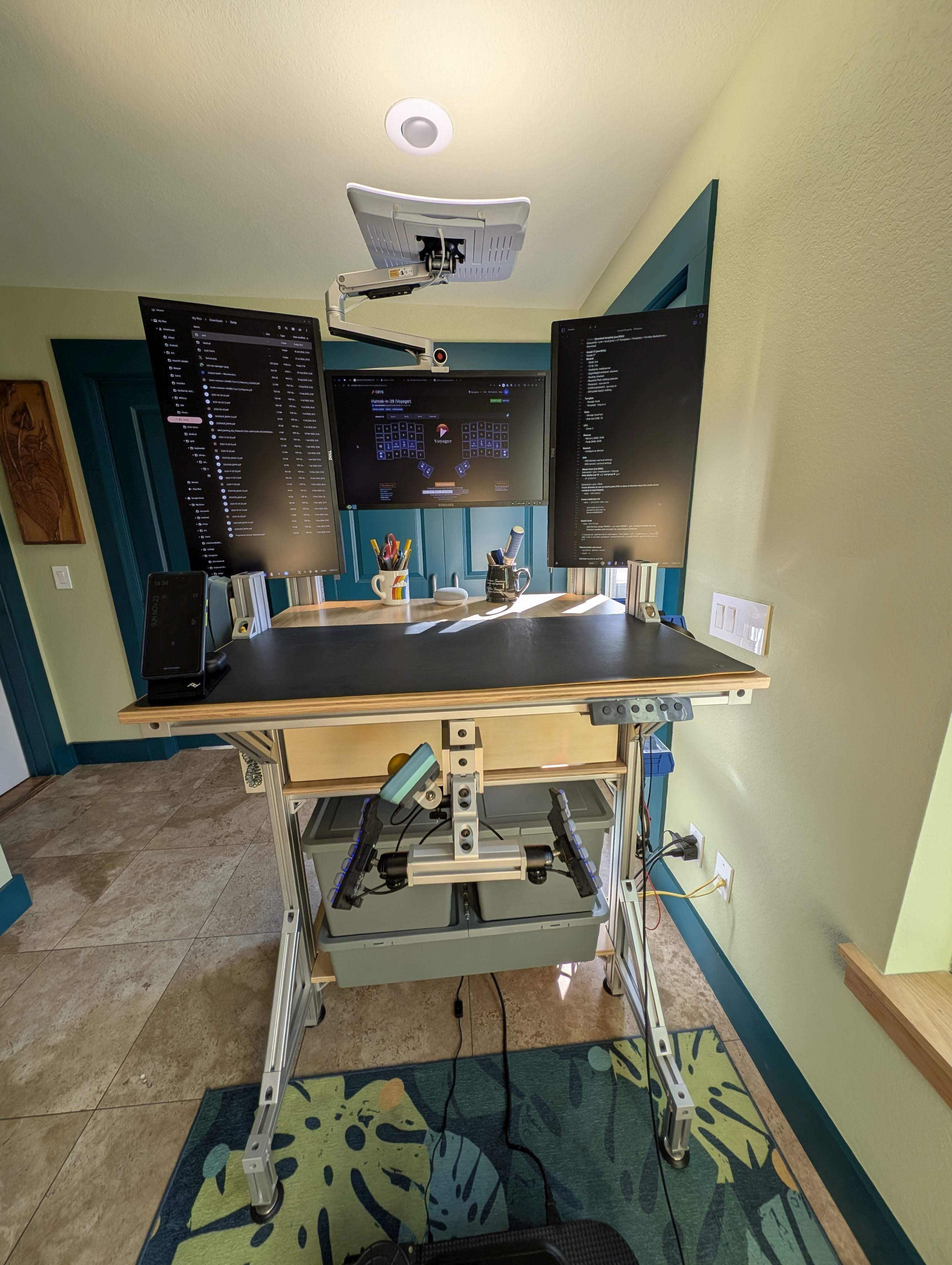
There are a couple of small, utilitarian storage bins mounted unobtrusively on one side of the desk. They’re great for holding my wallet and glasses and things like that. A metal file bin is magneted to the other side of the desk. There are bolts mounted strategically around the desk acting as hooks for various key rings, headsets, etc.
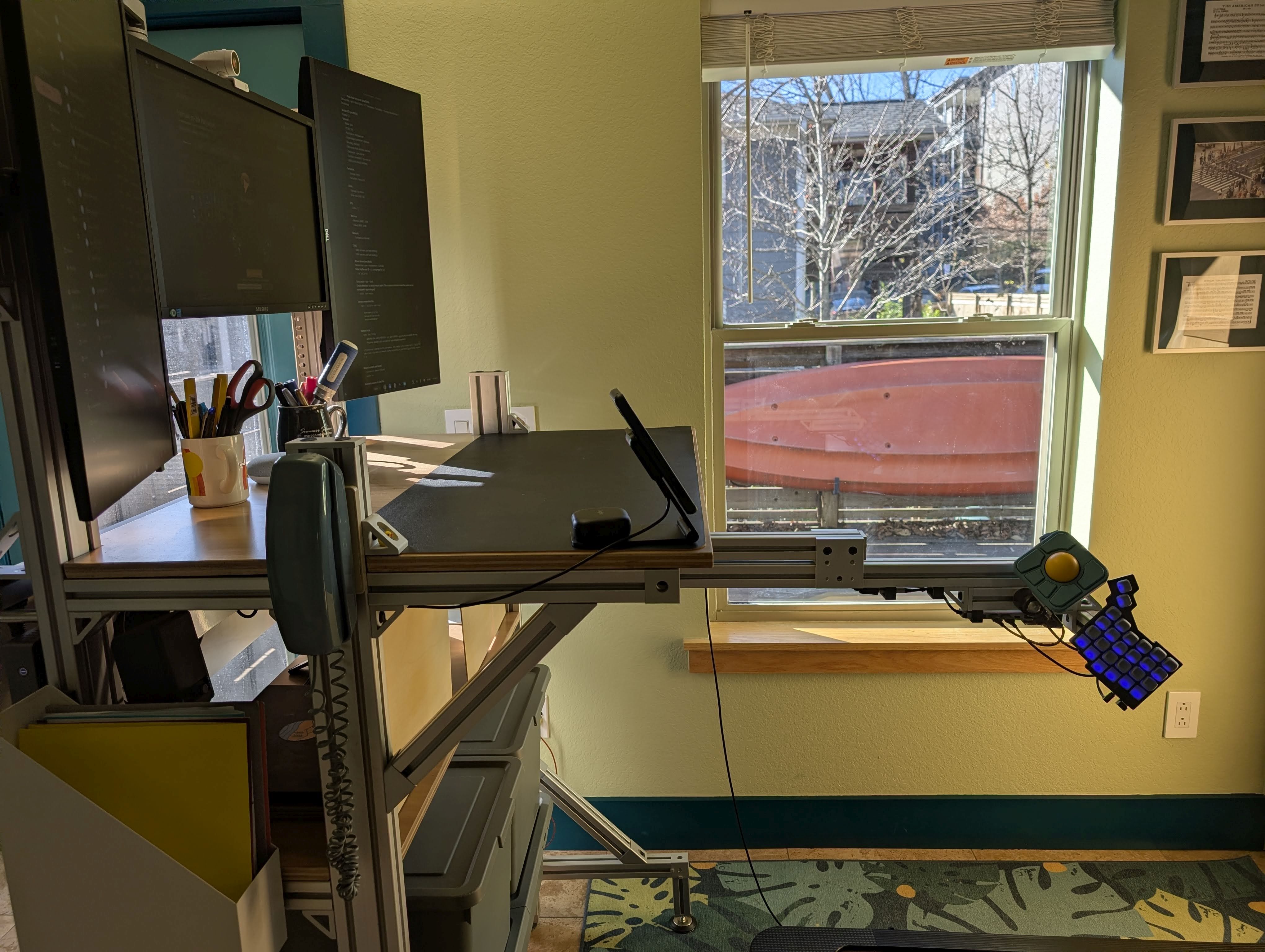
I have an old corded telephone mounted to the desk, too. And it works! It's plugged into an Obi200 VoIP adapter (unfortunately, no longer sold or supported), which is linked to my Google Voice account. So when someone calls my Google Voice phone number, my mobile phone, Wi-Fi tablet, computer browser, and corded phone all ring.
I’ve got the Peak Design Qi2 wireless charging stand on my desk. It really is a very well-designed piece of equipment. I’ve been a fan of Shokz for a while. I usually prefer to use bone conduction rather than over-ear or in-ear headphones. Now I’ve got their OpenFit earbuds. They’re not bone conduction, but they don’t cover my ears or block out other sounds. They’re really comfortable. And the case nestles perfectly in the indentation in the back of the Peak Design wireless charging stand.
I have three 27” monitors—two portrait flanking one landscape. I find portrait layout to be more useful for more of what I do. I work in the command line a lot, remotely managing a variety of Cisco, Ruckus, and Juniper network switches. To me, command line, chat, email, and Word and PDF documents all usually work better in portrait. I had a difficult time finding good VESA mounting hardware for the two portrait monitors. I ended up with VideoSecu ML411B mounting brackets, and they work quite well. My partner designed and 3D-printed a great, simple mount for the landscape monitor.
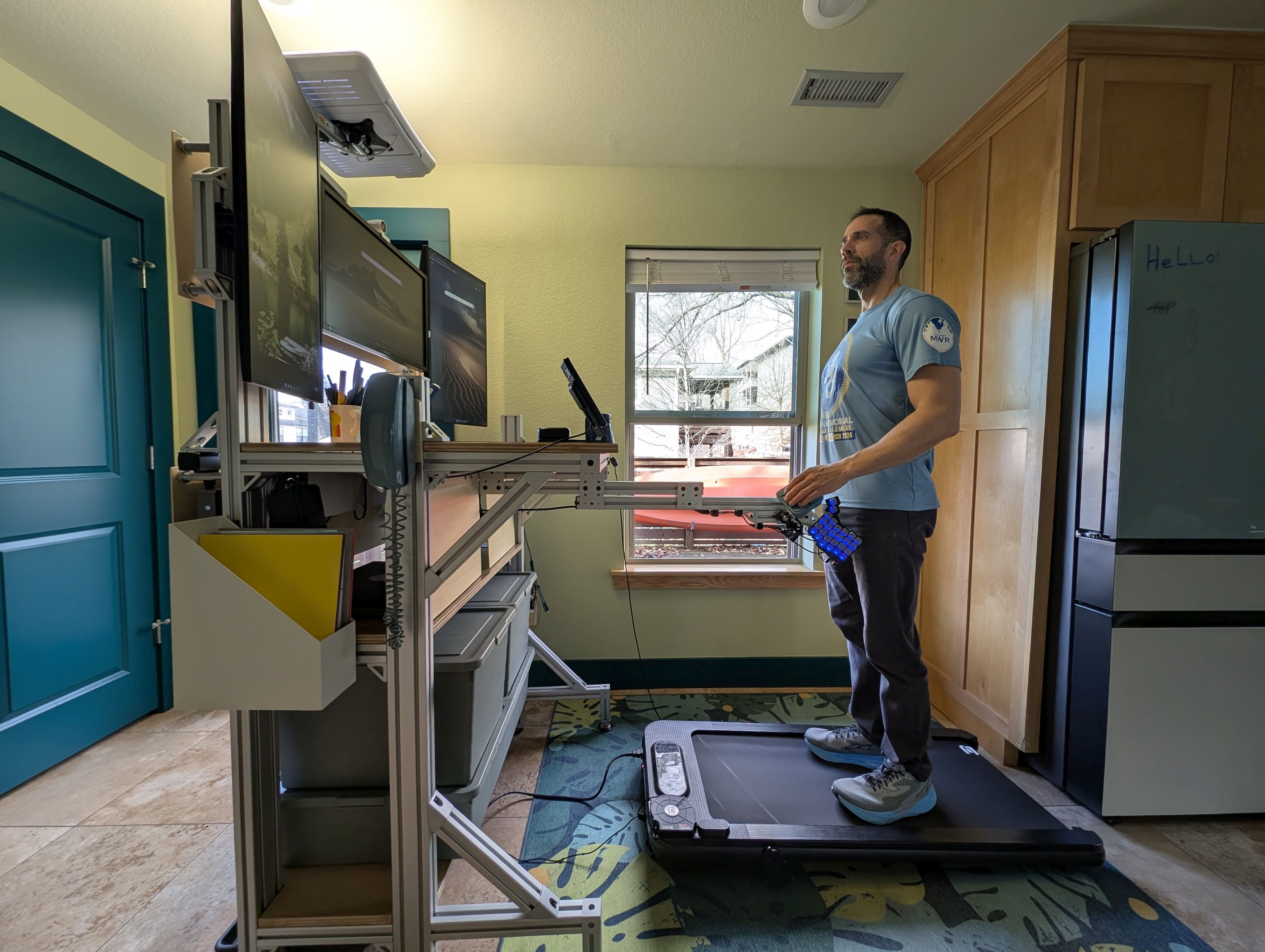
Our house is small and the desk is in the thoroughfare that was intended as a dining space, so tidy cable management was a priority for me. I'm quite pleased with how invisible the cables are from any angle you look at the desk. I had plans to get a shoji screen to partition the space off a bit and hide the back of the desk, but the desk looks so good I don't want to hide it!
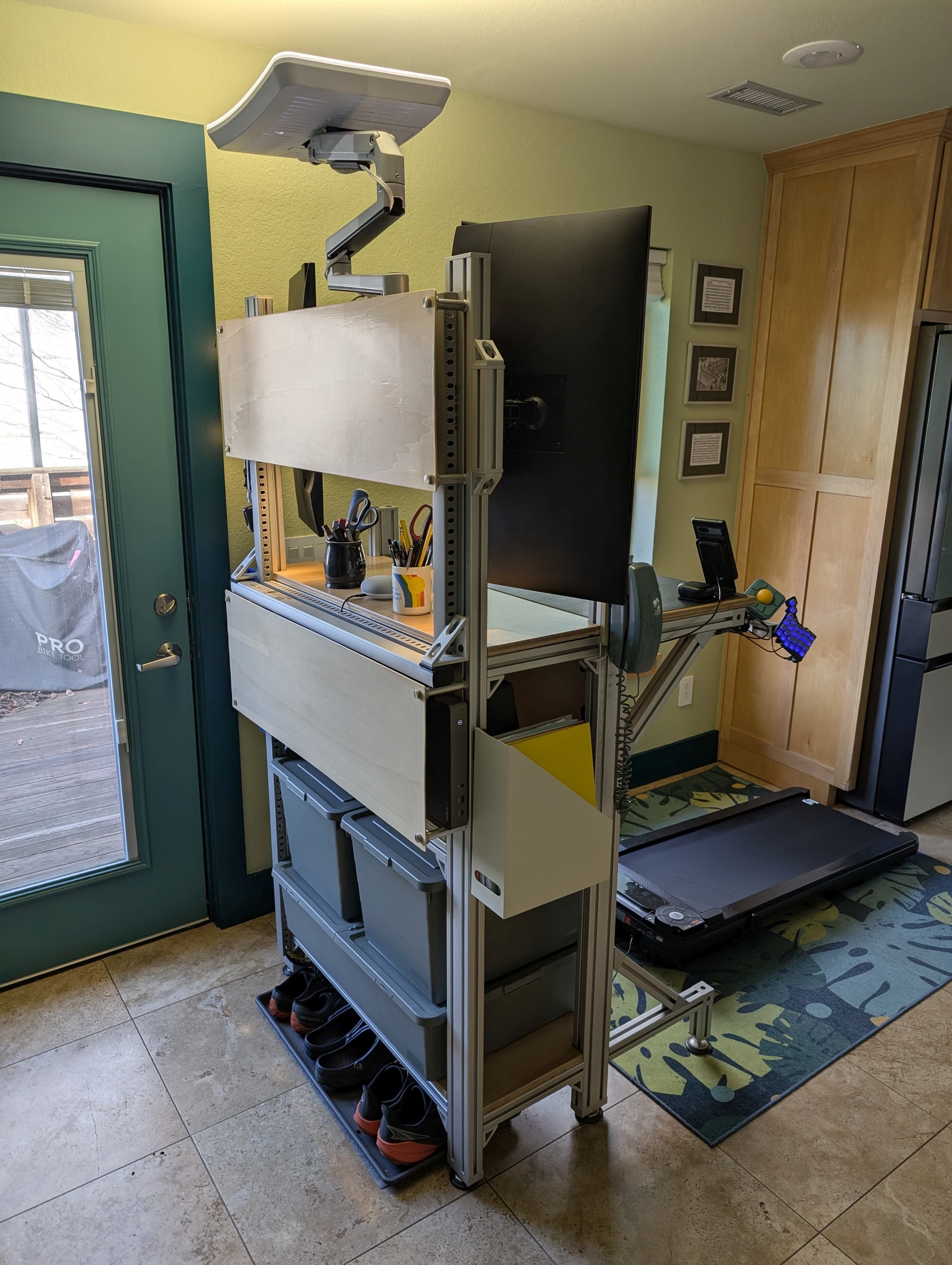
For cable management, I used StarTech open-slot cable management raceway. There’s a Monoprice under-desk cable tray mounted below the top shelf of the desk. I found a 36” aluminum Tripp Lite twelve-outlet surge protector that happens to match the width of my desk perfectly. And, of course, the aluminum matches the aesthetic. It’s mounted to the back of the desk, with outlets facing down, toward the cable tray. I got a couple sheets of 1/8 inch plywood, finished them and added magnets. They attach to elevator bolts on the back of the desk. They cover the only areas where the cables would otherwise be exposed and are very easy to remove when I occasionally need to work with the cables.
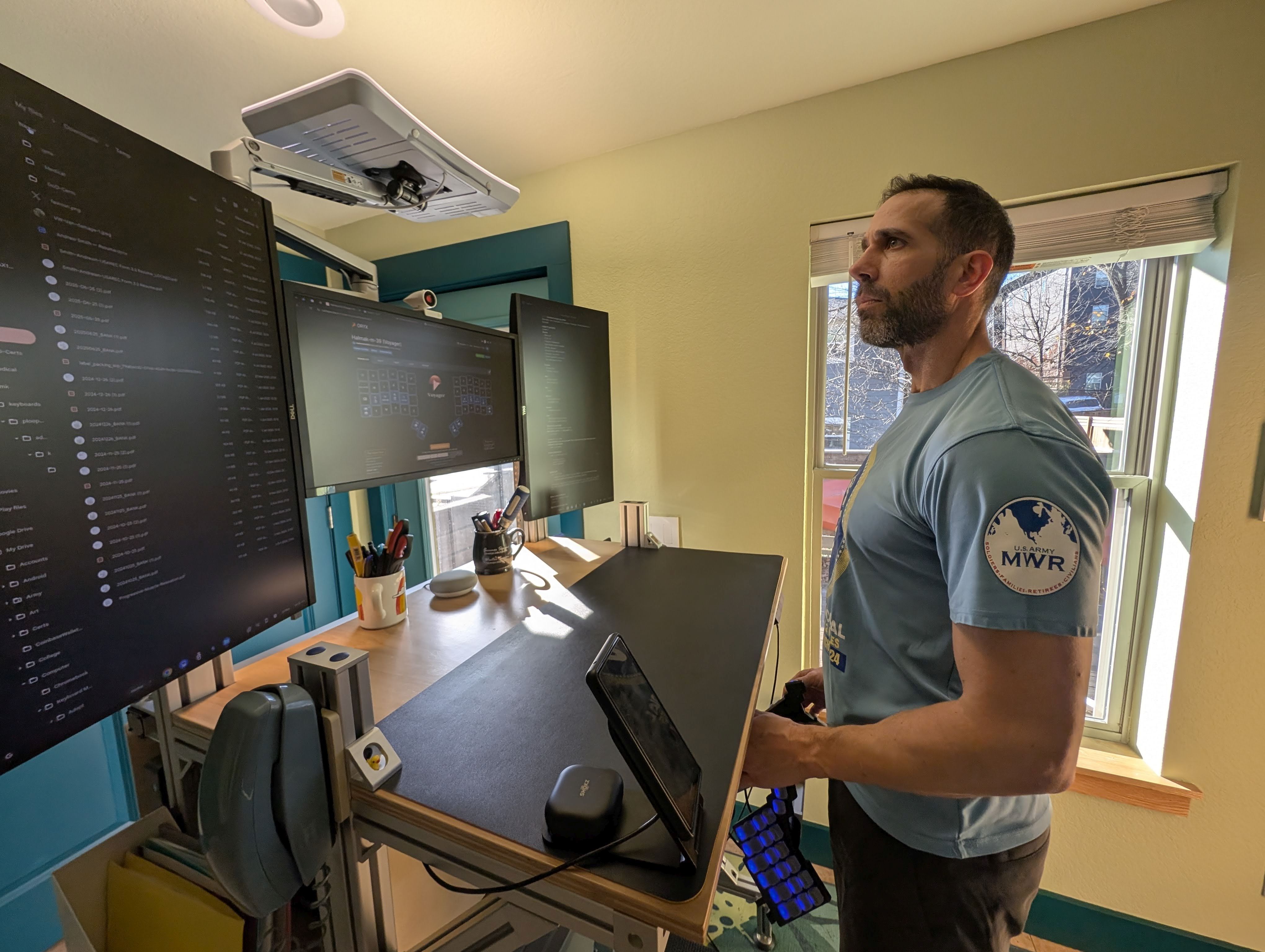
I don't require anything particularly powerful for my personal computing. My personal laptop is a Lenovo ThinkPad X1 Carbon, and my daily driver is an Asus Chromebox 3. It took me a while to find a good USB-C dock with three DisplayPort ports that would work with both my Chromebox and the Windows laptop I use for work. I ended up with the DK31C3HDPD by StarTech, and it's been working great. Both my personal Chromebox and my work laptop are plugged into a CableMatters USB-C switch, and the switch is plugged into the dock. All the peripherals are plugged directly into the dock. This allows me to switch all peripherals between the two computers with the press of a button.
The Chromebox and USB-C dock are mounted to the back of the desk and visually obscured by the plywood. The smart card readers I need for work, Obi200, and USB-C switch are mounted to the underside of the top shelf, out of sight.
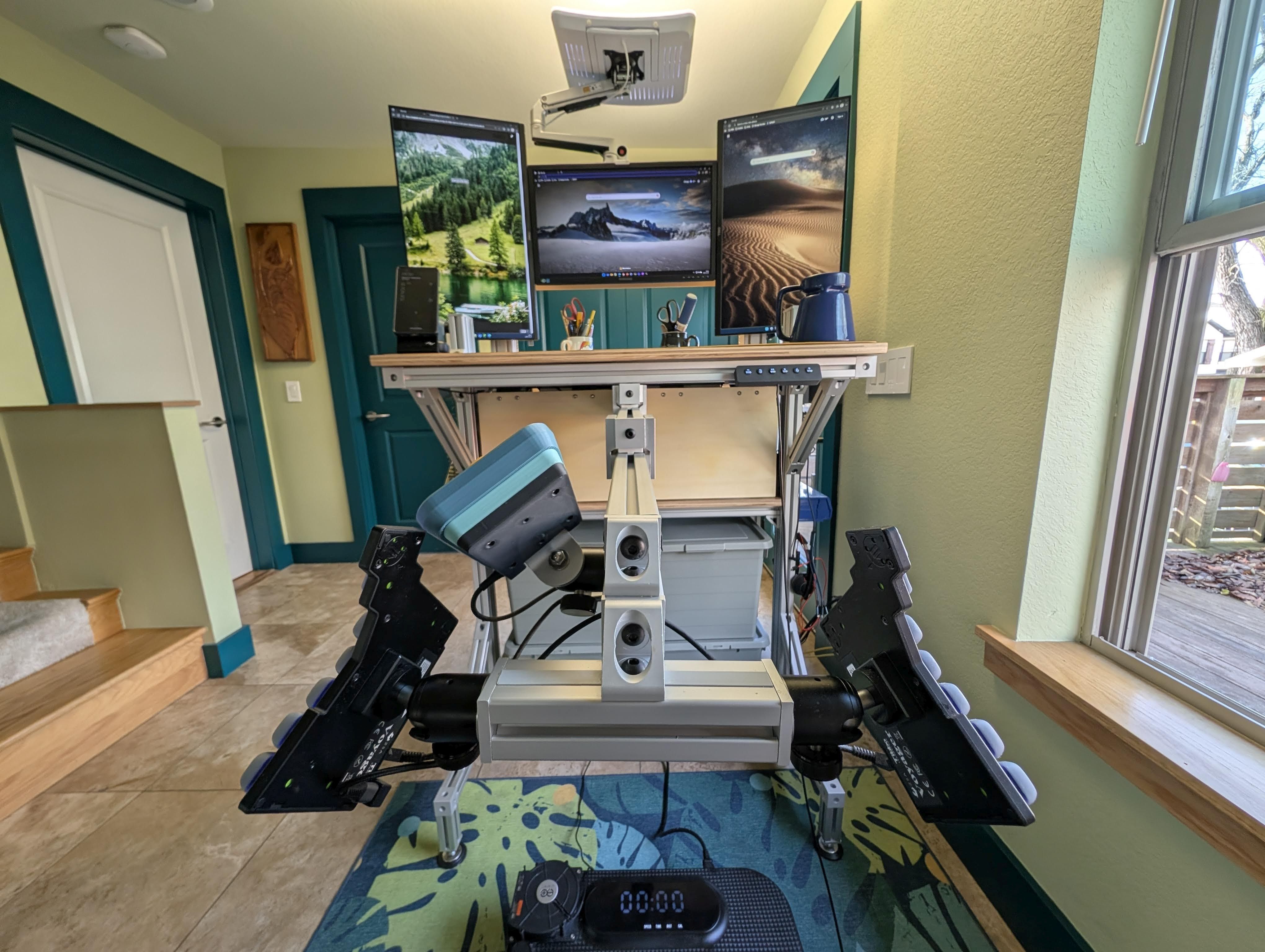
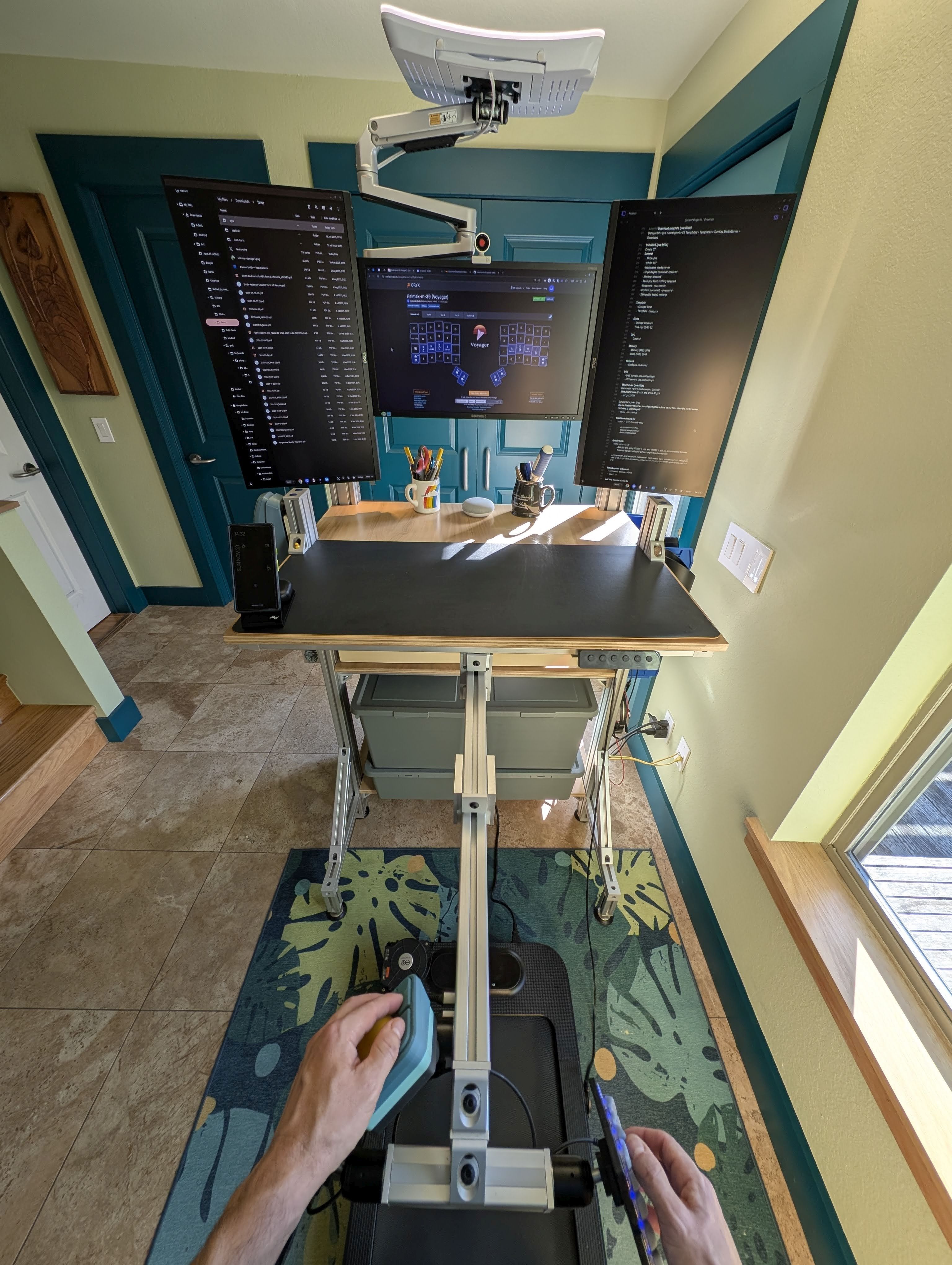
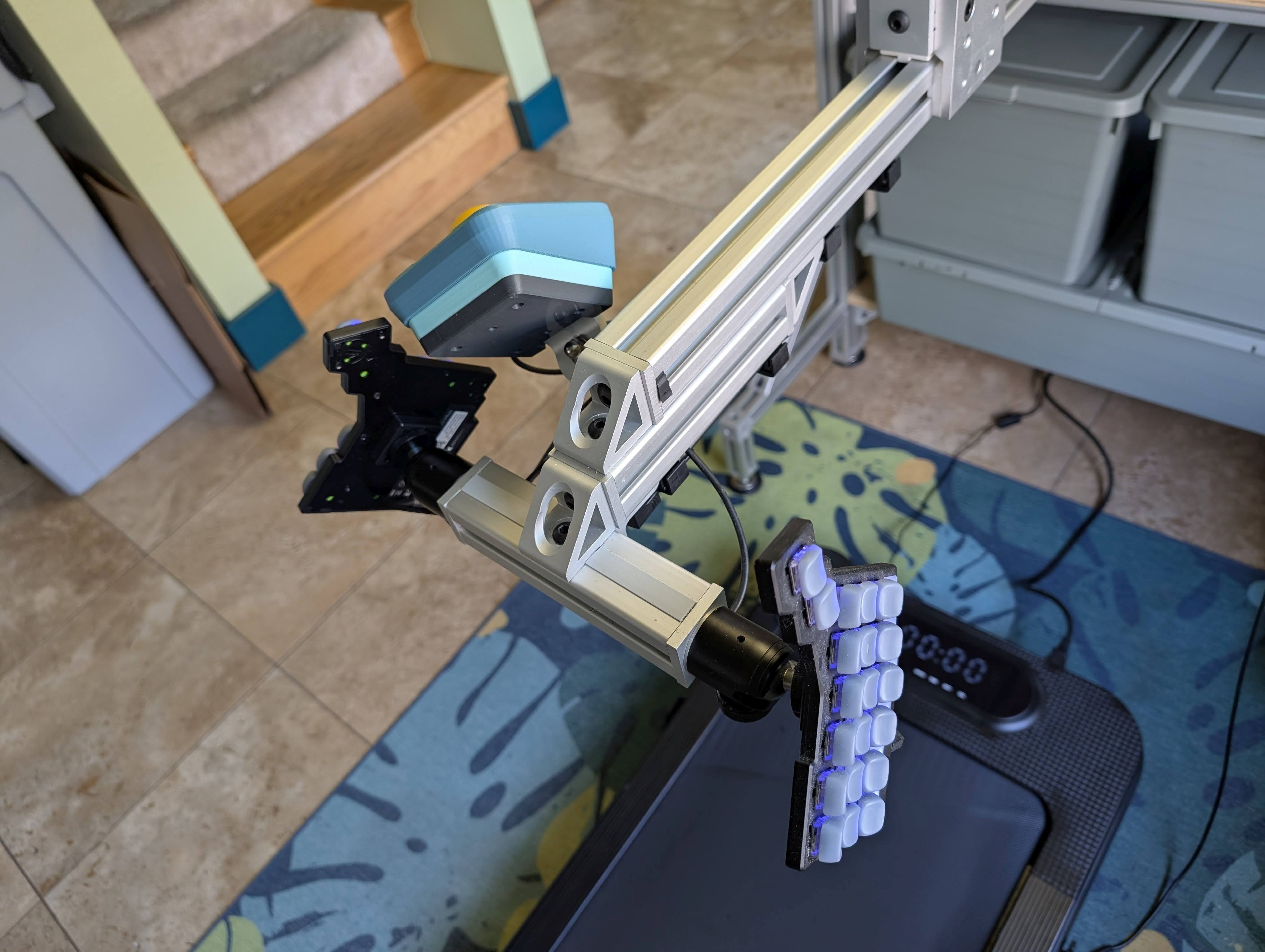
My Voyager keyboard and Ploopy Adept trackball are mounted to a telescoping section of T-slot that allows me to stand about 1.5 meters / 5 feet away from the monitors. This reduces eyestrain from working at a computer all day and, hopefully, helps slow the progression of myopia. I used ZSA’s Tripod Mount kit and standard ball-head tripod mounts to connect the keyboard and mouse to the T-slot. This makes for easy, secure tenting of the keyboard and mouse at the perfect angle.
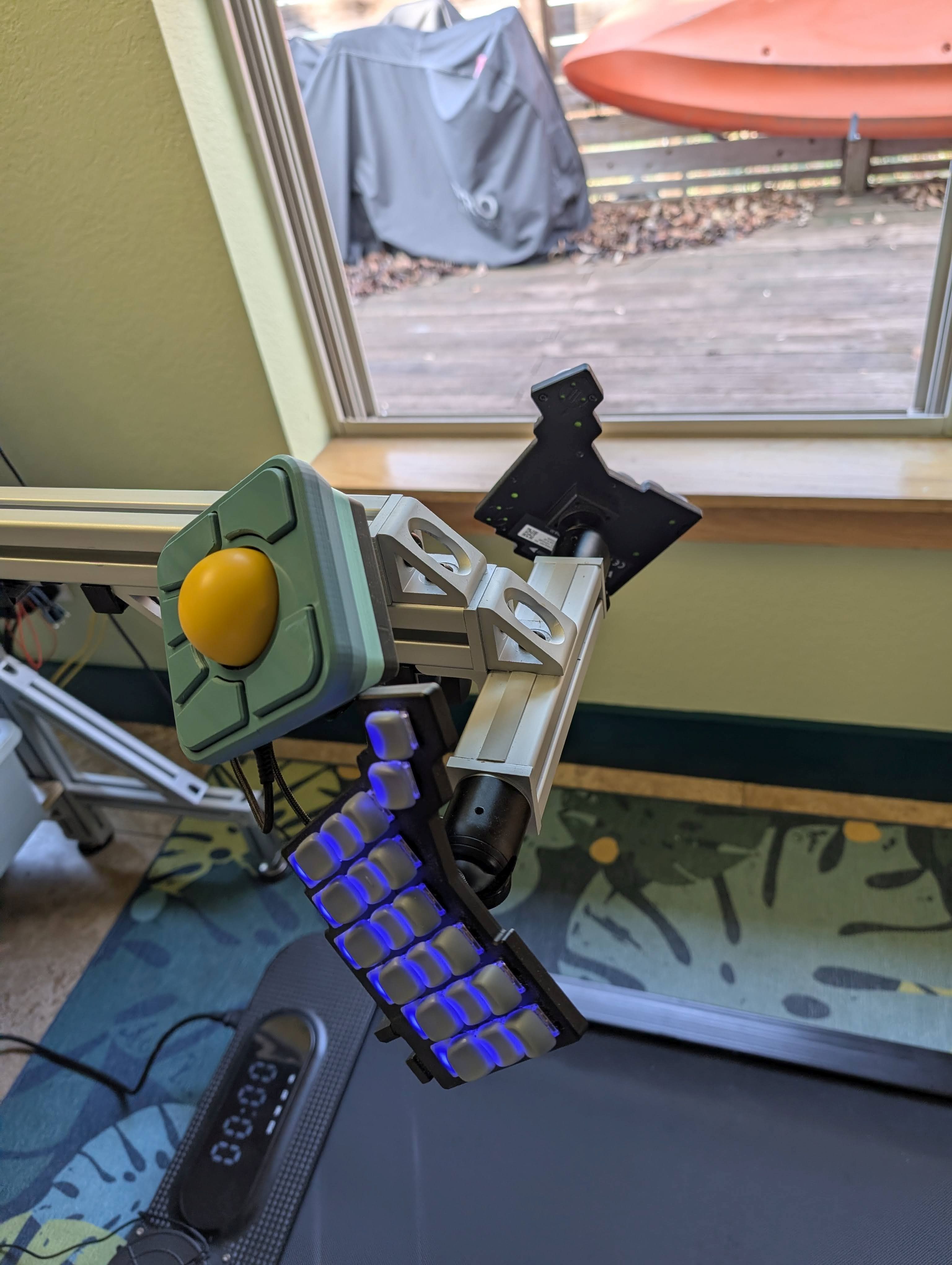
The Ploopy Discord is very active, especially the #adept and #adept-mods channels. I hung out there for a little while and learned about ball transfer units (BTUs) for smoother trackball movement and various other modifications people have made to the Adept. My partner incorporated some of those ideas and some of his own into an Adept mod that looks great, functions beautifully, and attaches to my desk perfectly.
And what software?
When I first got the Ploopy Adept trackball, I customized it using the VIA web app and used it quite happily for a while, until I realized it had so much more potential. So I got QMK running on my laptop, then got to work programming a super customized, super functional mouse with nine layers and a plethora of custom keycodes.
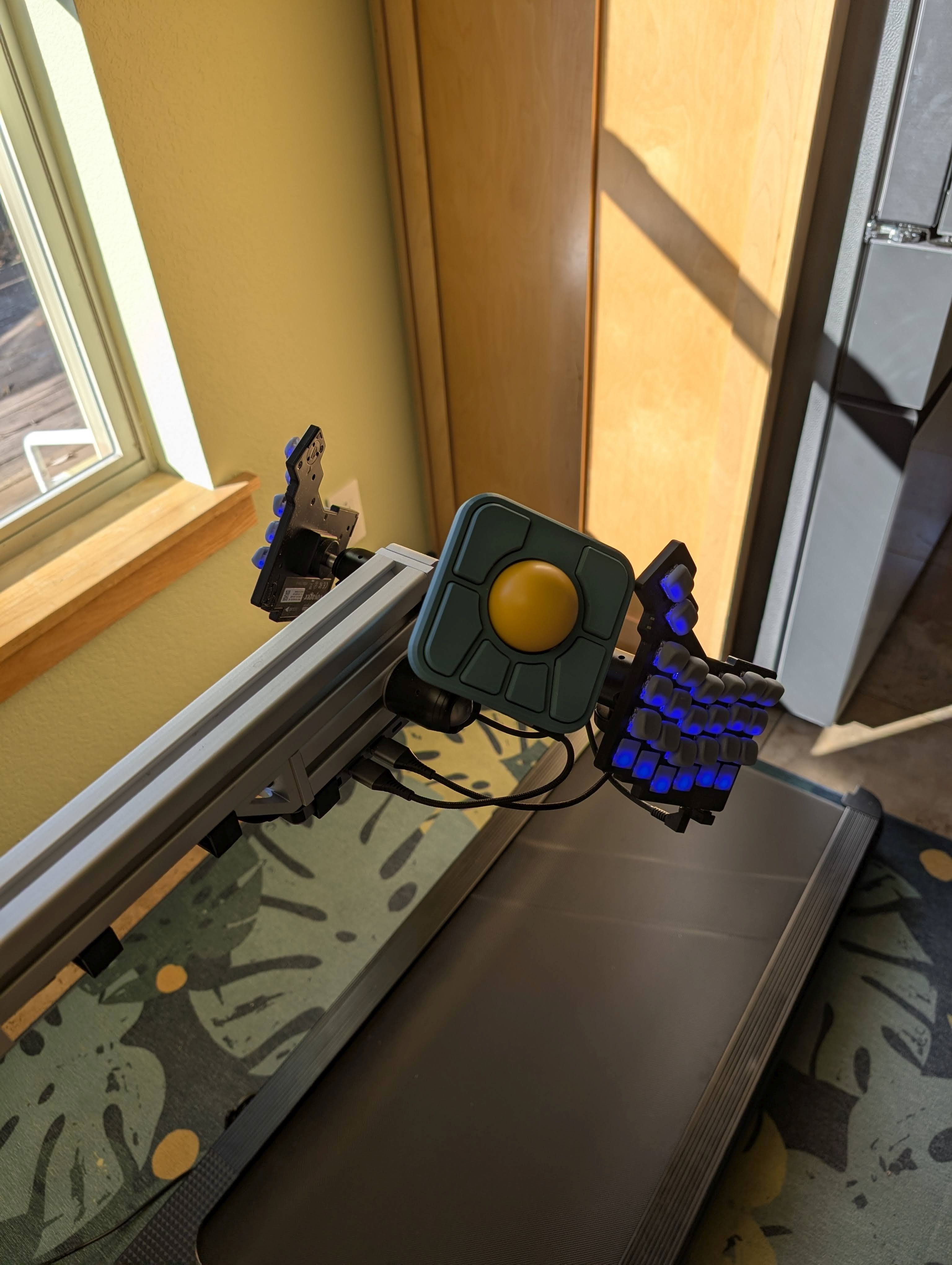
I used to strive to keep my hands on the keyboard and only use the mouse when necessary, but this customized mouse kind of flipped that paradigm for me. Now anything I would have used a keyboard shortcut for in the past, I can do from the mouse. I incorporated several shortcuts that were new to me and several I was familiar with, but could never quite remember. Now I don’t need to remember the right combination of modifiers and letters or arrows on the keyboard; it’s all laid out on my mouse’s six keys in a way that is very logical (at least to me). I can quickly Shift-click; Control-click; Enter; Backspace; Delete; Escape; Tab; Refresh; Undo or Redo; cut, copy, & paste; switch apps, tabs, & virtual desks; control media; and so much more, without navigating the right-click menu, all from my mouse thanks to my custom firmware.
If ZSA’s Navigator had been released a couple of years earlier, I’m sure I would have purchased it and loved it and never thought twice about the Ploopy Adept. But I’m glad I got the Adept and learned a bit about QMK and coding in the process.
Android is my mobile OS of choice. I like that Android provides a lot of opportunity to tinker and customize. I use Tasker to automate a lot of things, like turning the mobile radio on or off depending on whether or not Wi-Fi is connected, turning VPN and private DNS on or off depending on the network connection, and turning the ringer on or off depending on which Wi-Fi network and Bluetooth device are connected.
My personal laptop is currently a dual-boot setup running Ubuntu Budgie and Windows. I’m enjoying the Budgie Desktop Environment. I’m a big fan of Notepad++, and just started using Obsidian (h/t ZSA Loves and several other ZSA People interviewees).
I’ve been using the Beeper chat consolidation app since I learned about it shortly before it blew up in tech news. It helps me in a couple of ways. It enables me to use Facebook, Instagram, LinkedIn, X, and Discord direct messaging on my phone without having any of those apps installed. And it allows me to easily get Signal and WhatsApp messages across multiple devices, despite both services’ limited multidevice support.
We started self-hosting about a year ago. We’ve got Proxmox Virtual Environment set up on our home server with containers for a Turnkey Linux File Server, a Turnkey Linux Media Server running Jellyfin, photo management using Immich, a Syncthing server, and home automations using Home Assistant. I’m considering hosting my own instance of Bitwarden for password management and my own Matrix bridge for chat. The list is endless. This is a blessing and a curse.
What’s your keyboard setup like? Do you use a custom layout or custom keycaps?
I type on the Voyager at home and either the Planck EZ Glow or a Reviung41 when away from home. I only use keys within one position away from home position and have the same 39-key layout programmed on all three keyboards.
My base layout is very close to Halmak. I modified a couple of characters in the center columns to better align frequency with ease of reach on a columnar layout. I use home row mods for my home keys, and all of my thumb keys are dual-function keys with layer switching hold actions.
Numbers and symbols are on the layer above my base layer. Navigation keys, like arrow keys and mouse keys, are on the next layer up. I've made the arrow keys more powerful with tap dance. Tap for left arrow, hold for Ctrl + Left to go back a whole word, tap and hold for Home to go to the beginning of the line, for example.
I have another layer with the FN keys and a bunch of macros to send characters that don't have their own keycodes, like em dash and en dash and bullets. I have Unicode macros on one side of the keyboard—for Linux and chromeOS—and alt-code macros mirrored on the other half of the keyboard for Windows.
I don’t do much gaming, but I recently added a PC gaming layer with WASD keys in the same positions as the arrow keys are on the navigation layer. I did my best to optimize this layer for gaming with my limited experience.
I know the Halmak layout isn’t for everyone, but I hope some of the principles I’ve added to my layout over the last few years might be helpful to someone.
I appreciate the Voyager for its elegance, but I don’t travel with it, so the super thin keycaps were not a selling point for me. I got resin-printed key covers to replace the top row of unused switch slots and a set of KLP Lamé keycaps from 3dkeycap to give a sculpted profile to the remaining keys. They are blanks in a solid grey color that lets the keyboard LEDs shine through. I don’t like animated keyboard LEDs, but I have customized solid LED colors to make each layer visually distinct and to help me out with some infrequently used keys. My Voyager has clicky Kailh Choc White keyswitches.
My partner made the Reviung41 keyboard for me as a gift. The bottom and top plates are walnut. It’s beautiful. It doesn’t have LEDs. The keycaps are blank black DSA profile. It has Cherry MX Clear keyswitches, which are nice and tactile, but quiet—ideal for my travel keyboard.
What would be your dream setup?
Since I started using a treadmill at my desk, I’m addicted to walking. The inexpensive treadmill I have now overheats despite a cooling fan we added over the motor, an additional external fan, frequent dusting, and copious amounts of lubrication.
The Office Walker is a manual walking pad that is not yet in production. I’ve been following its progress on Discord for a while now and backed the Kickstarter as soon as it launched. I think it will be a significant upgrade and I can’t wait for it to arrive.
I just learned about the Svalboard. I’m interested in it for the ergonomics and the magnetic switches. I’m all about a weird-looking keyboard, but I do feel it would be a downgrade in terms of aesthetics and elegance compared to the Voyager. I’m pondering taking that plunge.
I've spent a lot of time on my desk setup, and there's nothing else I can think of that I would change.