The people who use our boards.
425 interviews since 2018




Louis
Sundrønning
Freelance Designer, 3D Artist and Animator
Who are you, and what do you do? What do you like to do outside of work?
I'm Louis Sundrønning. The first thing I usually tell people when they ask me who I am, is that I’m a jack of all trades, and specifically of the arts. If you name an art, there is little chance that I do not, or have not partaken in it at some point (exceptions apply of course). I do visual arts: digital and paper, painting occasionally, animation, sewing, and sculpting. I play a few instruments, sing, read, and write. I dabble in programming electronics, and woodworking, gardening, cooking and baking, play and make games, I’ve done some theatre, improv, dance… I’m sure I’ve missed something. I tend to learn a bit faster than the average person, so I don’t have too much trouble adopting new tools and hobbies, and I enjoy learning new things more than I enjoy perfecting any one thing.
Professionally, I'm a freelance graphic designer, 3D generalist, and animator, although most of my clients want websites, so the other projects are few and far between. I like to work with just one client at a time if I can, so my clients usually get my undivided attention during projects. And my own website is thoroughly neglected and out-of-date.
I’m currently working on a game development project with some friends on the side, with the ambition of making "Oarlock" one of Norway’s top gaming studios in the future. But we are just starting out, so it’s hard to tell at this point in time whether or not we could be successful. It is a very fun team though: loud, supportive, passionate, terrible humor, and a shared love for learning. I work mainly on the characters and animation, and we’re getting close to having our very first simple “tech demo” ready to test.
I have way too many hobbies, so I always find it difficult to say what exactly it is that I do in my free time. It varies a lot on a month-to-month basis. I tend to take on learning projects, like touch-typing, learning Japanese and Turkish, or trying new crafts. I’m not particularly good at finishing my personal projects, but the process seems to bring me more joy than the finishing of things.
As of March, I am playing around with creating a sort of scheduling system to keep track of time, basically showing me what I was planning to do during this time (work, study, eat) with some suggestions of what specifically to do. There are of course a lot of apps that do something like it, but none of them work exactly as I want so… Here I am, building it from the ground up just for fun…
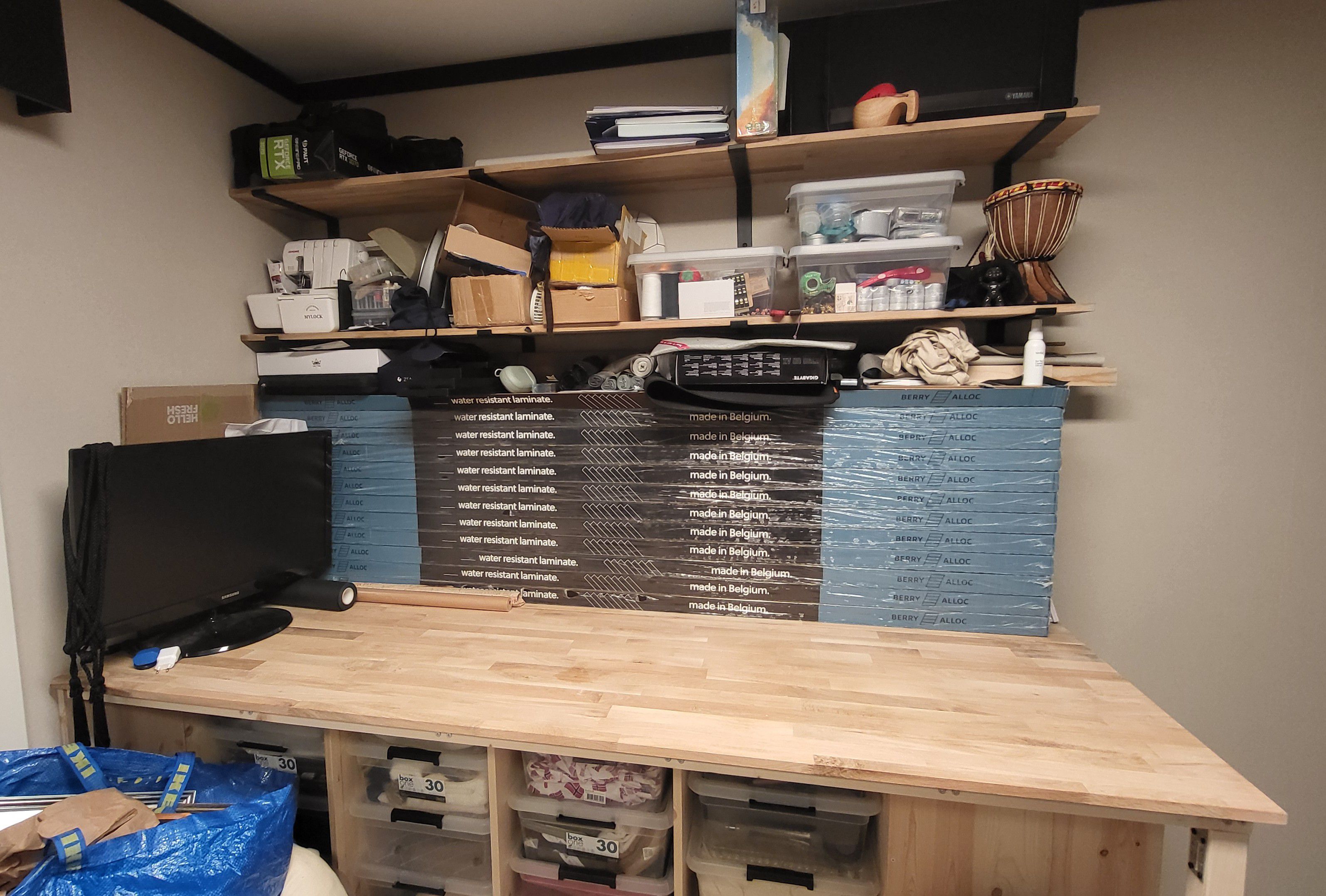
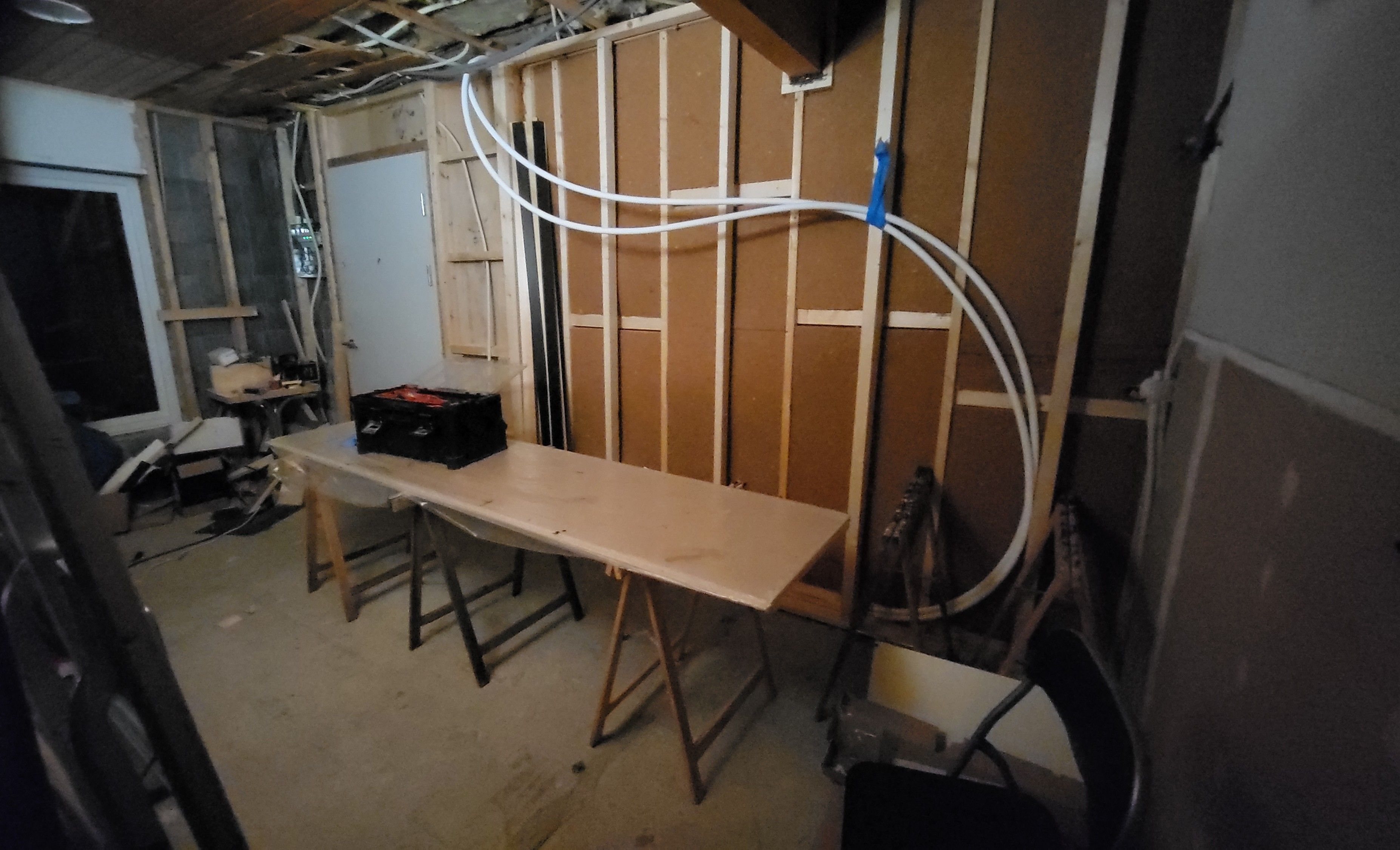
I have a bit of a renovation project going on right now as well, since I recently moved into my family home’s first floor, which we are turning into an apartment. My floors, other than my office, bedroom and bathroom, are currently just cement, and we still have a wall to move where the kitchen will be. But the work has slowed down a bit during winter. So I have a beautiful, nearly finished office and bedroom, but the living room and kitchen are very much naked and in need of walls and flooring.
What hardware do you use?
I built my computer inside a Fractal Design North case, and I actually designed my entire office around the case’s design: black details, grey tapestry, and walnut wood aesthetics. I bought the PC parts about three or four years ago now, I think, so it still works great, although I could use a new graphics card. Luckily though, I am all set on RAM, considering the current price hikes.
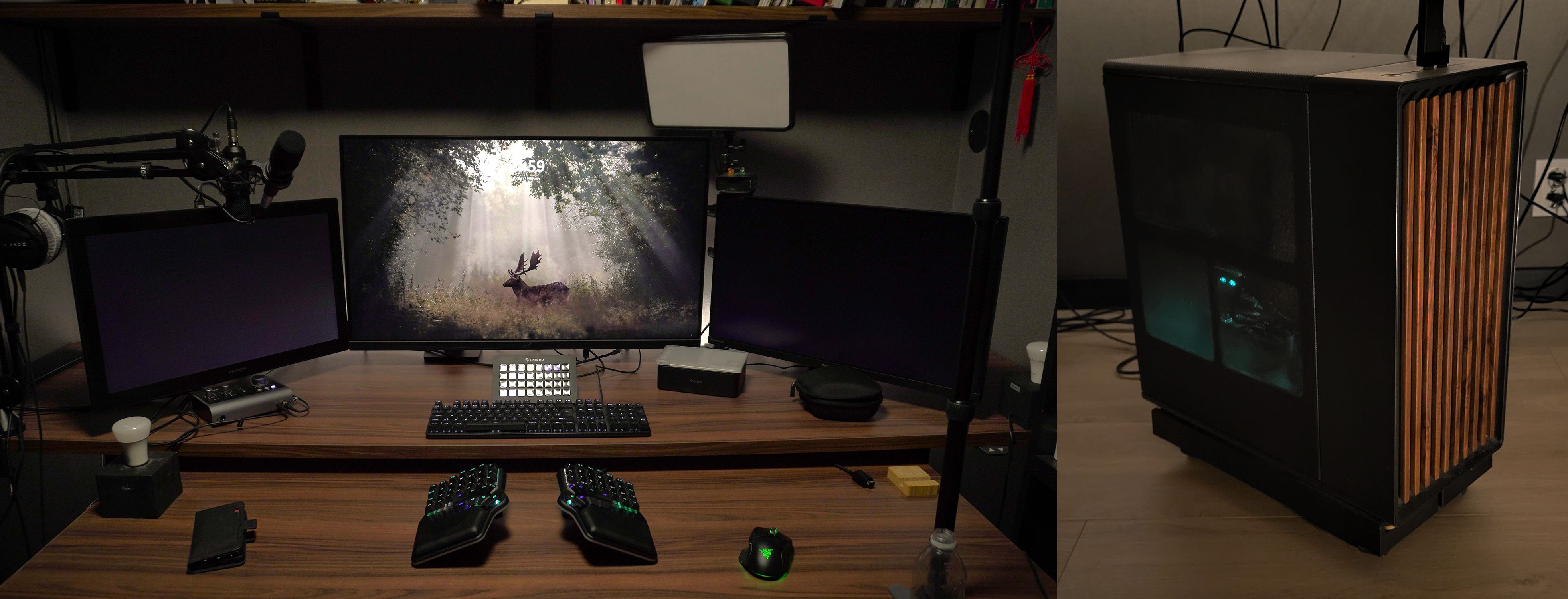
For my peripherals, I’ve settled on a Dygma Defy and a Razer Basilisk mouse as my main drivers, because they both seem to fit my hands quite well. The Defy was simply the first split keyboard I bought, and I’ve grown quite fond of it. The mouse has been more of a trial-and-error situation. I tried out various different types over the last ten years, and the Basilisk was the only one which didn’t cause any pain, so I’ve settled on it, and upgraded my last Basilisk to the newer version when it stopped functioning.
For now I still keep my old traditional keyboard at hand, because I continually find new signs or accents that I have forgotten to add to my layout because I rarely use them.
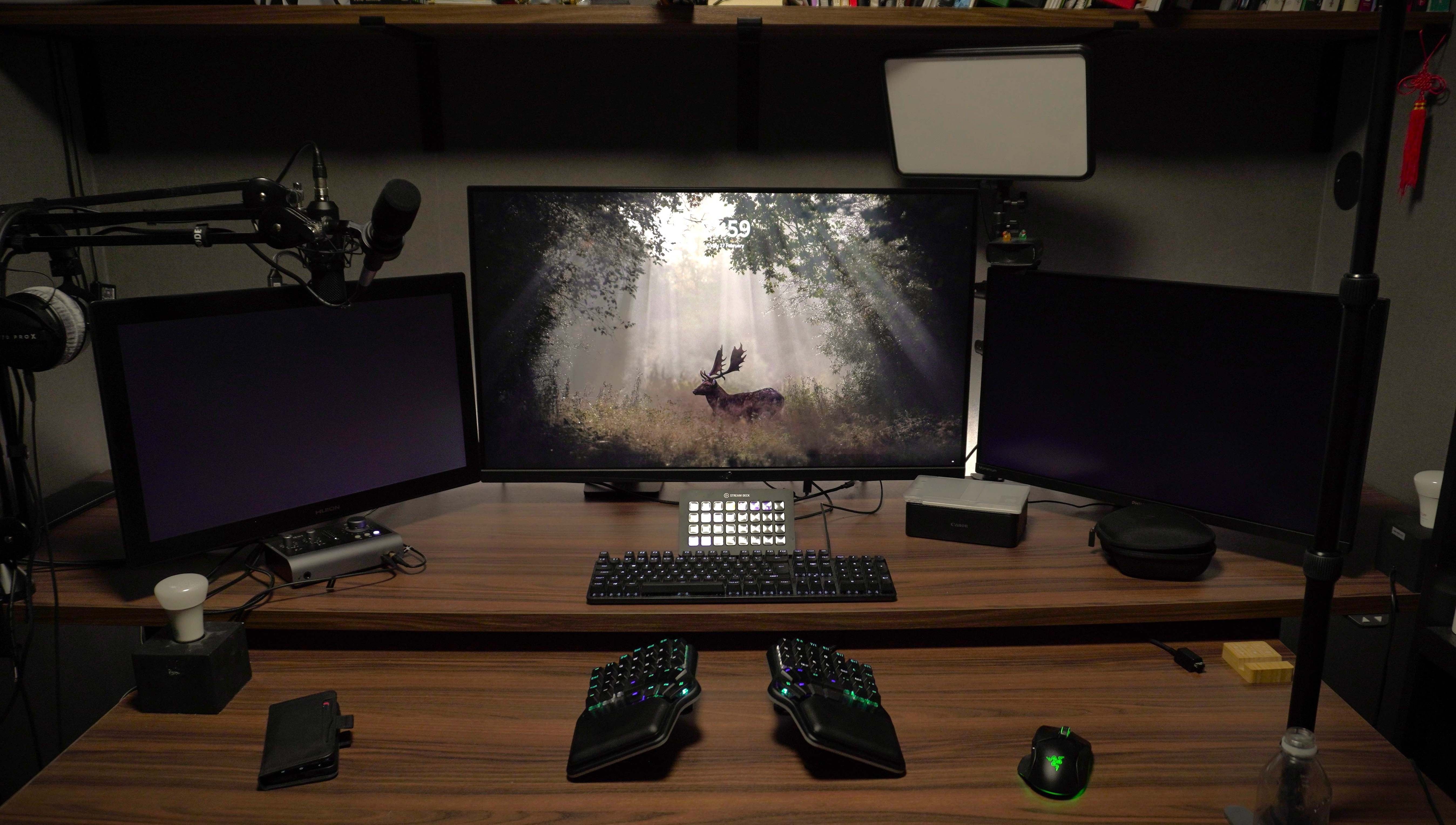
I use three screens. The main one is a gaming screen with relatively good color accuracy, the second is my old gaming screen, and the third is a large Huion drawing tablet. I find the multitude of screens incredibly useful for graphic work even if I’m sure some people might find that it is entirely unnecessary. The main program goes on the main screen, references on the other, and emails or other reference information/searches on the last, unless I’m drawing on it. I also have mics and lights set up for filming and music, for some occasional video and audio work.
I guess my setup in general might be a bit overkill, but considering I spend 90% of my day in my office, it feels very much worth it. And my computer runs smooth like butter under almost all circumstances, except rendering.
I have a PlayStation and a Switch for some specific games, but they get much less use than my computer.
My desk is a bit of a DIY situation too. The tables and the shelves are actually Ikea kitchen counters, which were much cheaper than any kind of normal tabletop I could have bought in that size, and the legs are electrically adjustable sit-stand legs. I like to have plenty of desk space, so the tables are huge, but I can slot one under the other so that it takes up only 70 cm of depth when I want more space in the room—for example, when I want to use my treadmill.
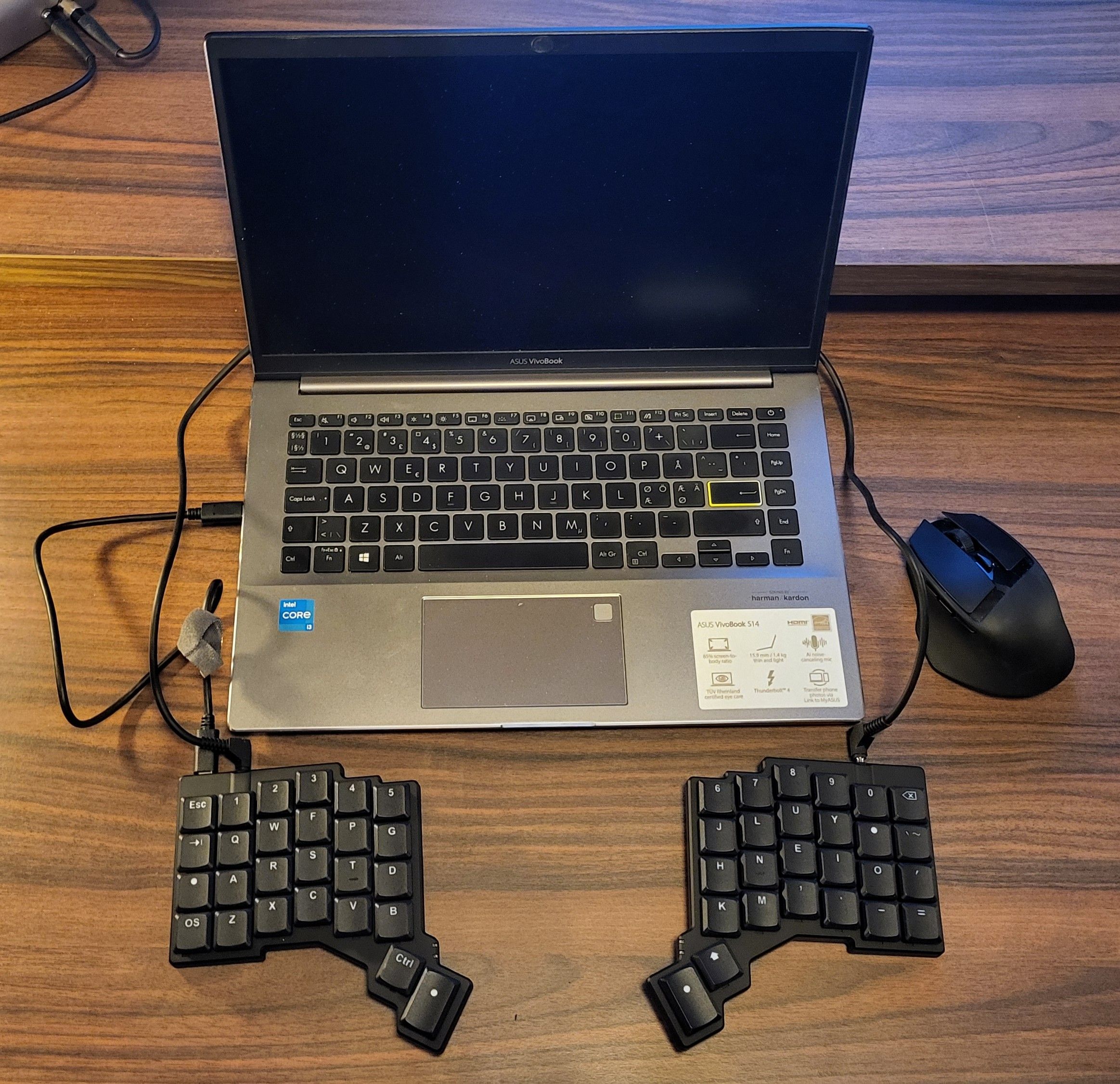
I originally ordered a custom Hillside 48 keyboard kit a year ago as a potential travelling keyboard. I had to solder it and rework some code in order to make it work, but I made some mistake which I haven’t taken the time to fix after I moved, so it is only partially put together. Which is why I bought a Voyager instead last year, since I needed something for weekly meetings immediately. So I use the Voyager, a Basilisk Mobile, and a Huion Kamvas 13 as my travelling setup with a small laptop, all three of which I am pretty happy with, as portable versions of my normal setup.
And what software?
It kind of depends on the task.
In my design work, I usually do my sketching on paper or in Clip Studio Paint, out of habit mainly since I used to animate in it, and I use a combination of either Adobe’s InDesign, Illustrator, and Photoshop or Affinity’s Designer, Publisher, and Photo, depending on my needs for the project. Affinity is a one-off purchase with some of the same capabilities as Adobe’s products, but it is sometimes not quite enough when I need to do specific things.
For web design I create my designs in Figma or on paper, depending on the scope and budget of the project, and then I generally build them with WordPress, using a few addons I find useful. Bricks Builder, Meta Box, and HappyFiles are the main ones that allow me to simplify the administration of the website for my clients, and make the websites more expandable without requiring my help. I like to give my clients autonomy of their websites once our projects are complete.
For video and 3D I usually use a combination of PureRef for inspiration boards, Blender for 3D and animation, DaVinci Resolve for editing, and Adobe After Effects for motion graphics. Any hand-drawn animation or animatics I usually do in Clip Studio.
I use eM Client to keep track of various email accounts, make use of Windows PowerToys for its many convenient functions, and sometimes use Toggl track to keep track of my work hours when needed for some jobs.
What’s your keyboard setup like? Do you use a custom layout or custom keycaps?
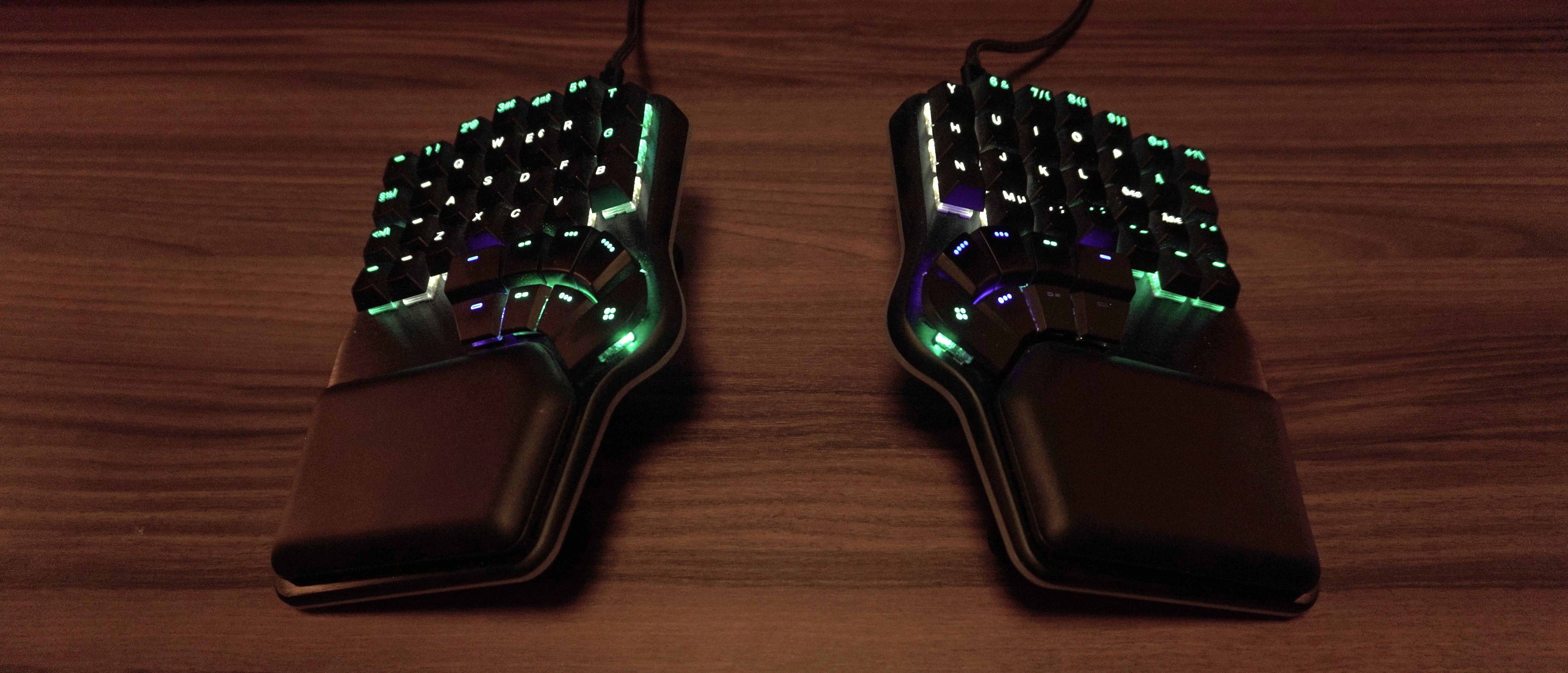
I actually decided to evolve from my three-finger hunt-and-peck typing and teach myself touch-typing just over a year ago, which ended up being an adventure and a half. I was originally just going to learn QWERTY on a normal keyboard, but after only a few days I started having terrible pain in the forearms/fingers. So I did some research and ended up deviating to standard Colemak and ordering a Dygma Defy, which I still use as my main driver.
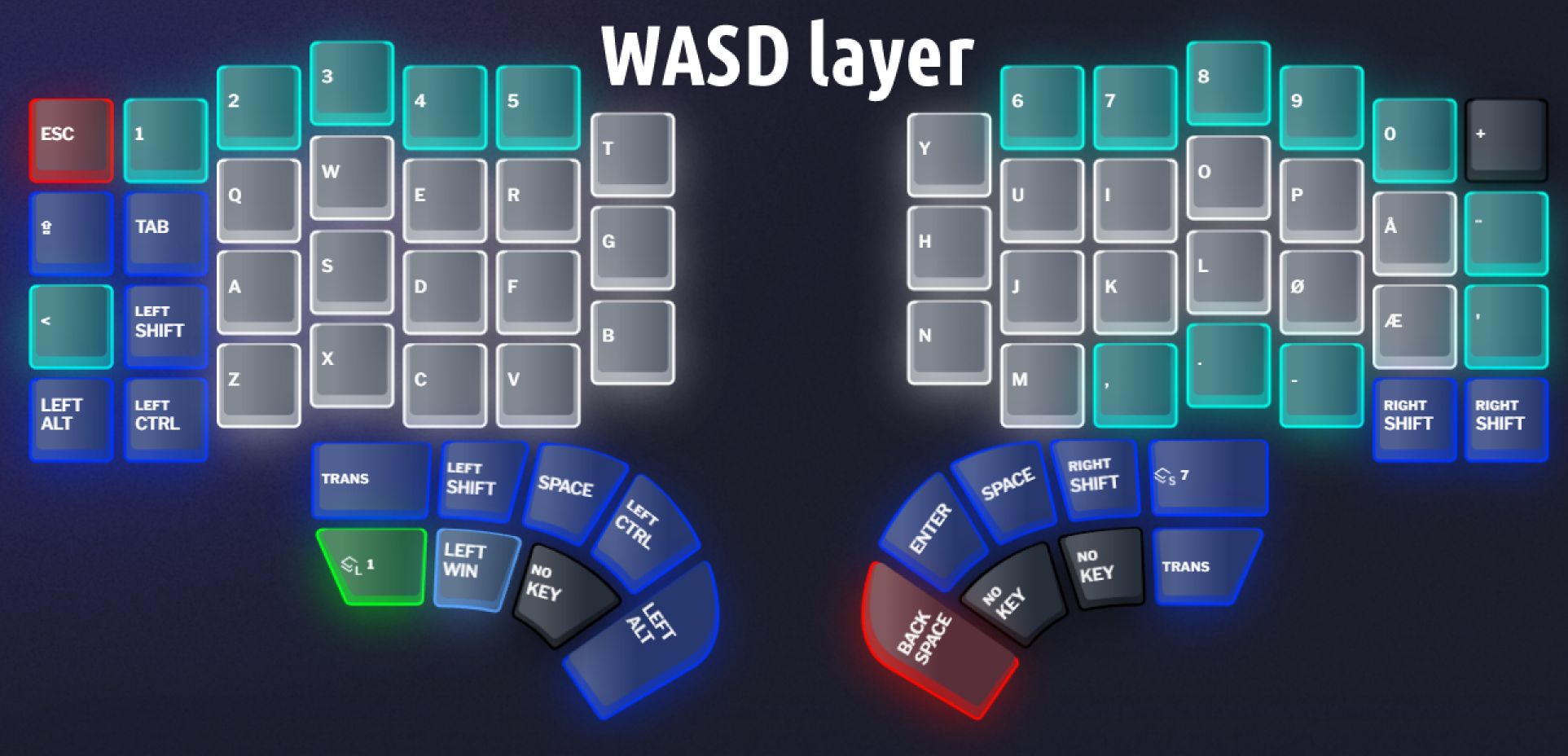
My layout has changed a bit, though. I still use Colemak, but I’ve made some changes to the layers, with some keys changing function depending on whether they are pressed once, held down, or double tapped. And some layers I’ve made specifically for different uses. For example I have two Colemak layouts, one for typing (with fewer functions and less lag) and one for work (with super keys, which can lag a bit), and then I have one displaced QWERTY layout for gaming, where the WASD keys are moved to where the ESDF keys would usually be, allowing me to not shift my fingers from their comfortable positions. I use the keyboard's key colors to let myself know which layout I’m currently on. But my layout is still evolving as I adopt some of the new functions the software offers, and discover different needs for different programs. For example, I recently switched my A key on my work layout with a custom super key which does A, Shift, Alt-Shift, or Ctrl-Shift depending on whether I tap it, hold it, tap then hold, or double tap and hold—which I only use in Blender, where the functions matter more than the keys being really fast.
I also just added a numpad row, although I haven’t fully tested it for convenience yet.
I use the original keycaps, but with the shifted QWERTY layout, so that I can look at what I’m hitting when I’m gaming. When writing I simply go in blind.
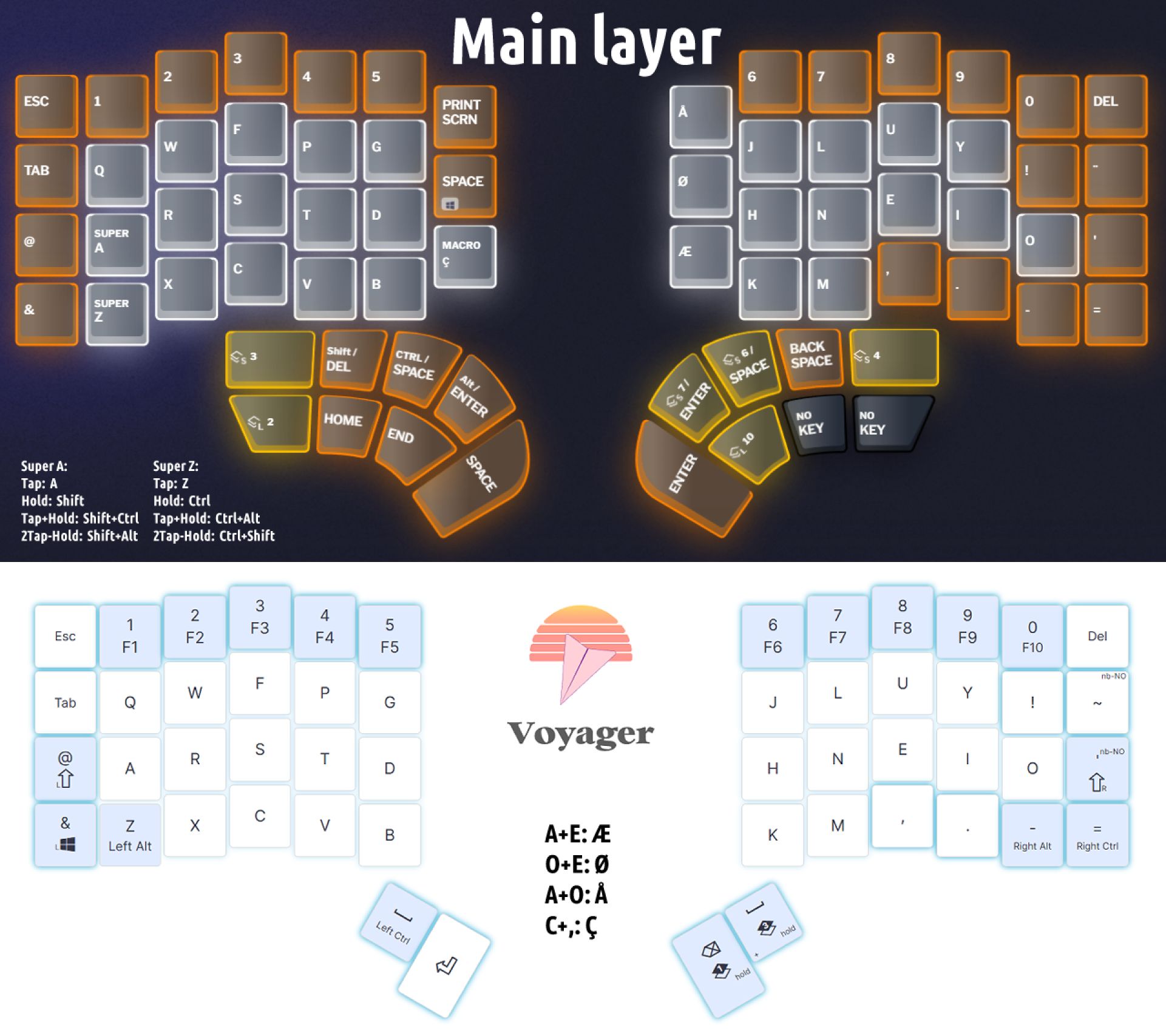
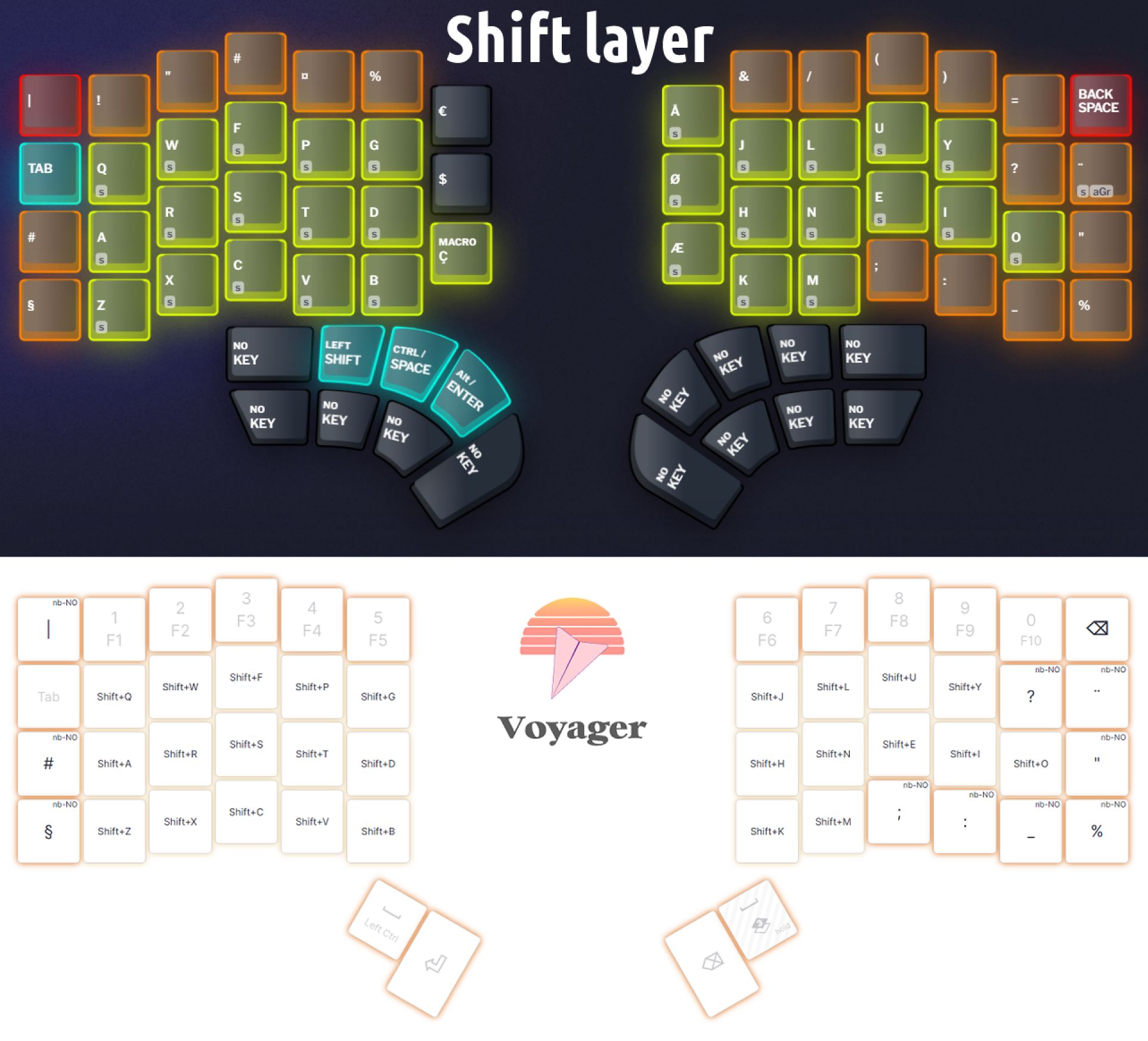
On my Voyager I use a slightly different setup, since it has fewer keys and thumb keys, and I don’t have a gaming layer. I had to move my Shift, Ctrl, Space, and Enter keys a bit, sort of moving them to where they would be on a normal keyboard instead of matching my Dygma keyboard. This is actually what convinced me to create the super keys on the Defy, since it was pretty convenient for shortcuts on programs I’ve used for many years. My fingers remember how to do it better.
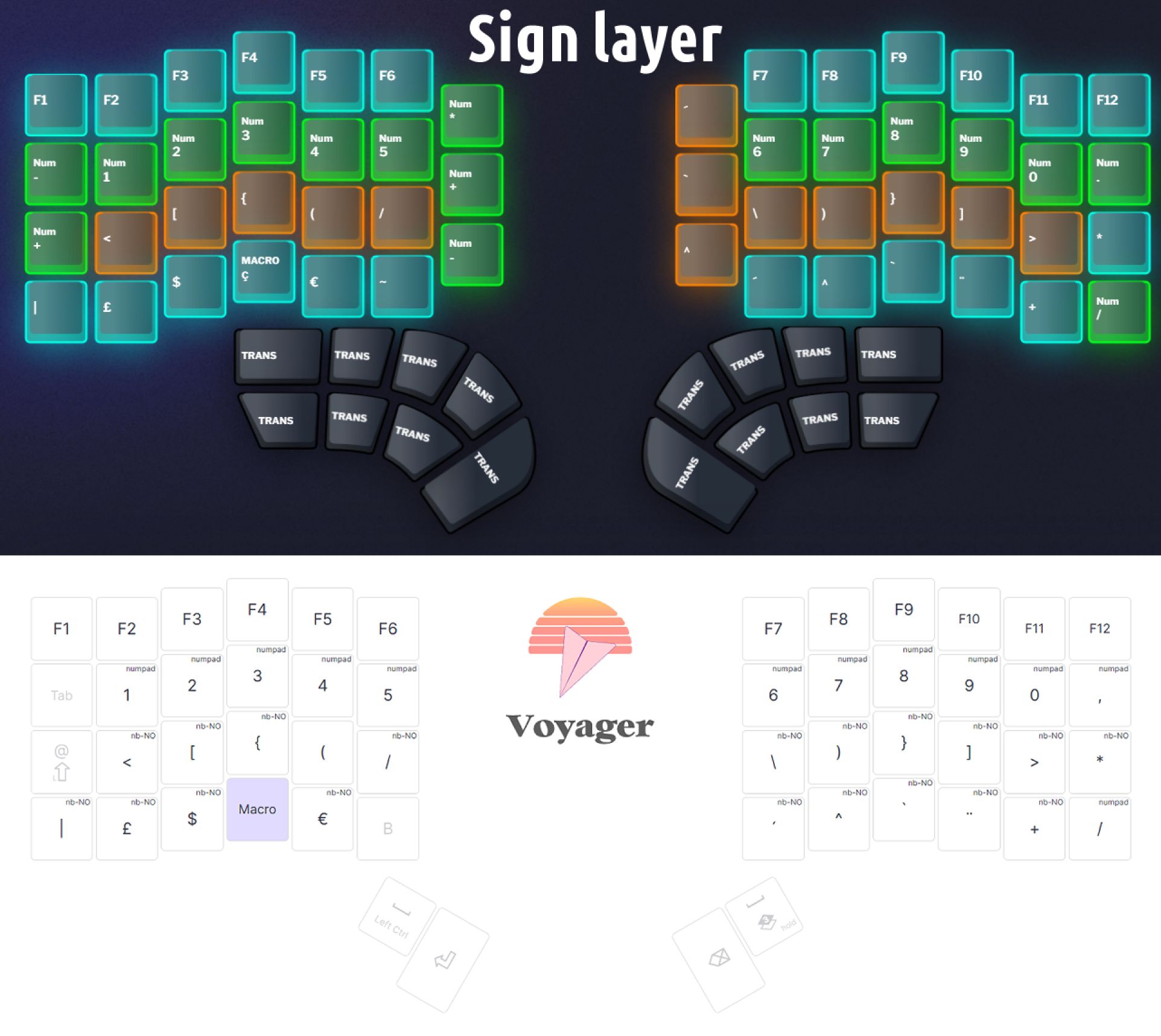
I also had to make up something for æ, ø, and å in Norwegian, and for accents in French, since the Voyager doesn’t have the extra center keys, so I’m using the simultaneous tapping of two keys for those. For example A+e = æ, a+o = å and o+e = ø. I don’t like using double-tap keys, since they slow me down on words with double letters; for example, “Haakon” would turn into “Håkon” by accident.
I’m still having a bit of a hard time adjusting to the lack of extra thumb keys. I could probably live with just three, but when I only have two, it affects my normal typing just a bit too much, the main issue being that my Backspace and Enter are no longer where I expect them to be, and I fully lose my Delete key. It’s completely fine for nonwriting use, though.
What would be your dream setup?
Honestly I’m getting pretty close to my dream setup.
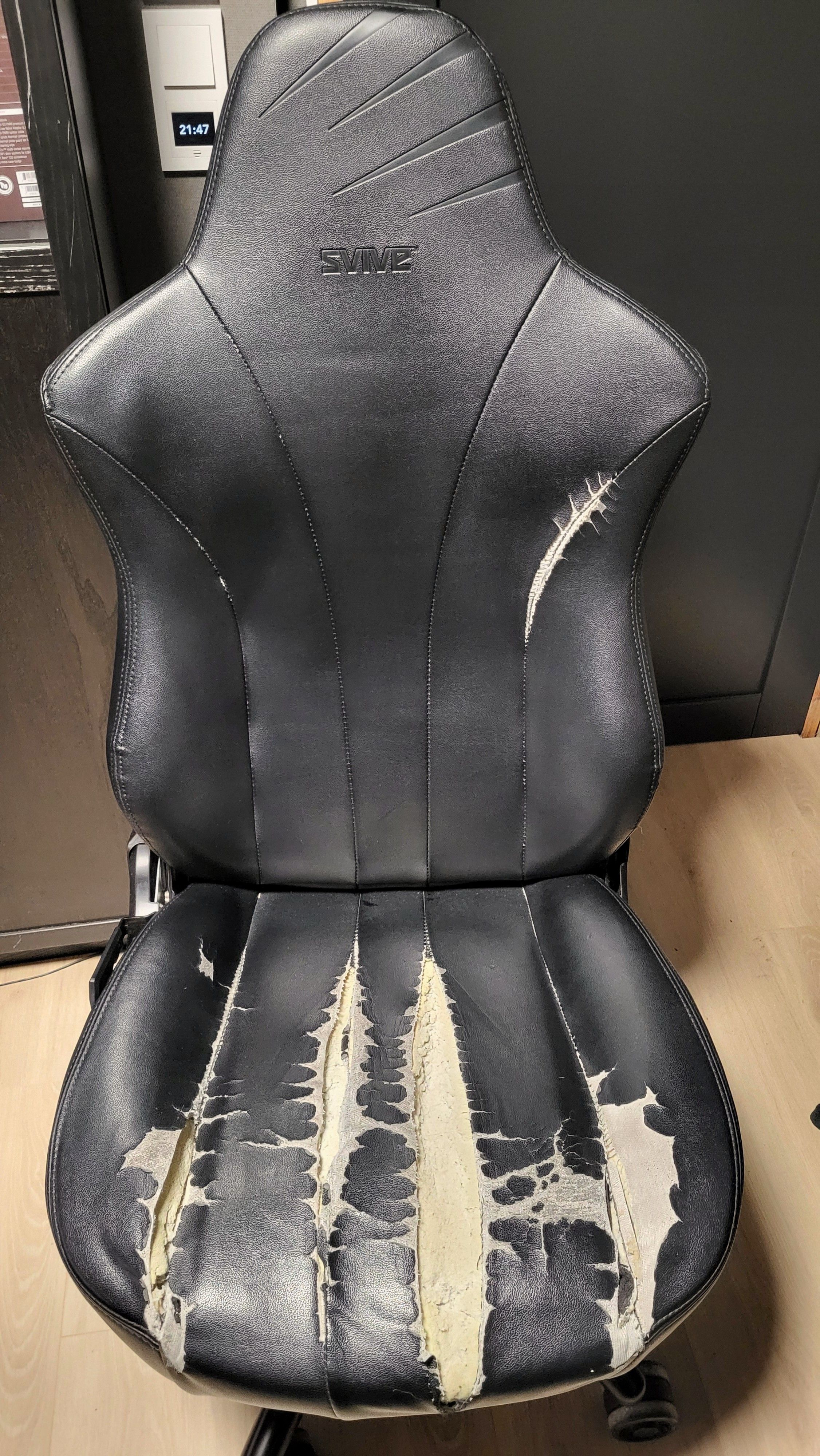
My chair is definitely due for an upgrade. The fabric is ripped in all the seams from overuse, since I like to use things until they break. I didn’t throw out my previous chair until it literally snapped in two. I’d like something a bit ergonomic and better-suited to the way I sit, which is a bit nonstandard, or suited to partially sitting for quick breaks when standing at my desk, and to changing positions a lot. I can’t seem to sit in the same position for very long. Maybe one of those chairs that are made to sit cross-legged.
It would be fun to install a green screen for more video shenanigans too, but I need to finish the office first, and get the clutter out of the room. There’s a lot of stuff in my office that belongs in the still-nonexistent living room, like my instruments and some furniture.
For my travelling setup, I’d like to find a keyboard which better reflects my Defy’s layout, so that I won’t need to switch up the way I write at home versus when travelling. The Defy could technically be used when I travel, but it’s a bit too big with the built-in pads and big keys. But the same layout, with the same thumb keys, flat keys, no wrist rests, and preferably the same software would have been ideal. In a perfect world, Dygma would release a smaller, more portable version of the Defy.
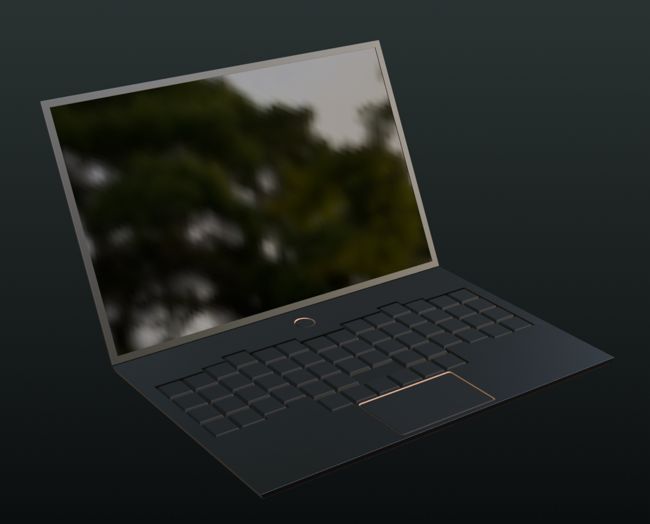
I’d also like to find a way to place the keyboard on top of the laptop. Maybe a 3D printed flat stand of some kind. Having the split keyboard beside or in front of the laptop isn’t very space-friendly. Although, in an even more ideal world, a laptop with a built-in ergonomic keyboard, along the lines of this, would have been the absolute best travelling setup.