







The people who use our boards.
424 interviews since 2018




Jon
Zelner
Epidemiology Professor
Who are you, and what do you do? What do you like to do outside of work?
My name is Jon Zelner, and I am an associate professor in the Department of Epidemiology at the University of Michigan School of Public Health. I live in Ann Arbor, Michigan and lead a research group (epibayes.io) focused on the social and spatial epidemiology of various infectious diseases from influenza to Covid to MRSA and others. Our research is highly quantitative with a focus on Bayesian hierarchical modeling of complex infectious disease datasets with all kinds of interesting metadata. I also teach undergraduates and graduate students at the University of Michigan.
Outside of work, I spend a lot of time hanging out with my wife and two kids, 8 & 11 years old, and ferrying the kids around to their various soccer games, weightlifting classes, playdates, and so on. Other than that I like to run and bike around town (in the warmer months). I have recently rediscovered my love of PC gaming (particularly flight simming) and photography at the tender age of 44.
What hardware do you use?
Most of the time, I can be found working in a coffee shop or at my dining room table with my M4 MacBook Pro 16". I love this machine because of the nanotexture screen, which lets me work in sunny spots in nice weather, and the seemingly eternal battery life.
A lot of the time, my Mac has my Voyager attached to it, whether I'm sitting at my dining room table, in a coffee place, at my backyard picnic table, or have it docked at my makeshift home office in the basement. I have ADHD and have always found it very hard to work in an office—after about an hour or two I tend to find myself falling asleep and need a change of scene to keep going. So being able to take breaks, pack up, and walk/bike/drive to the next location is the highest priority for me.
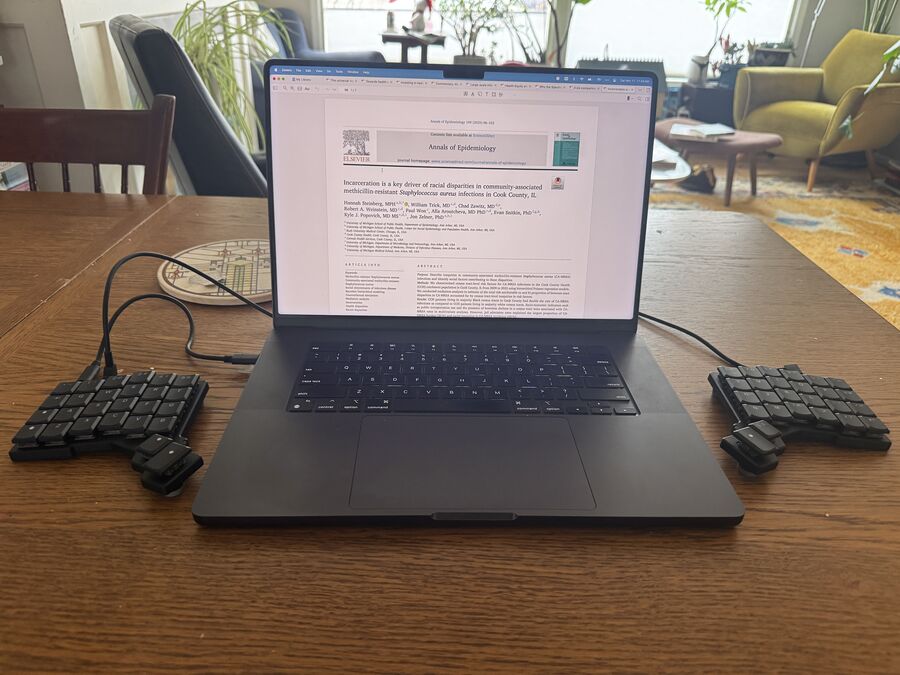
Relying on my laptop's keyboard almost exclusively over the years started to hurt my hands, particularly as my thumbs have become a bit prematurely arthritic. So, the portability and relative durability of my Voyager were its biggest selling points, as I can take it with me and still have a reasonably ergonomic setup wherever I go. But it took me a while to get here. The first split keyboard I ever purchased was the ZSA ErgoDox EZ way back in 2017, after which I decided to get myself a Planck EZ for travel, etc. This kicked me off on a multiyear journey to find my Goldilocks keyboard.
I haul everything around in a very well-loved Tom Bihn Synik 30 that is functionally my real “office.” Fully loaded with my laptop, Voyager, water bottle, coffee mug, and large external battery, it often tops out at 20 lbs. I found this out because my kids insisted on weighing it, as they were incredulous about the weight. I wish it were lighter, but it's worth it.
During Covid lockdown, I ended up burning some time (and money) building a bunch of custom split boards, but never found one that worked quite right for me. At first, the excitement I had for mechanical keyboards mostly came from nostalgia for the clicky IBM Model F keyboard that was attached to the first PC I built with my dad back in the 1980s. I found that all the mechanical boards I tried worked well at a desk where I could adjust the height of the monitor, etc., but worsened my RSI on the go. I started to realize that the height was the problem, particularly on a dining or coffee shop table that can sit higher than a good desk or keyboard tray. Plus they were very heavy and moderately embarrassing to pull out and set up in public.
So, last year I bought a nice prebuilt low-profile split board from someone online who was making them at home. I loved the board, but after a few weeks of carrying it around—even in a case—the exposed connectors and controllers started to loosen, and I realized it would give up the ghost if I kept tossing it in my backpack. So, I put that one in my campus office, gave into temptation, and got a Voyager for home and my nomadic workdays. Obviously the Voyager needs to be treated with care, but it is decidedly more robust than my first low-profile board or any of the ones I have built on my own.
And what software?
Being a professor in my school requires you to do a lot of different things over the course of a given day or week. We are research-intensive but take teaching and service seriously. I tried to live a Linux-only lifestyle for my first few years in this job, but I eventually gave up and went back to the Mac because the friction around using programs like Word and Excel—the lifeblood of any healthy bureaucracy—quickly became overwhelming. I miss i3 every day, even though I have found some decent Mac-based compromises for keyboard-based window management.
When I get to do hands-on research, I spend a lot of time writing code in R and Stan, and increasingly Julia, usually using VS Code or the excellent VS Code fork Positron for data science.
For teaching, since my lecture slides can be math- and code-heavy, and I like to work in plaintext, I tend to make slides and other classroom materials in some combination of Quarto for the modern R Markdown experience or Typst for super clean formatting, super fast PDF compilation, and the general pleasantness of working in it.
For writing papers, I switch between Word, Google Docs, LaTeX, and Typst. I learned a long time ago to not let my esoteric (and constantly changing!) software preferences be a barrier to collaboration. So I try to use whatever works best for the colleagues and students I'm working with and shoehorn it into my preferred workflow.

What’s your keyboard setup like? Do you use a custom layout or custom keycaps?
My keyboard setup is pretty vanilla. I ordered my Voyager with Red switches, but I knew I was going to switch them out for a set of 35g Ambients Silents that I ordered from Lowprokb. I like the feel of the Ambients much more and I like a quiet board (plus I don't want to annoy people around me—at home or on the go—with keyboard noise).
I like the fact that the Voyager has a decent number of keys, because my brain space for layers and combos is limited. For me, the big quality-of-life things are mapping the arrow keys to HJKL Vim-style on a layer that is activated by holding down the semicolon. I also have Esc and Ctrl mapped to the same key via a mod-tap. I have some other stuff like controlling the backlight or volume mapped to other layers, but I honestly don't use them too much.
What would be your dream setup?
I think I'm pretty close to it for my needs. What I have right now is the most portable and ergonomic setup I've ever had. The big thing I'm missing is a svelte hard case to more securely carry my Voyager around in, particularly one where I can do so without pulling out the TRRS cable. Sometimes when I put it in my backpack in the case, it can get a bit smushed and a keycap will periodically come off, despite being careful. I wish the MBP was a little lighter for the sake of my back and shoulders, but I can't live without its big, bright, antiglare screen, since it is usually the only one I use.
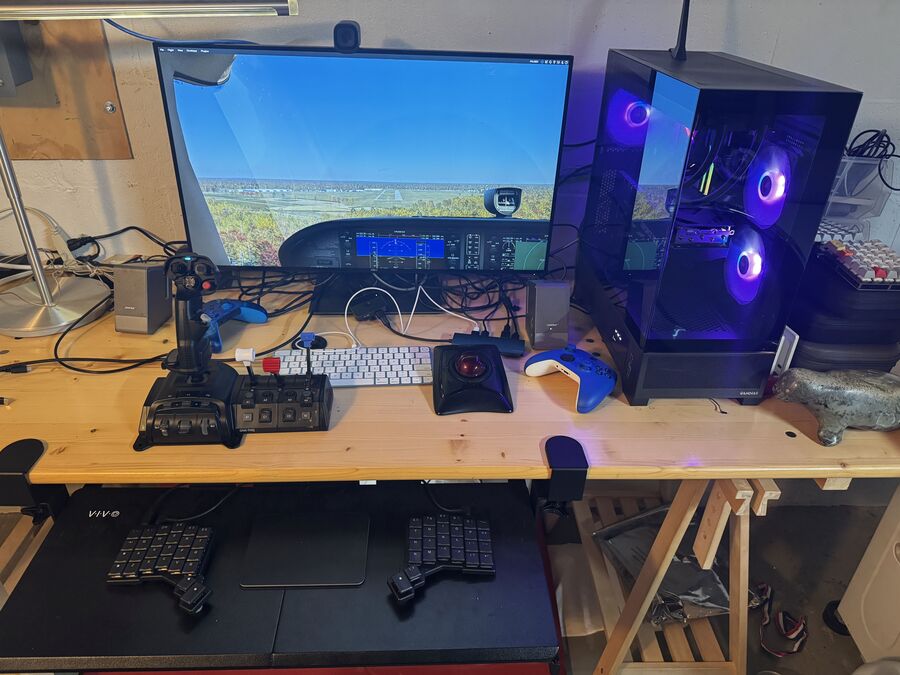
Outside of work, I'd love to be able to go all-in on a legit flight-simming setup, but that is just not in the cards right now. And I am not really dedicated or skilled enough to justify it, but some rudder pedals and nav displays would undeniably be cool to have.
