The people who use our boards.
424 interviews since 2018


Joby
Harding
Independent Full-Stack Developer
Who are you, and what do you do? What do you like to do outside of work?
I’m a freelance full-stack web developer and consultant. I help businesses build web apps to solve their problems and create value. I live with my partner in Brighton, East Sussex, UK.
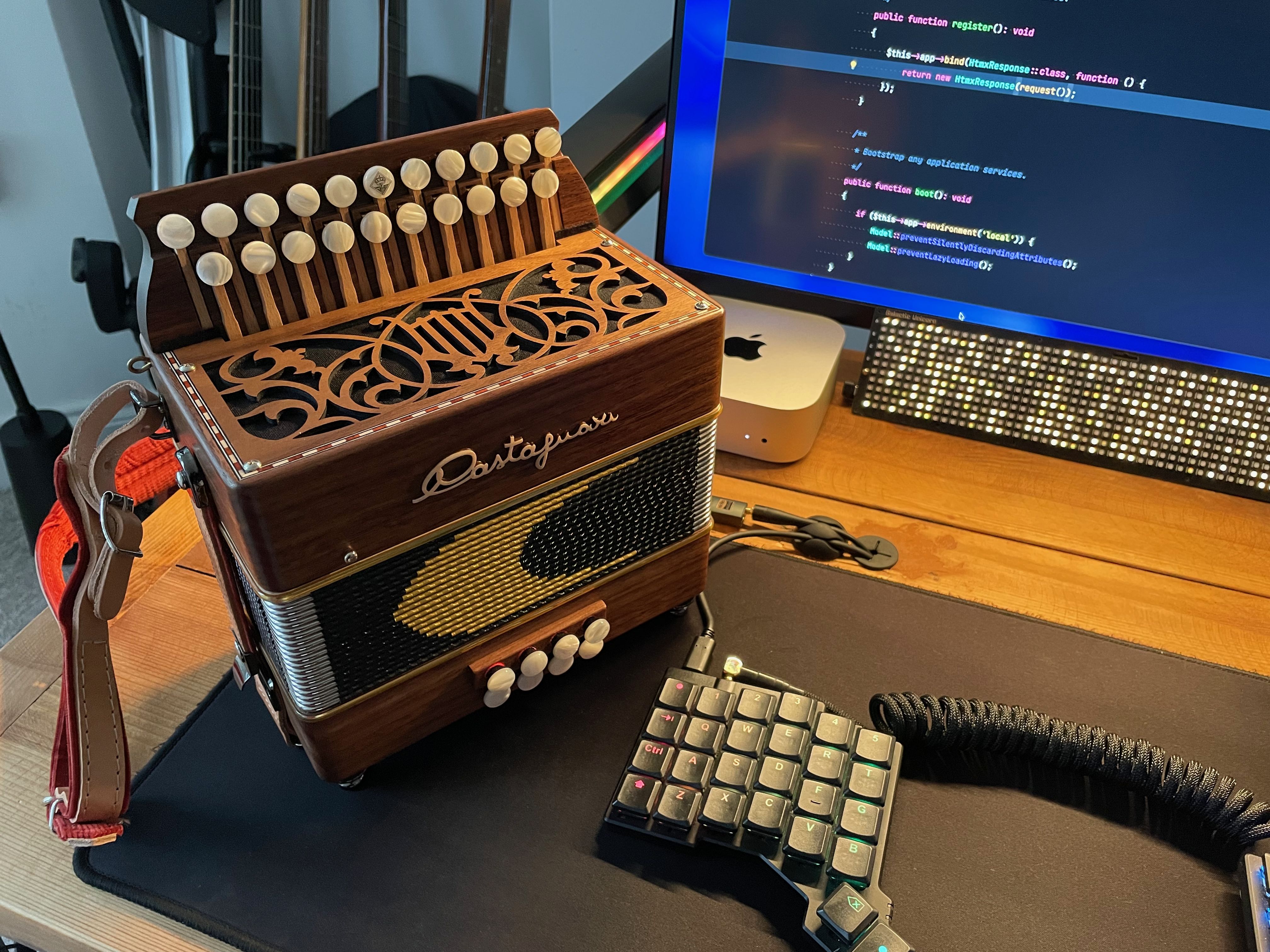
When I’m not hacking on Laravel projects for clients or fun, I like to play retro and action RPG video games, go mountain biking on the South Downs (our local hills / national park), visit crumbly castles, or learn English folk tunes on my D/G Castagnari Lilly melodeon. My family were involved with the folk revival scene in the 1970s and early 80s (that’s how you end up with a name like Joby) so the music has a special place in my soul. I was around some fairly Wicker Man style stuff from a young age ;D
I also attend and present at local coding meet-ups from time to time and help organise PHP Sussex.
What hardware do you use?
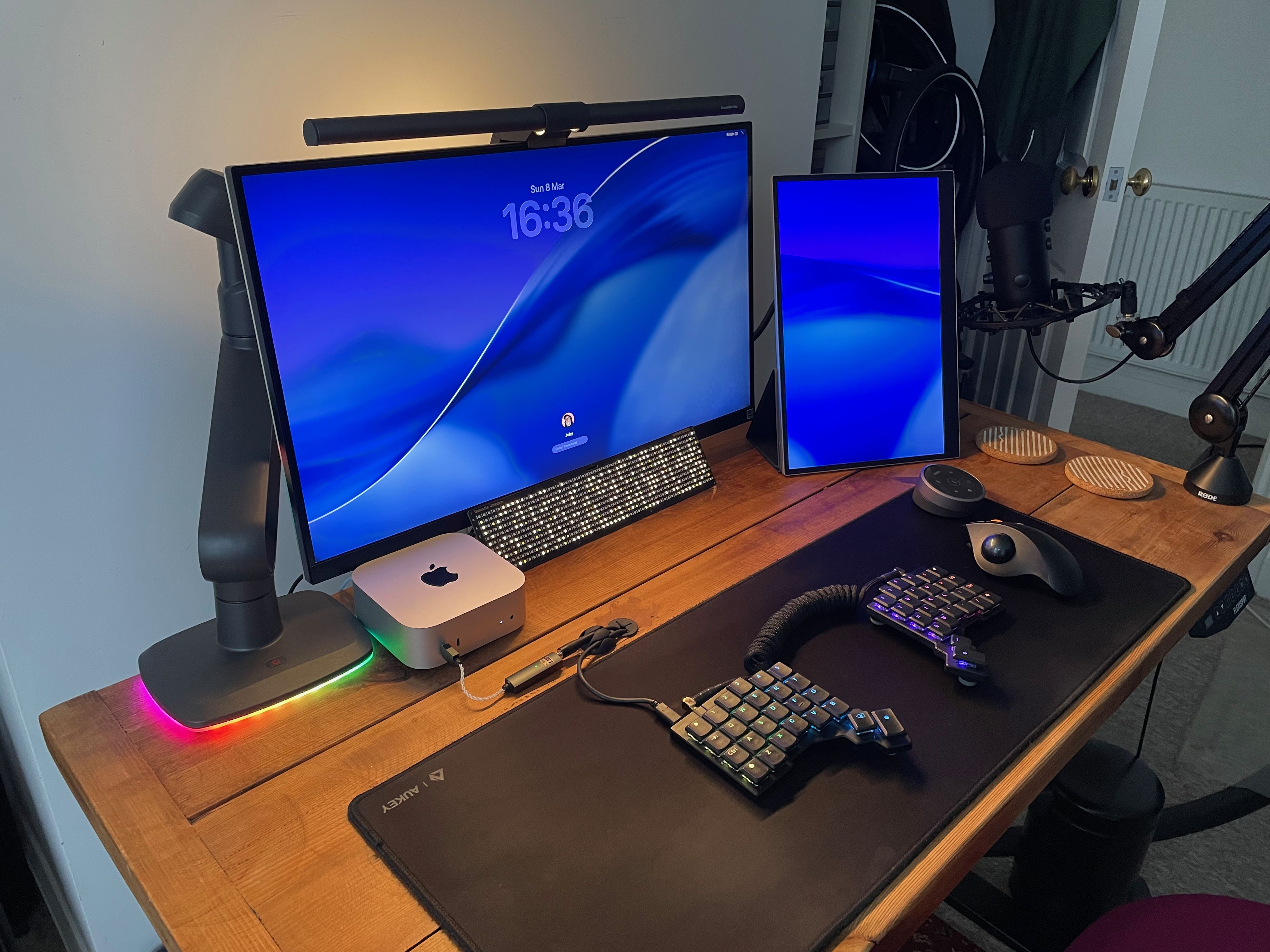
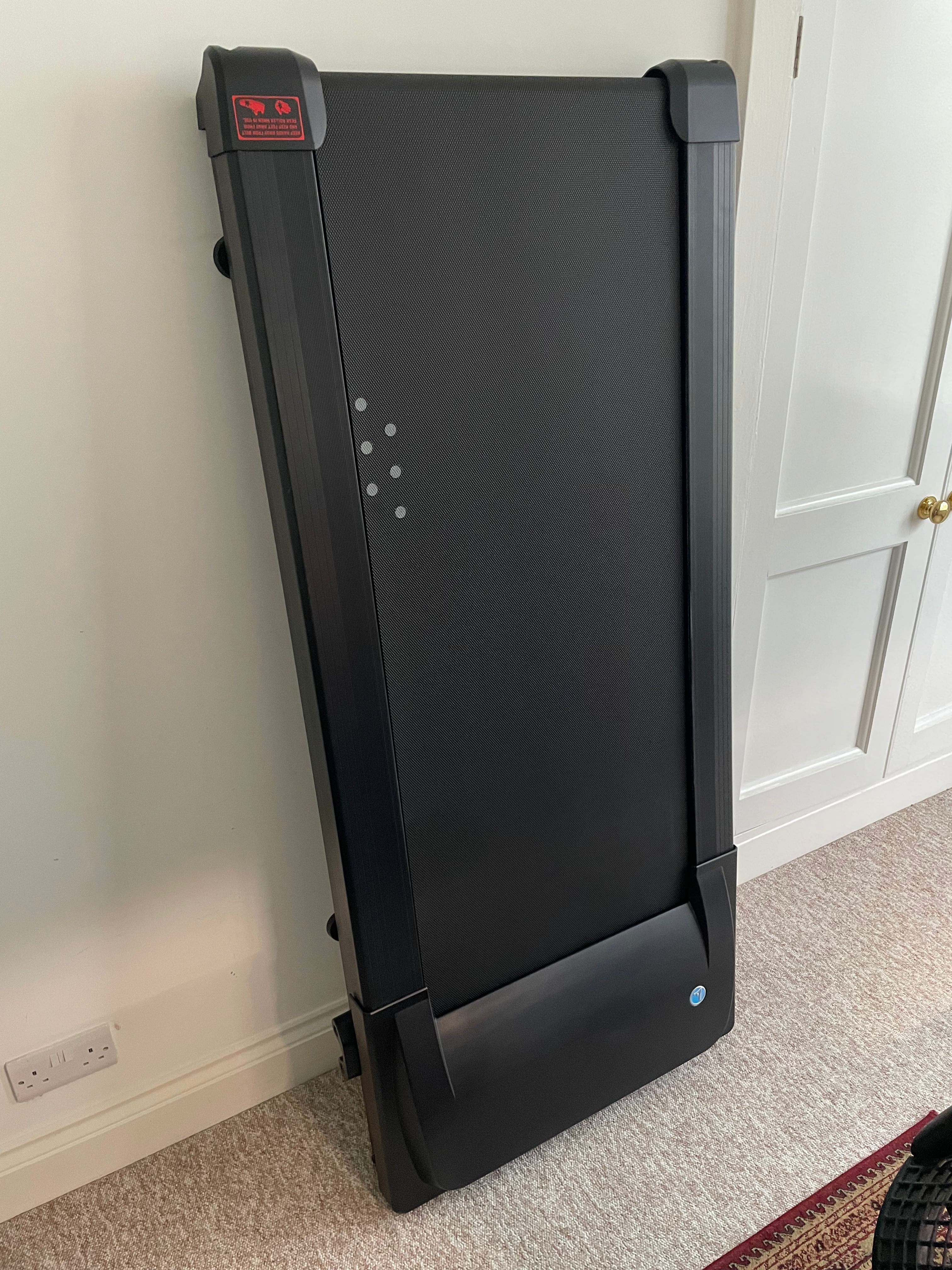
My desk is a height-adjustable FlexiSpot, so I can sit or stand with a few programmable presets. I bought the chassis and attached it to a reclaimed wood worktop for a nicer aesthetic, which I’ve since made a mess of while drilling a hole through for cables. I’ve got a LifeSpan under-desk treadmill, which I use far more infrequently than I should, and a Herman Miller Sayl chair.
My development workhorse these days is a Mac mini M4 Pro. I’ve been using mini PCs (Intel NUC and Mac minis) for about five years, now moving away from laptops to get better bang for buck and reduce desk clutter while still packing into a bag on the odd occasion I need to be mobile. Throughout my career I’ve always worked on some flavour of Debian Linux or macOS. After a couple of years using Ubuntu for development simultaneously with macOS for comms and proprietary software, sharing keyboard and mouse between the two using Synergy by Symless, I’ve ended up with just a Mac because I wanted a simpler life.
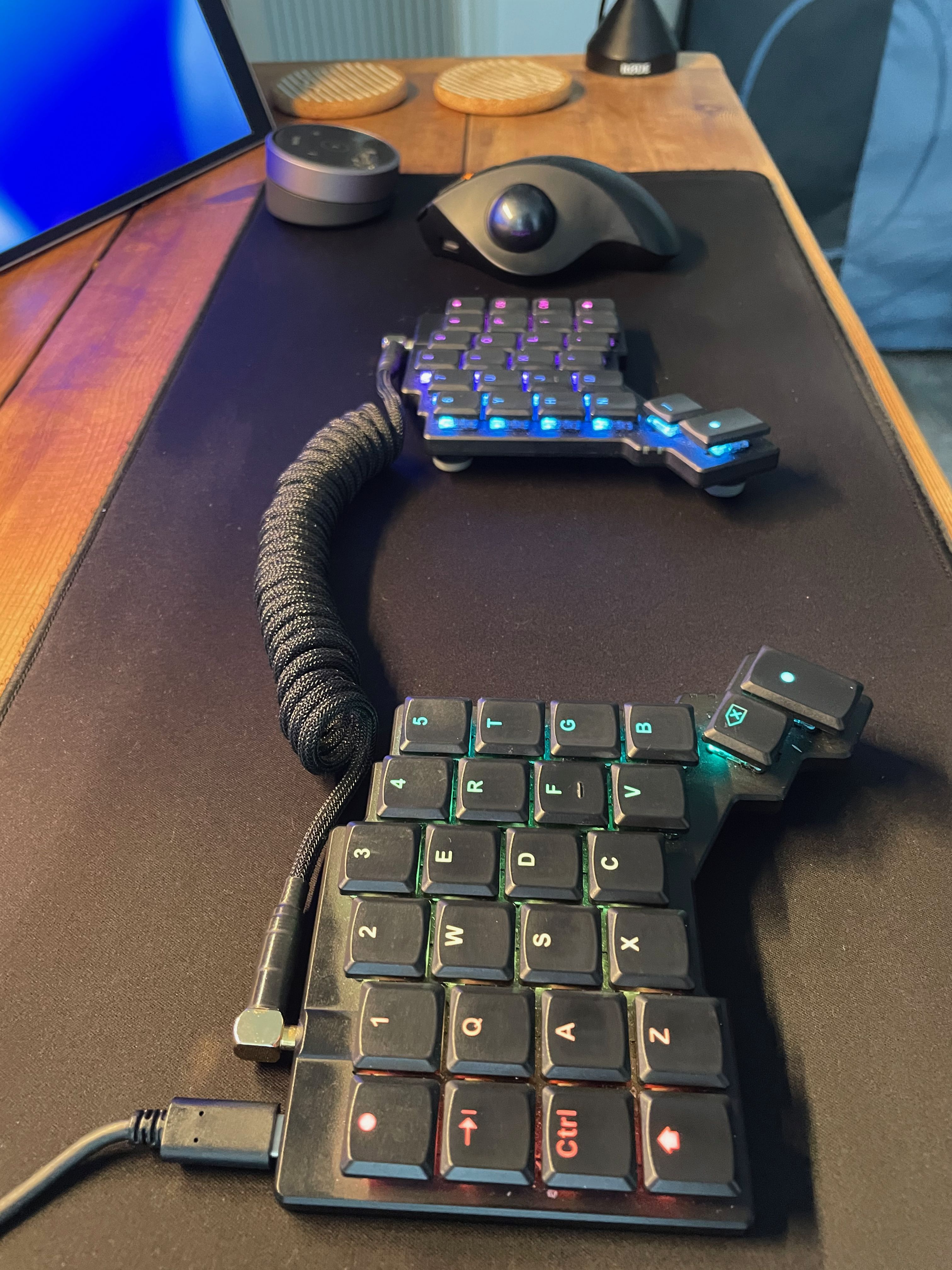
My keyboard is a Voyager which I’ve had for two-and-a-half years now. I use it for everything, so my ErgoDox EZ is enjoying some time out to pasture. Initially I was worried that the Voyager didn’t have enough keys for shortcuts I’d set up, but after spending a weekend experimenting with my layout and more efficient use of layers I realised I didn’t need the extra keys on the EZ and ordered my Voyager. The small portable footprint, sleek low-profile keys, and integrated tenting make it the split keyboard I always wanted.
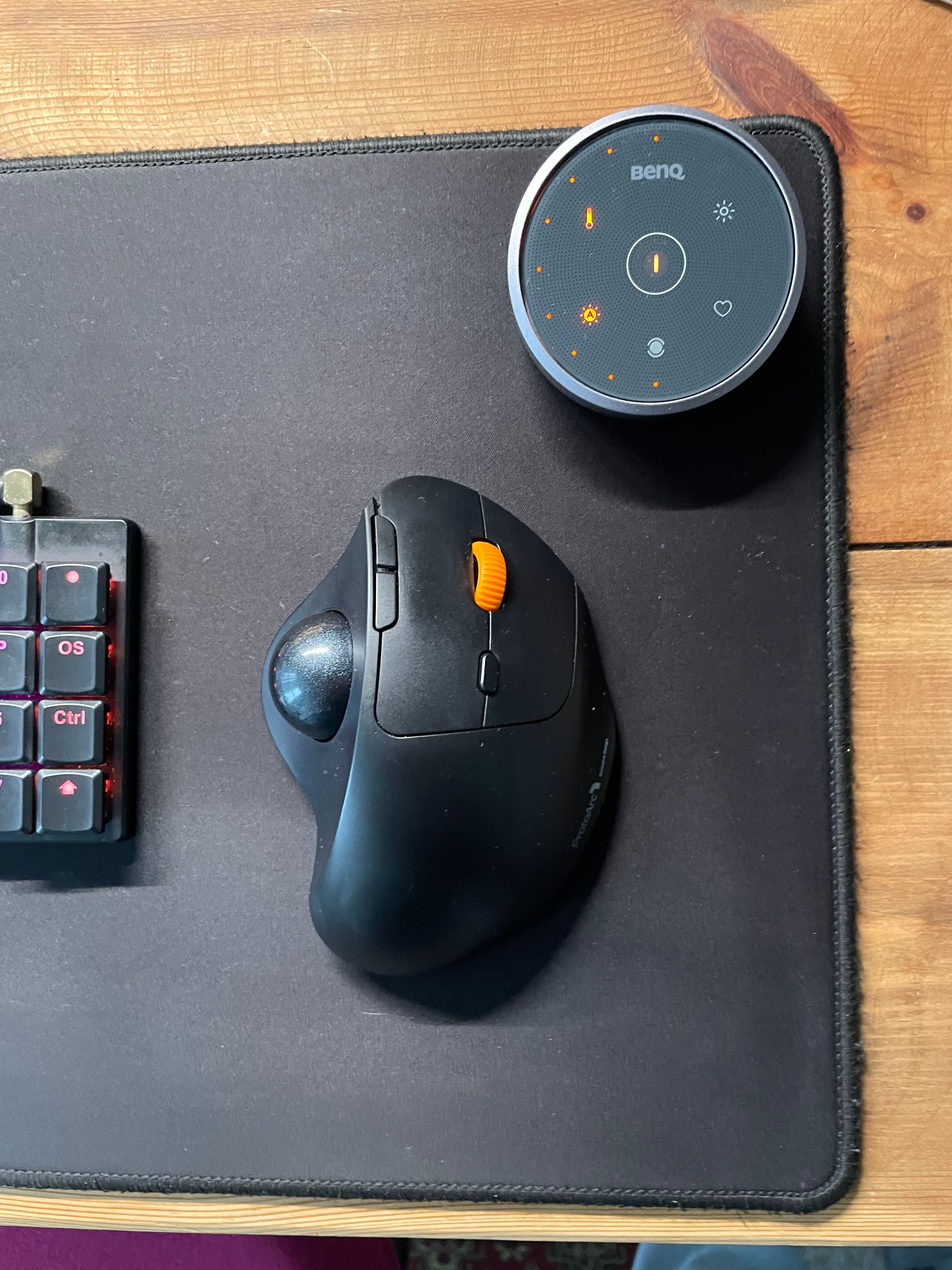
For day-to-day pointery, I have a wireless ProtoArc trackball. I really like the fact that the buttons have a tactile click but to make no sound, similar to the silent tactile bump keyswitches I use. It integrates a rechargeable battery and supports wireless connectivity via three switchable channels, which is handy. Before getting into trackballs I was using an Anker vertical mouse with a Razr mouse bungee.
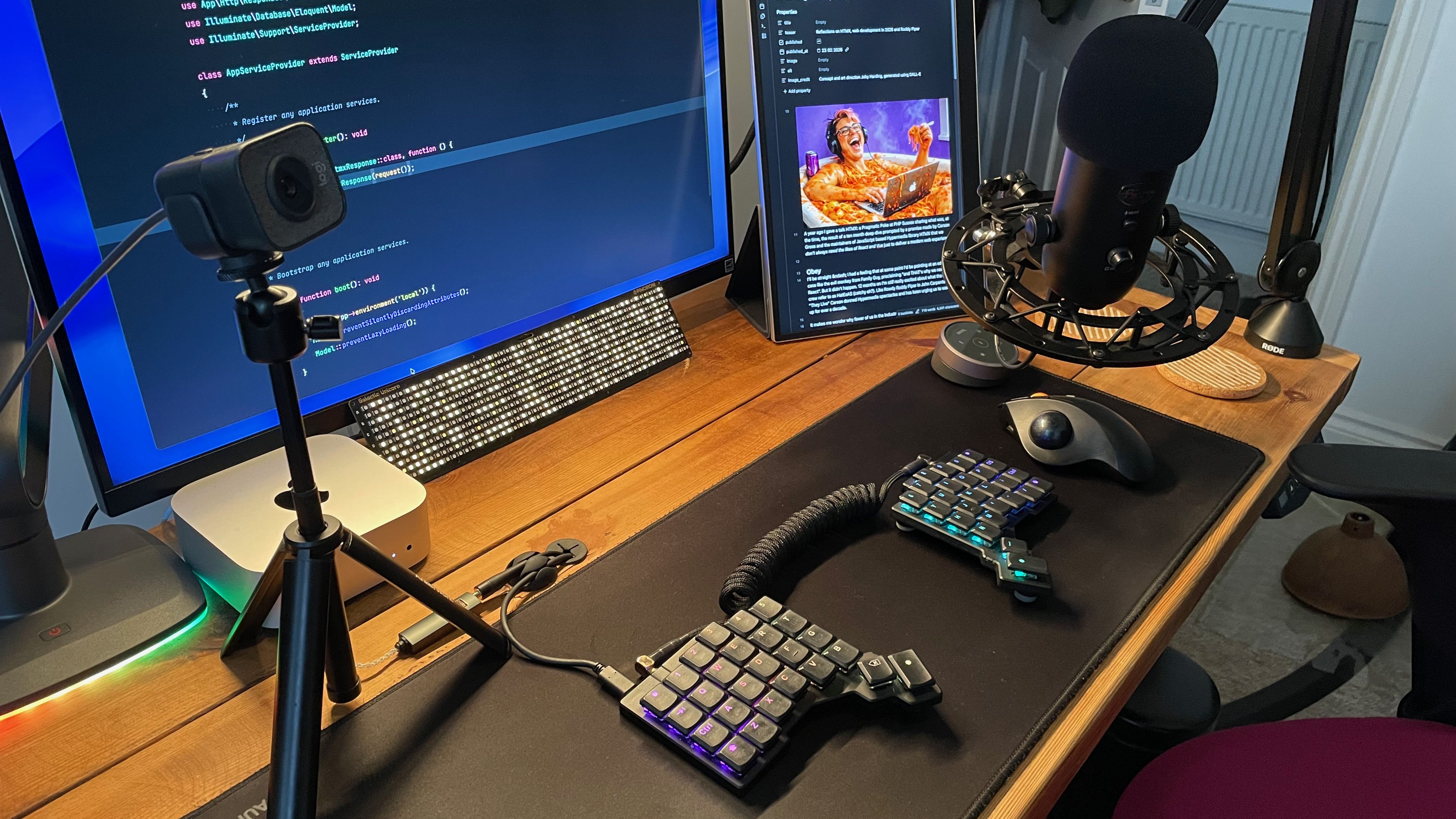
I use a Blue Yeti USB microphone with shock mount and a Logitech StreamCam for videoconferencing / screencast recording. I don’t like monitor-mounted webcams: The downward angle is pretty unflattering if you have a bald head. I mount the StreamCam on a small collapsible Anker desk tripod so I can position it quickly before a call for more beard and less bonce.
My main display is a 27-inch LG 4K monitor, and I use a 16-inch LG portable USB-C monitor usually in portrait orientation just to the side. Over the years, I’ve tried all sorts of double- and triple-monitor setups and developed lots of neck-aches. I really like this minimal setup; the 27-inch monitor is as much as I want for the main tasks I’m focusing on while the smaller portrait sidecar works really nicely for referring to notes, to-dos, Slack, WhatsApp, or displaying a music playlist.
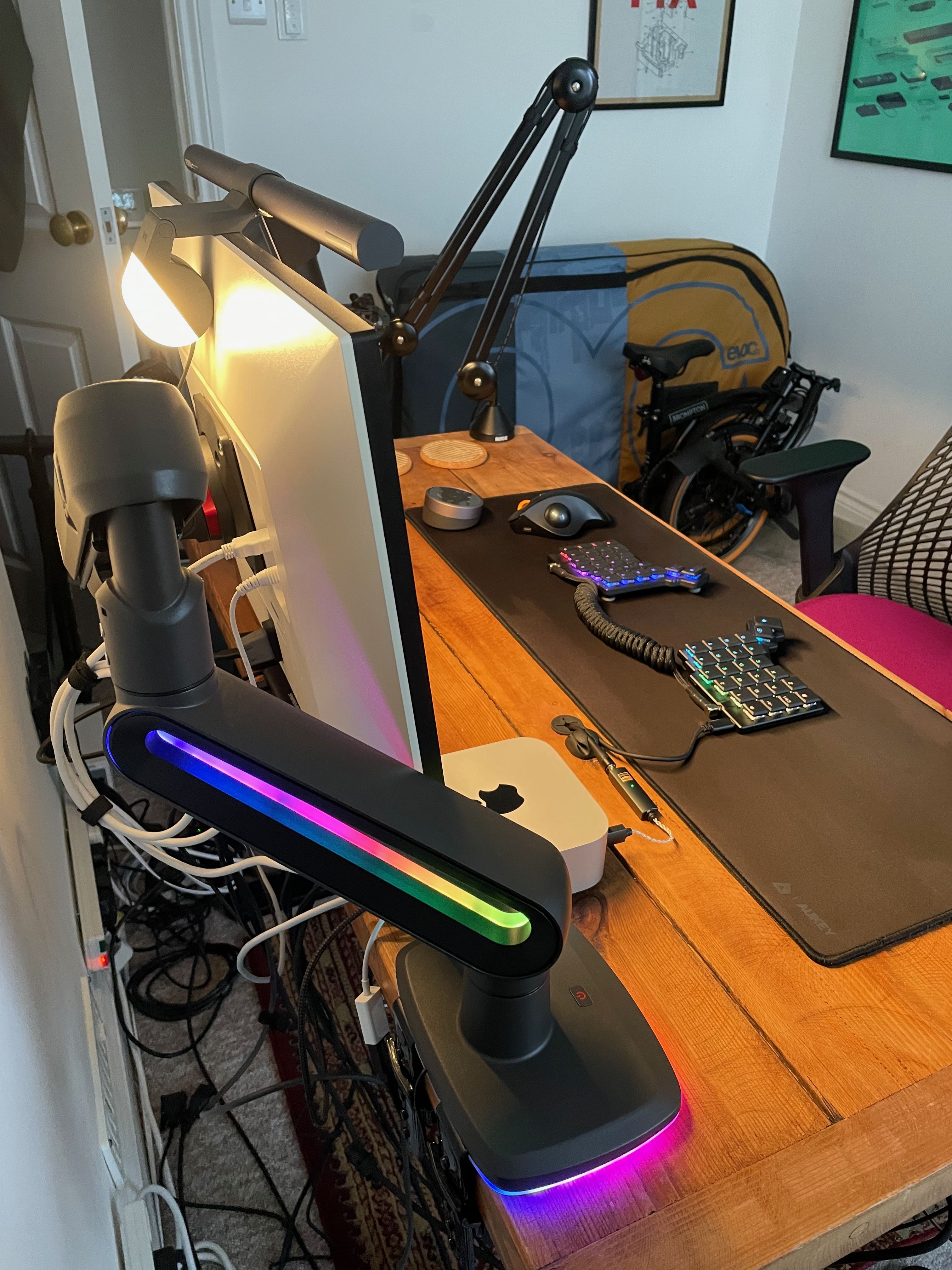
The Invision Vortex monitor arm was a bit of an indulgence. This extremely robust and delightfully glowy arm is rock-solid and prevents the screen bouncing when I’m working and walking on the treadmill. It can be repositioned very easily and complements the RGB lights on my Voyager. I've also got a Galactic Unicorn LED display as an additional piece of lighting flair.
A BenQ ScreenBar Halo has been an absolute game-changer for me. It’s an adjustable monitor bias light for your desk; in plain language, it throws light at the wall behind your monitor and straight down onto your desk to reduce extreme light-level contrast between screen and surroundings, which can cause eyestrain. I’m particularly susceptible to this, given a chronic condition which causes dry eyes and makes it really sore to look at a screen. Controlling contrast between what I’m looking at and surroundings is absolutely key in preventing a flare-up. This is also why website themes which follow the OS light/dark preference should be treated seriously as an accessibility feature.
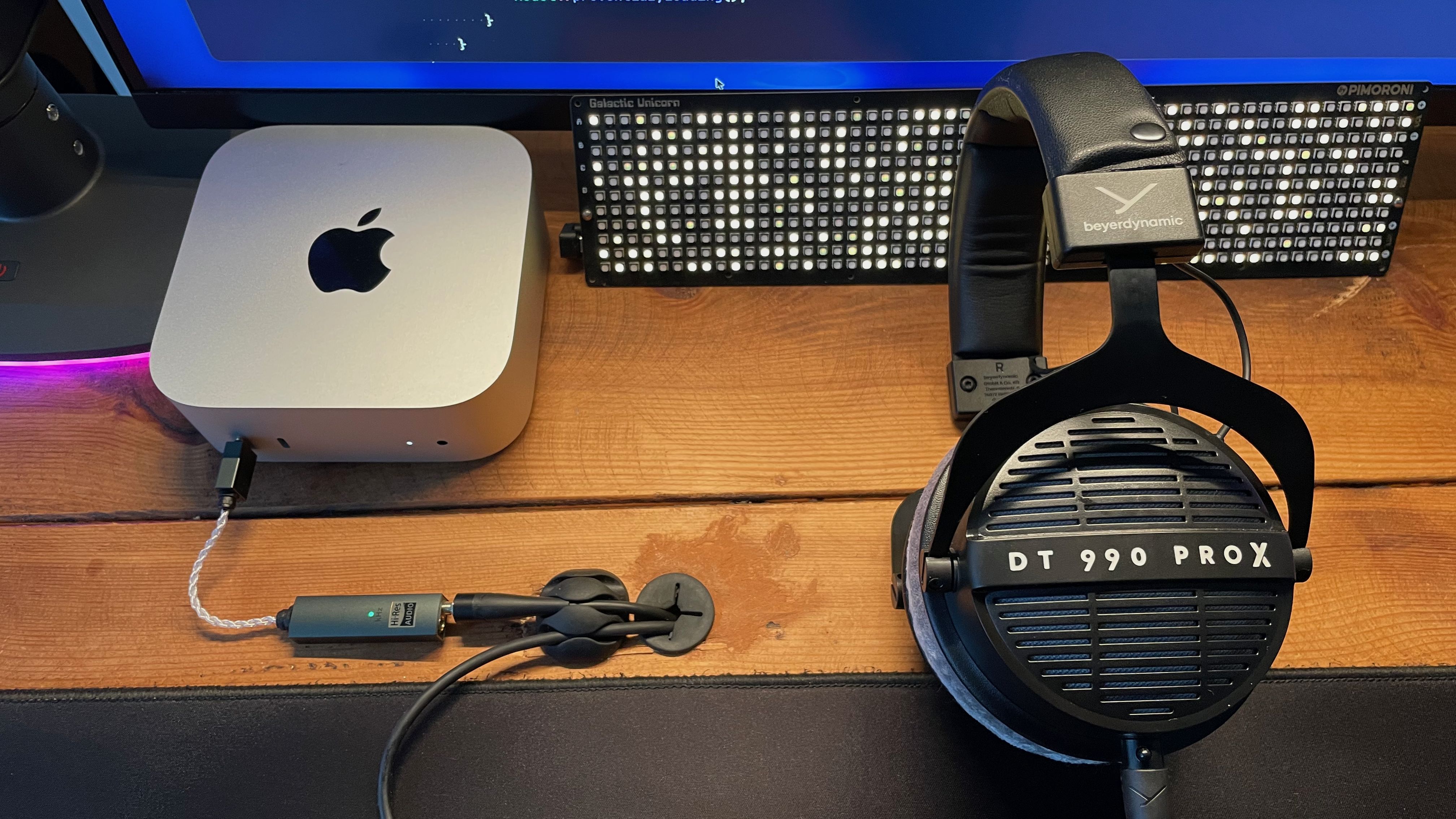
I’ve never considered myself an audiophile, but I spend a lot of time listening to music as I work and get a great deal of pleasure out of it. When my noise-cancelling wireless headphones broke recently, I “optimized” my setup and got a pair of beyerdynamic DT 990 Pro X open-back studio headphones, which I plug into a portable USB-C Digital Audio Converter (DAC), an IFi GO link Max.
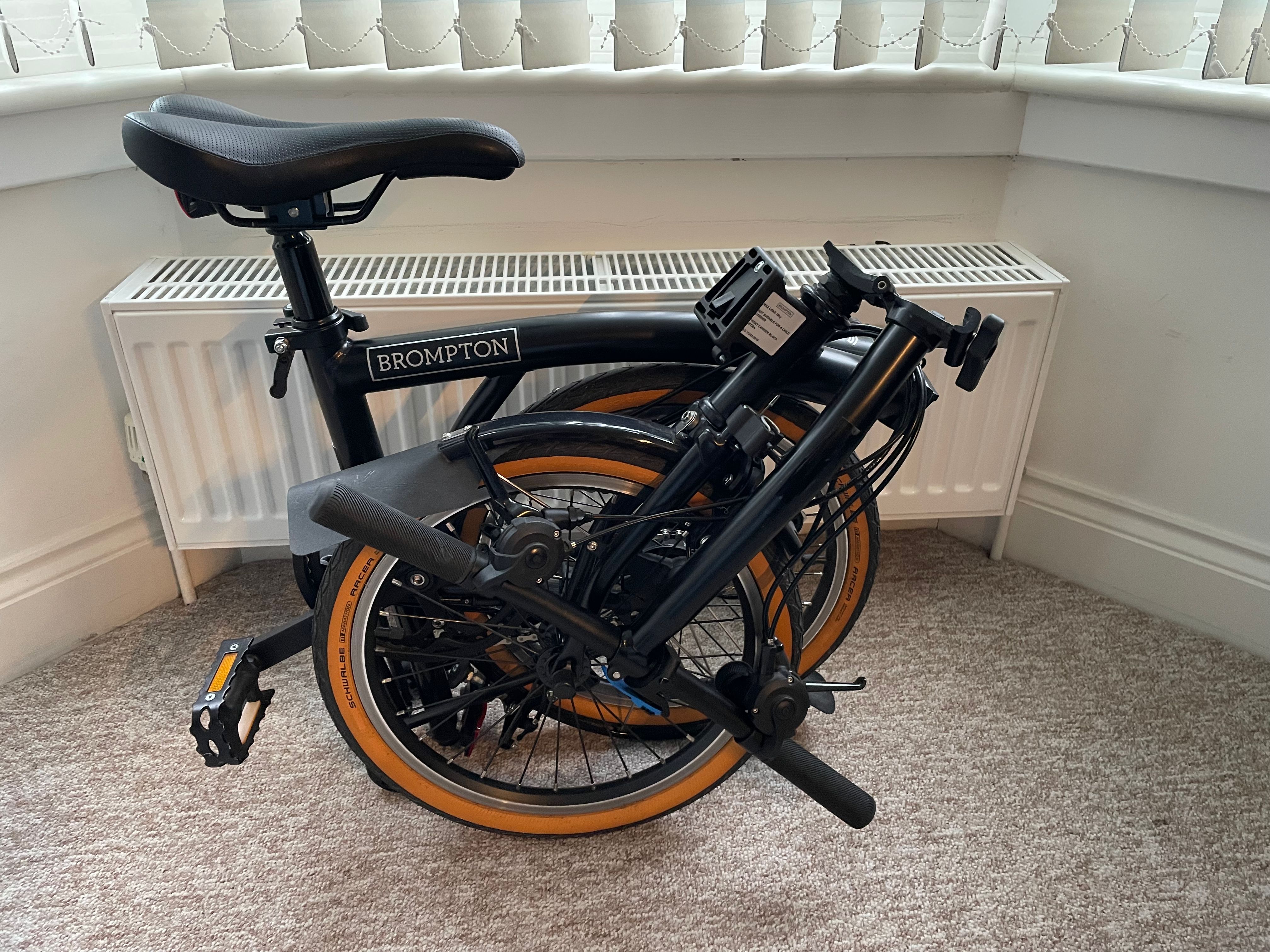
The final piece of hardware in my setup is my Brompton folding bike with attaching messenger bag. The Mac mini, portable LG monitor, and Voyager with modular Navigator trackball comprise my minimal field kit, which packs away snugly into the bag. It goes on trains and in the back of taxis, and it stows under desks in co-working spaces.
And what software?
For day-to-day development work I use PhpStorm by JetBrains. It has good Vim keybindings (a dealbreaker for me) and the Laravel support is excellent via the Laravel Idea Plugin, which is now free. After years managing bespoke Docker Compose-based local environments I now offload most of the configuration and upgrade headaches to Laravel Herd with a Pro subscription and am much happier for it.
In terms of AI I’m primarily a command-line Claude Code user. It’s even better when paired with Laravel Boost development MCP server. I use tmux to group and switch between terminal panes by project as each will likely have one or two Claude sessions, a frontend asset build and a couple of general-purpose panes for logging into a remote server or general command-line poking around.
Productivity-wise I use Obsidian to keep notes in Markdown and synced between my devices. I use Todoist to remember tasks. When sharing short screen recordings or annotating screenshots I use CleanShot X, and for recording and editing longer screencasts with higher production value I use Screen Studio.
Finally, I’ve been using Tidal for higher-quality music streaming to go with those headphones.
What’s your keyboard setup like? Do you use a custom layout or custom keycaps?
When I started out with the ErgoDox EZ I experimented a lot more with keyswitches. I’m pretty heavy-handed, so I ended up with a mixture of silent tactile Clear and Grey Cherry MX switches for stronger finger and thumb keys and some Brown Cherry MX for pinky outlier keys. It was a lot of fun but probably largely unnecessary. On the Voyager I use the Kailh tactile Browns which came with it but have added a set of Shhhocks to keep noise to a minimum and add cushioning when I bottom out keys as I’m heavy-handed.
I’ve been slowly refining a very opinionated personal layout called Blobfish for a number of years, including through a transition from ErgoDox EZ to Voyager.
The layout gives me hot keys for some of the gnarlier editor shortcuts I can't be bothered to remember, like running and rerunning test suites in PhpStorm, so I can do that quickly while making edits without switching context. I also have shortcuts for changing the text size of non-code-editor parts of the IDE for when I’m making screen recordings or live coding during a presentation, for toggling visibility of different panes like settings or project tree view and also entering the editor's distraction-free mode.
A classic Vim user affectation of my layout is that there is no Caps Lock, and my Escape key is on the left of the home row. I also have cursor keys mapped to the “Vim HJKL” (left, down, up, right) on one of the layers.
What would be your dream setup?
Aside from aesthetic changes (I’d love all my peripherals to be the same colour), I'd like monitors which adjust their brightness based on ambient light levels, so I don't have to do it manually throughout the day. Otherwise I'm fairly happy with how things are ... at the moment.